Logitech G Yeti 2 Review: A$249.95 USB Mic Adds Smart Voice Controls
The Yeti 2 pairs 24-bit recording and automatic voice adjustments with hands-on controls and deep G HUB tuning. Its noise tools help in a busy home office.
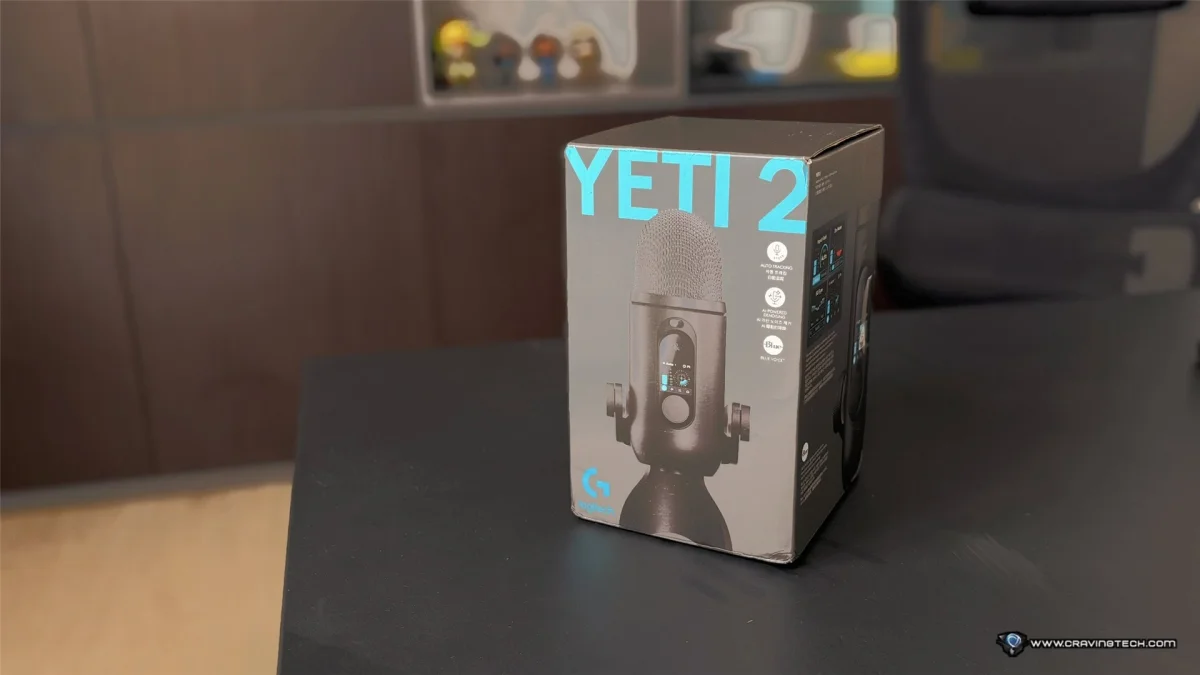
The Logitech G Yeti 2 makes its strongest case as a USB microphone you can start using straight away and keep tuning as your needs change. At A$249.95, it adds automatic voice adjustment, AI noise reduction and a colour display to the familiar Yeti-style desktop design. The result is approachable for everyday calls, with enough recording controls to interest streamers and creators who want to shape their sound.
That mix matters most in less than perfect rooms. During testing in a home office with a steady hum from nearby DVR and networking equipment, the Yeti 2’s pickup patterns and processing offered several ways to manage unwanted sound. They take some experimentation to balance, but Logitech G includes automatic tools and presets for people who don’t want to spend an hour adjusting audio.
A familiar mic with a more useful desk presence
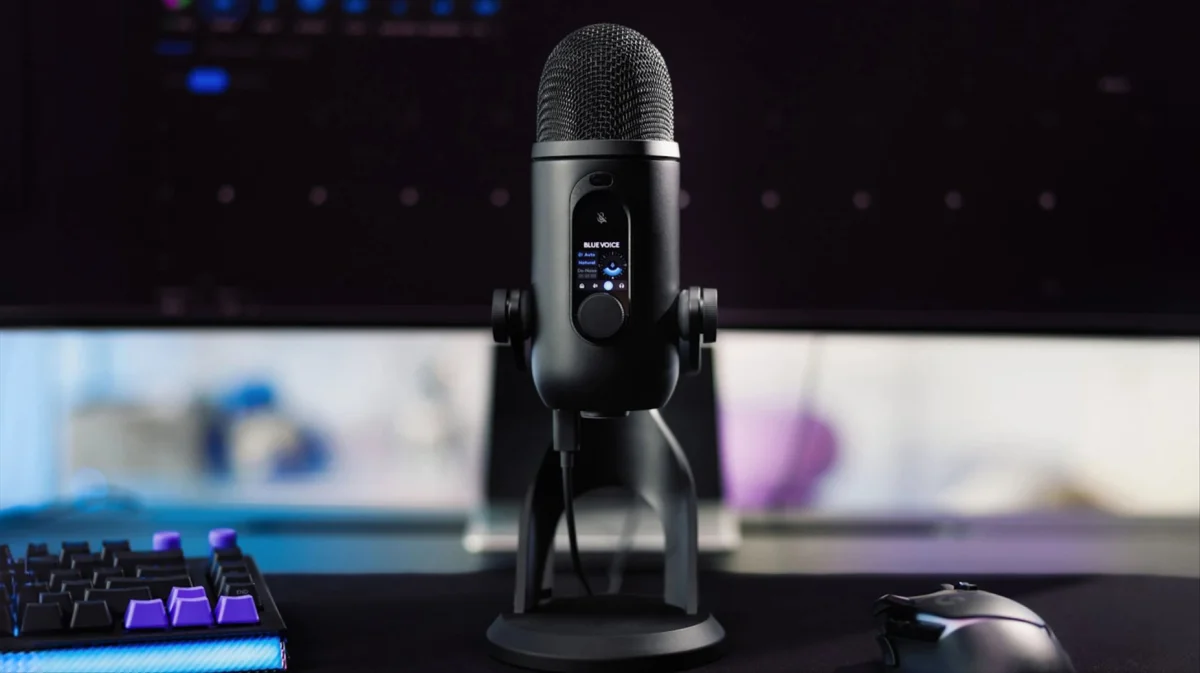
The Yeti 2 keeps the recognisable cylindrical microphone body and desktop stand associated with the original Yeti. Its die-cast metal construction feels substantial, and the microphone weighs approximately 995 grams with the stand. That weight gives it a stable presence on a desk, though it’s also compatible with a boom arm through a standard 5/8-inch mounting thread.


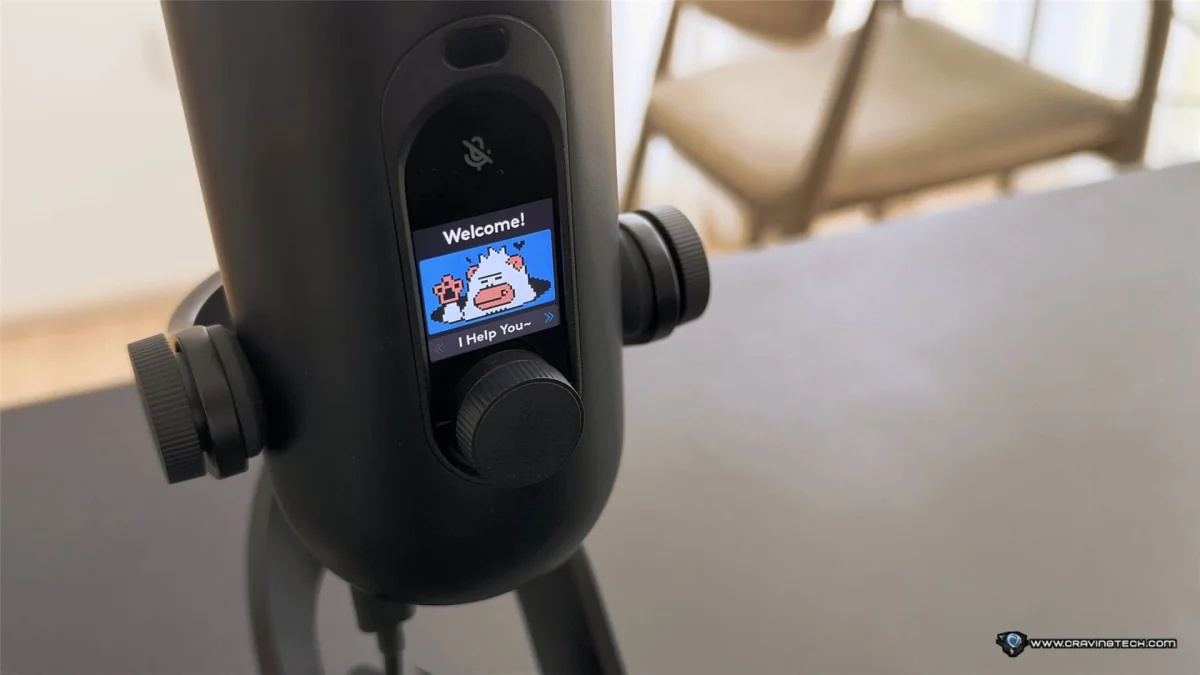
The most distinctive addition is a 1.3-inch colour display. It shows microphone status, levels, settings and presets, while also letting users select and customise small characters for the screen. That playful touch gives the mic more personality than typical recording hardware, but the display has a practical role too: key information is visible on the device while you work.


Controls on the microphone body provide quick access to adjustments without opening Logitech G HUB. The touch-sensitive mute control is especially handy during calls or recording sessions, when reaching for a software menu would interrupt the moment. USB-C handles the connection, and the mic doesn’t need an external audio interface, mixer or preamp.
Four pickup patterns and higher-resolution recording
Logitech G has redesigned the Yeti 2’s three-capsule condenser array for recording at 24-bit/48 kHz. The original Yeti recorded at 16-bit, so the newer model captures audio at a higher bit depth. Its stated frequency response runs from 20Hz to 20kHz.
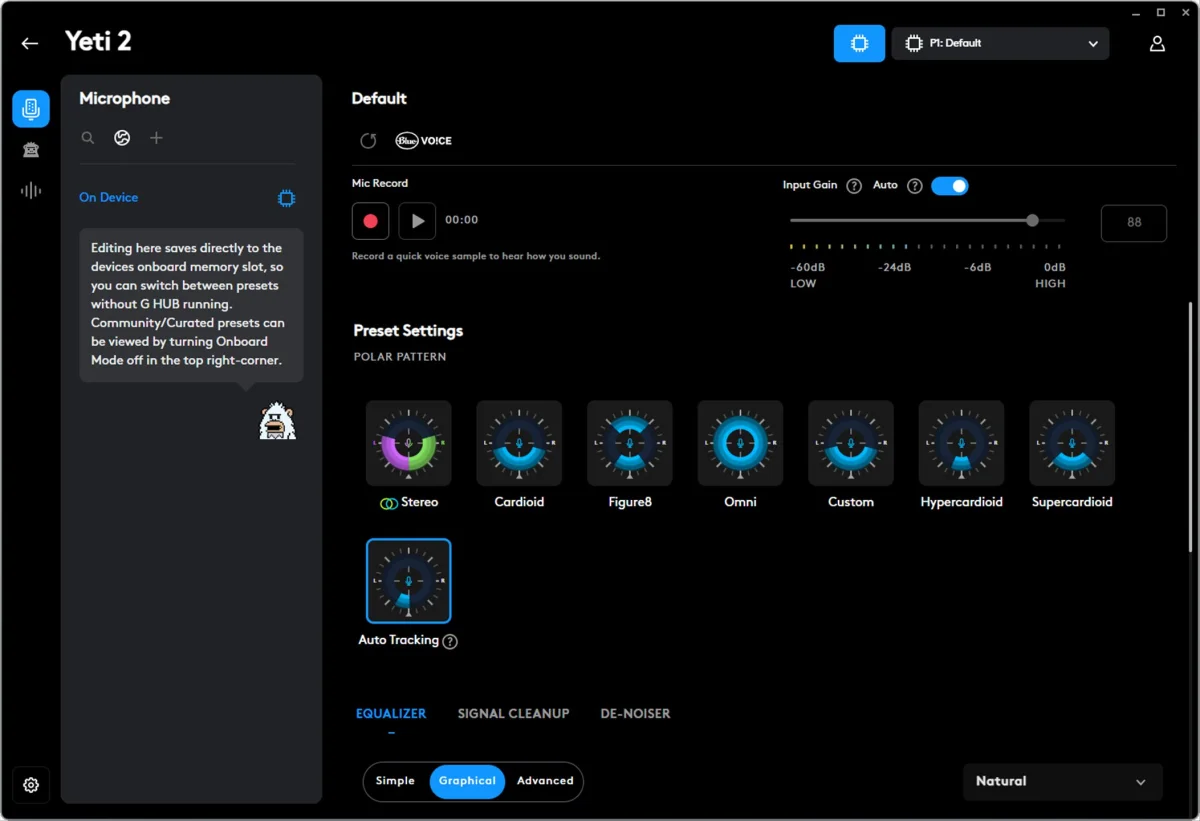
Four polar patterns help adapt the mic to different sources. Cardioid focuses on sound in front of the microphone, making it the natural starting point for streaming, voiceovers, gaming and meetings. Omnidirectional picks up sound from all directions. Bidirectional suits two people facing each other, such as in an interview, while stereo recording can preserve a sense of space for instruments and other sources.
In the tested office, the reviewer used Hypercardioid to narrow the mic’s pickup toward their voice and reduce the prominence of equipment noise around the room. An Auto Tracking option is also available for people who don’t want to choose a setup manually. Pickup patterns can help control what reaches the mic, but they can’t remove every sound in a room; processing provides another set of tools for that job.
Automatic adjustments help when you move or speak softly
The Yeti 2’s Voice Proximity Sensor is designed to track a speaker’s position in three dimensions. Logitech G says it can adjust gain, equalisation and pickup behaviour in real time. That’s aimed at a common desktop-mic problem: moving back in a chair, leaning forward or turning toward another screen can change how clearly a fixed setup captures your voice.
Automatic input gain stood out during daily Zoom meetings. The reviewer’s speaking volume varied from day to day, but the mic generally picked up quieter speech without requiring a manual gain increase. It’s a small convenience that becomes more useful when the microphone is part of a regular work routine.
An AI-powered denoiser is intended to reduce background sounds, and a De-Esser can soften harsh “S” sounds. In the noisy office, these options worked alongside the selected pickup pattern to give the reviewer more control over voice clarity. The settings can take time to balance, since results depend on the room and the speaker, but that flexibility is useful for people willing to listen and adjust.


G HUB offers room to tune the sound
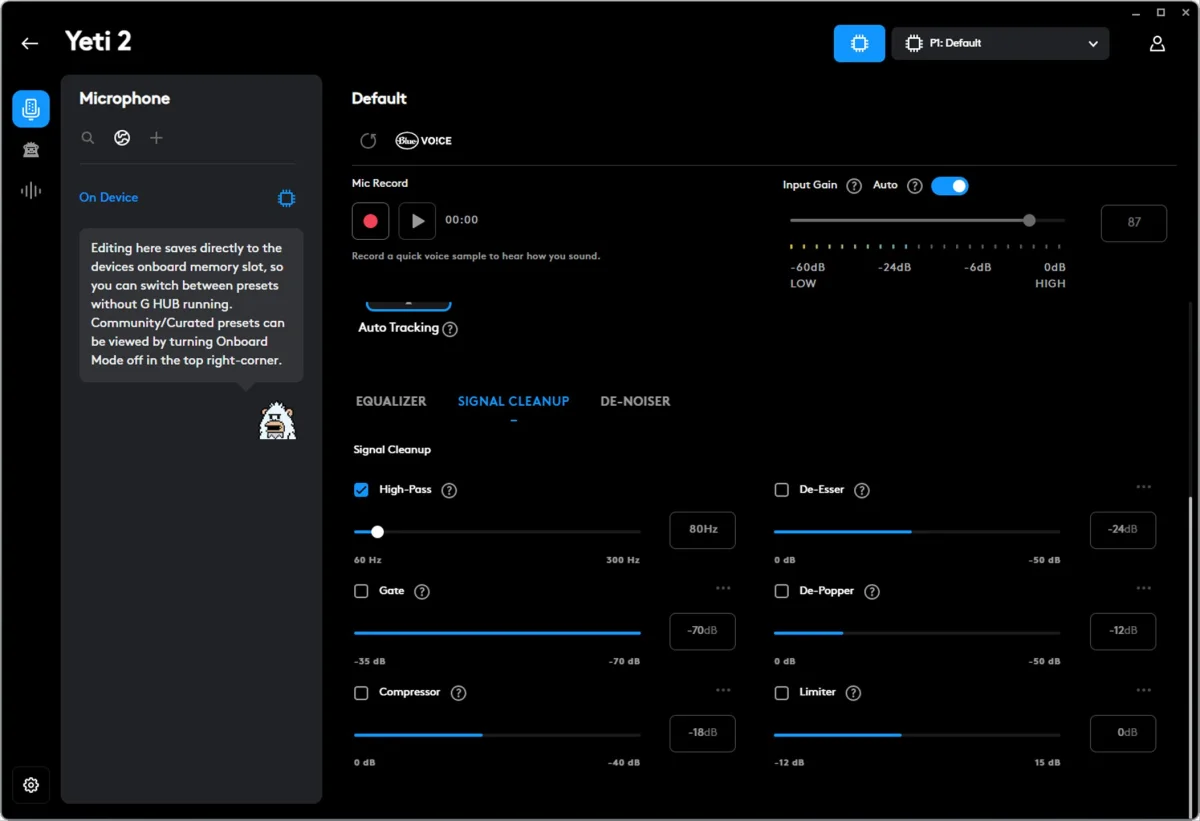
The microphone works without much setup, but Logitech G HUB is where most of its customisation lives. The reviewer spent more than an hour trying combinations of gain, pickup patterns, equalisation, noise reduction and voice processing to get a preferred sound in a small office.
G HUB’s sample recording tool makes that process more direct. Record a short clip, listen back, change a setting and compare again. That avoids having to join a meeting or ask someone else to judge each adjustment, and it’s particularly helpful when trying to reduce a persistent hum without making the voice sound unnatural.
For a quicker start, five onboard presets made by Logitech and Blue audio engineers provide different starting points. They can save setup time, though each may change the sound’s character, so the result will come down to personal preference. Users who want finer control can work with a 10-band equaliser and other VO!CE processing options, or try profiles created by the G HUB community.
Once a configuration feels right, favourite profiles can be saved to the microphone’s onboard memory and reached through its controls and display. Assignable audio samplers can also trigger sound clips, a feature aimed more at streamers and creators than people who mainly use the mic for work calls.
Who should consider the Yeti 2?
The Yeti 2 is aimed at gamers, streamers and content creators, but its combination of automatic gain and quick mute control also suits people who spend much of the day in online meetings. Compared with laptop or headset microphones, a dedicated USB mic can offer a more deliberate setup; here, the selectable patterns and voice tools give users ways to adapt it to their room and routine.
At A$249.95, the appeal rests on more than recording specifications. The Yeti 2 combines a sturdy build, on-device controls, four pickup patterns and detailed software tuning with features that lower the barrier to getting started. Automatic adjustments and presets offer a quick route to usable audio, while sample playback and saved profiles support more careful setup.
For buyers who want a desk microphone that can handle calls now and more involved recording later, the Yeti 2 looks like a versatile upgrade to the familiar Yeti formula. Its best results in a noisy room still depend on choosing suitable settings, but there’s a clear path from plug-in simplicity to hands-on control as your needs grow.
For more product details, see the Logitech G Yeti 2.