EPOMAKER HE68 Lite Review: Budget Hall Effect Gaming With a Surprisingly Good Typing Sound
A $49.99 65% Hall Effect keyboard with Rapid Trigger, Snap Key and 8000Hz polling, plus a creamy typing sound that punches above its price.
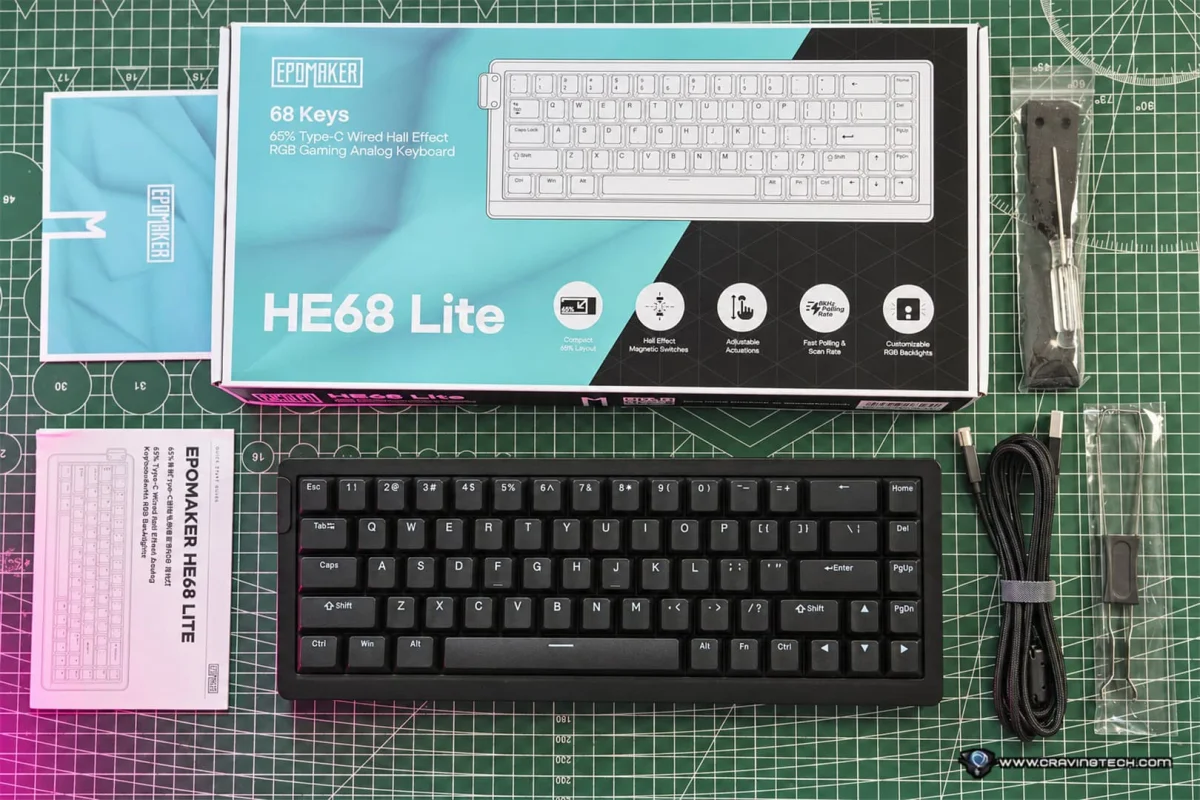
Not long ago, a keyboard with Hall Effect magnetic switches and features like Rapid Trigger, adjustable actuation points and SOCD cost a lot more than most gamers wanted to spend. The EPOMAKER HE68 Lite suggests that gap is closing fast. This is a compact, budget-focused board that brings a surprising amount of competitive-gaming tech down to a price that's easy to justify.
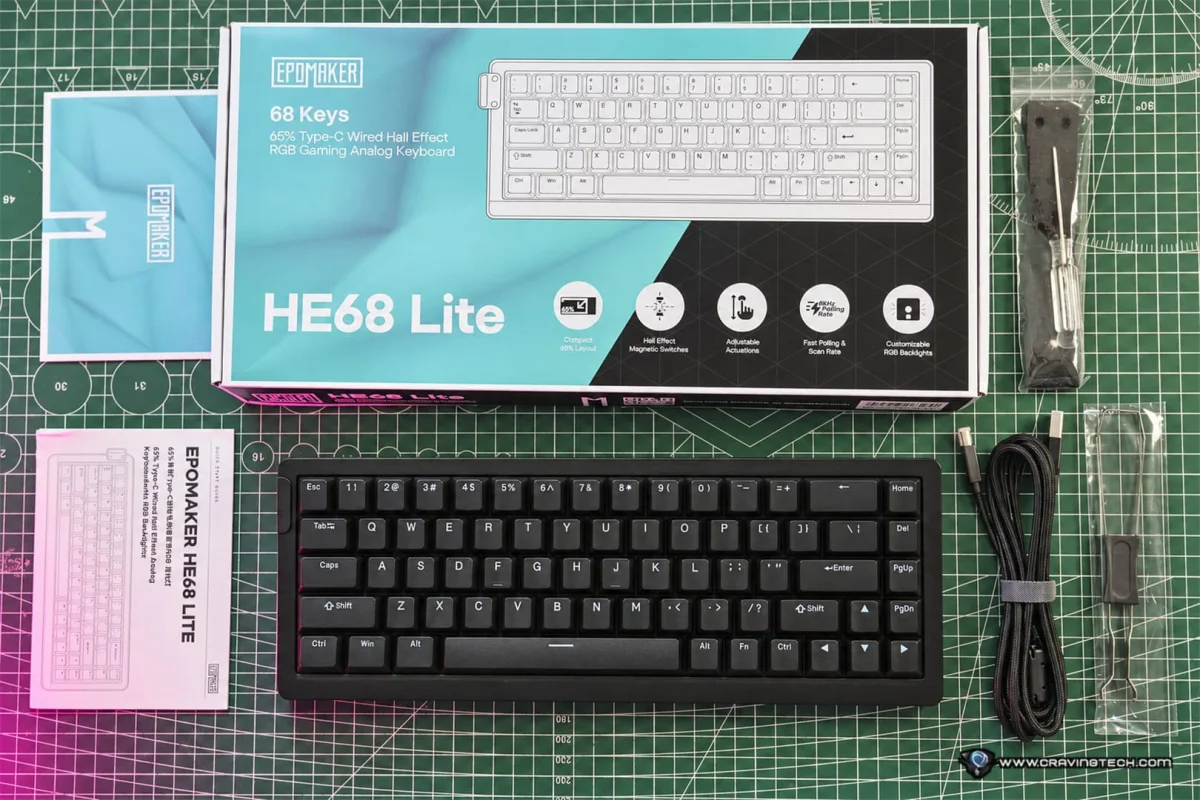
EPOMAKER lists the HE68 Lite at around $49.99, or roughly $42 when discounted. For that money you get a 65% layout with an 8000Hz polling rate, Rapid Trigger, Snap Key, Dynamic Keystrokes (DKS) and a fair amount of control through the EPOMAKER Hub software. My read is that the spec sheet is doing a lot of the selling here, but the typing experience is where this keyboard genuinely surprised me.
Design and Build: Compact, Portable, a Little Chunky
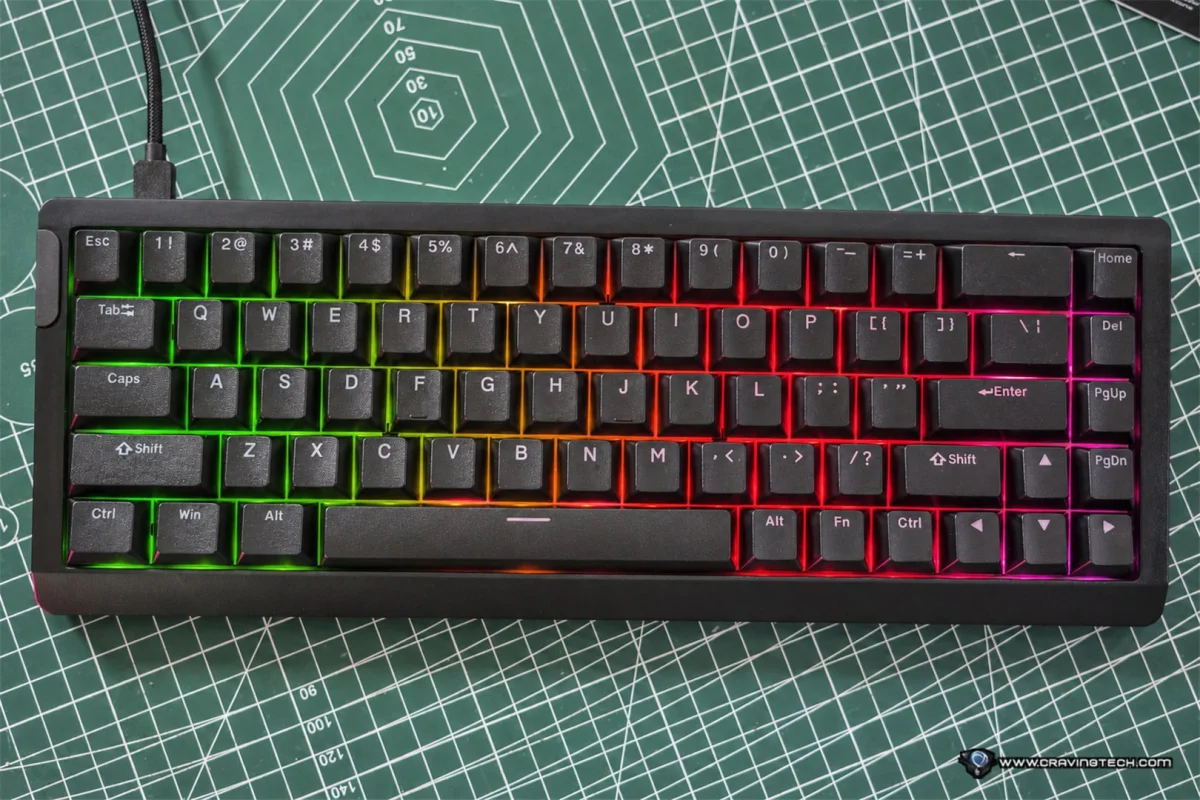
The HE68 Lite has 68 keys. It drops the function row and number pad but keeps the arrow keys and the essential navigation cluster. For FPS players, that's the right trade. Losing the number pad frees up desk space for bigger mouse sweeps, which matters if you play at low sensitivity and need room to move.
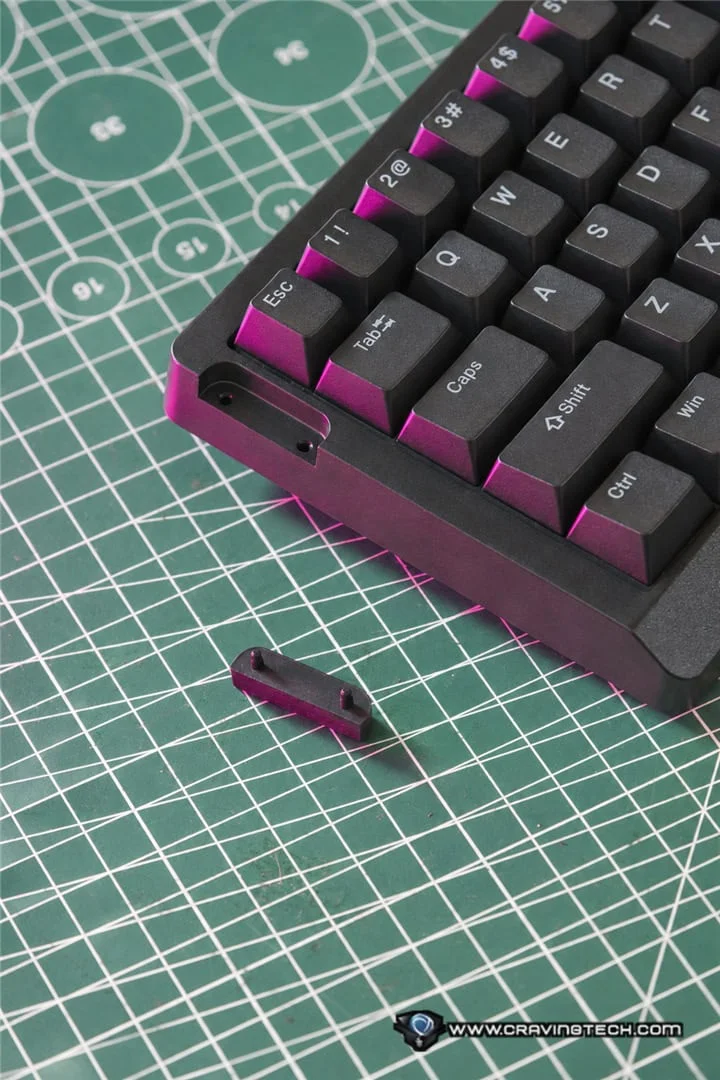
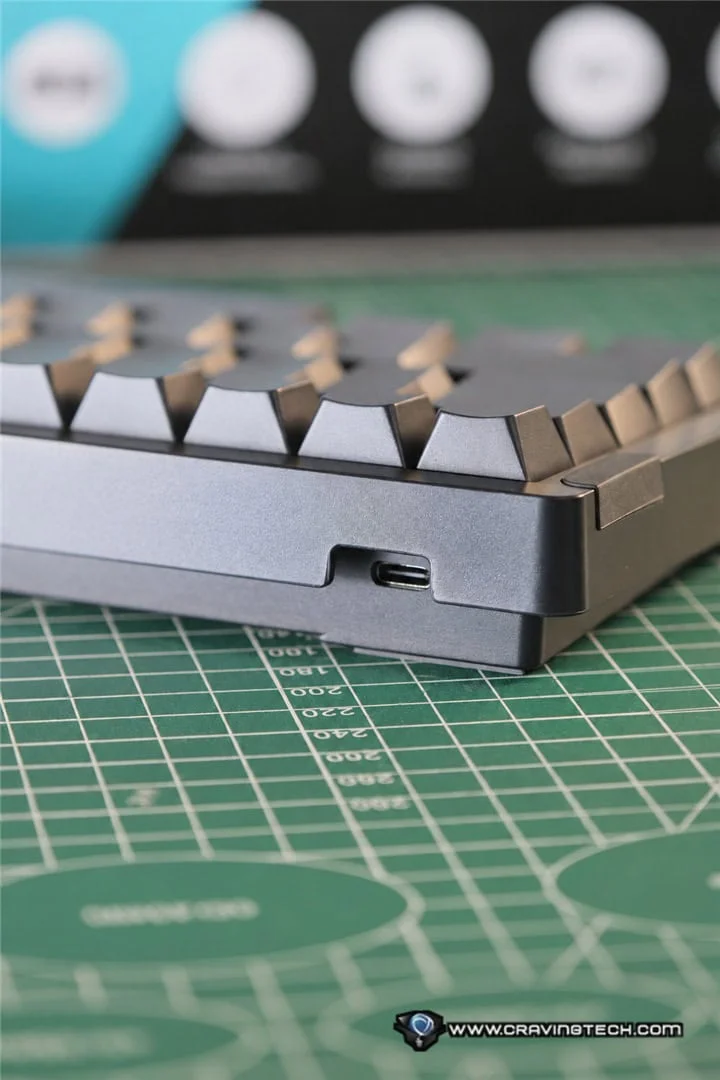
It measures 32.2 cm long, 12 cm wide and 4 cm tall, and weighs approximately 650 grams. That's light enough to bring to a LAN event, pack for travel or shuttle between a home desk and an office. A detachable carrying strap attaches to a point on the left side of the case. Gaming keyboards rarely include anything like that, and it fits the portable angle well. The strap is optional, so you can leave it off when you don't need it.
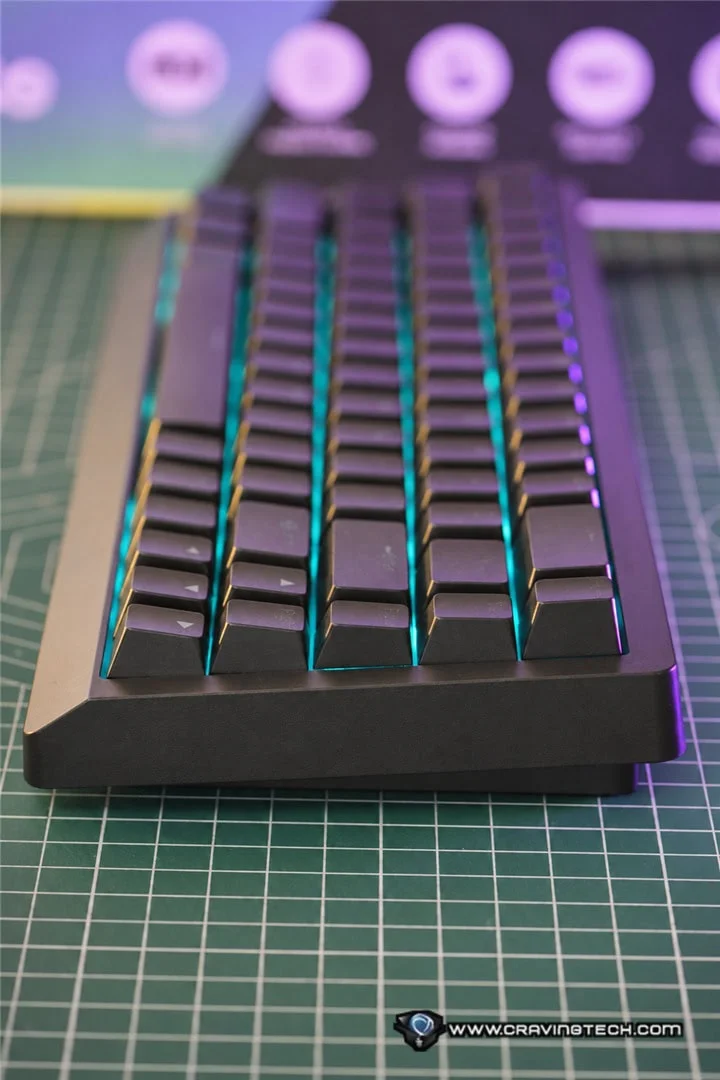
The case is ABS plastic with a polycarbonate plate and a tray-mounted structure. At this price, plastic is expected, and EPOMAKER seems to have put its money into acoustics and function rather than aluminium. Build quality feels solid for the money. My one real complaint is the footprint. Given the 65% layout, the board still looks and feels bulkier than it needs to. Thinner side borders would have made it both sleeker and easier to carry.
I also wish it had adjustable kickstands. Some people prefer a steeper typing angle for long sessions, and a way to change the tilt would have been welcome. My guess is the omission keeps the weight and cost down, and I'd happily trade a little of either for the option.
Three colourways are offered: black, white and black-red, all in an ANSI US layout. The black and white versions use shine-through PBT keycaps, while the black-red model uses non-shine-through keycaps. The keycaps are double-shot PBT with a Cherry profile. PBT is generally more resistant to going shiny with wear than ABS, so that's a useful detail if you type a lot.
Connectivity is wired only, through a detachable USB-A to USB-C cable. There's no Bluetooth and no 2.4GHz wireless. That will disappoint anyone chasing a cable-free desk, but it's a sensible compromise for a competitive-focused board at this price. The keyboard supports Windows, macOS and Android.
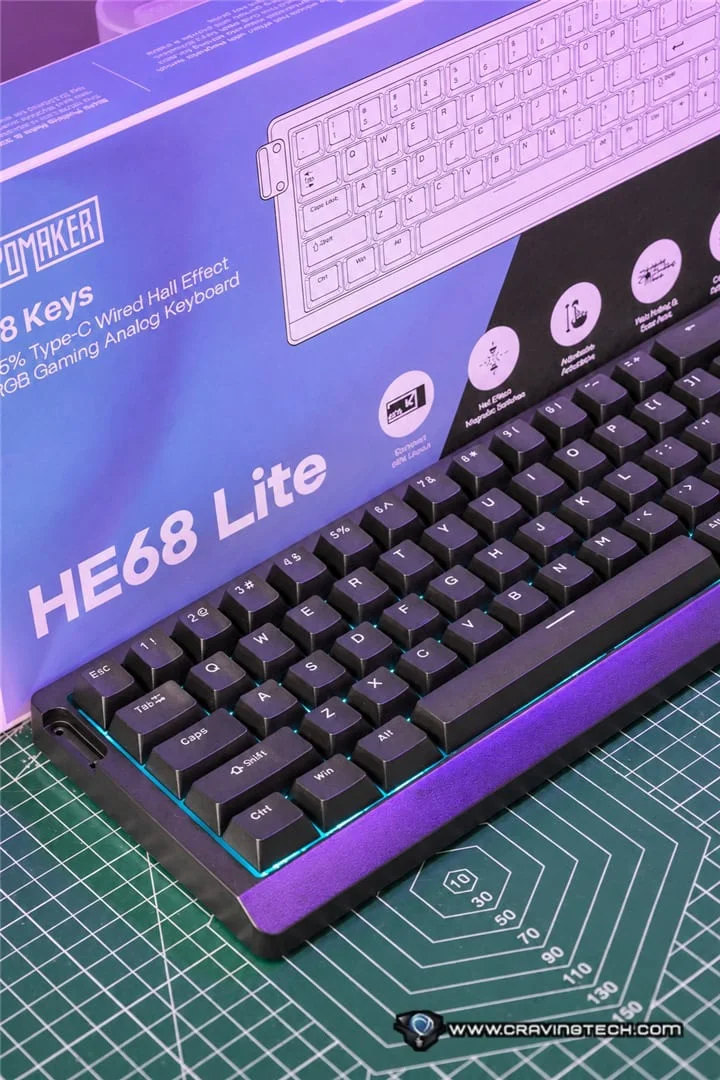
The Typing Experience Is the Surprise
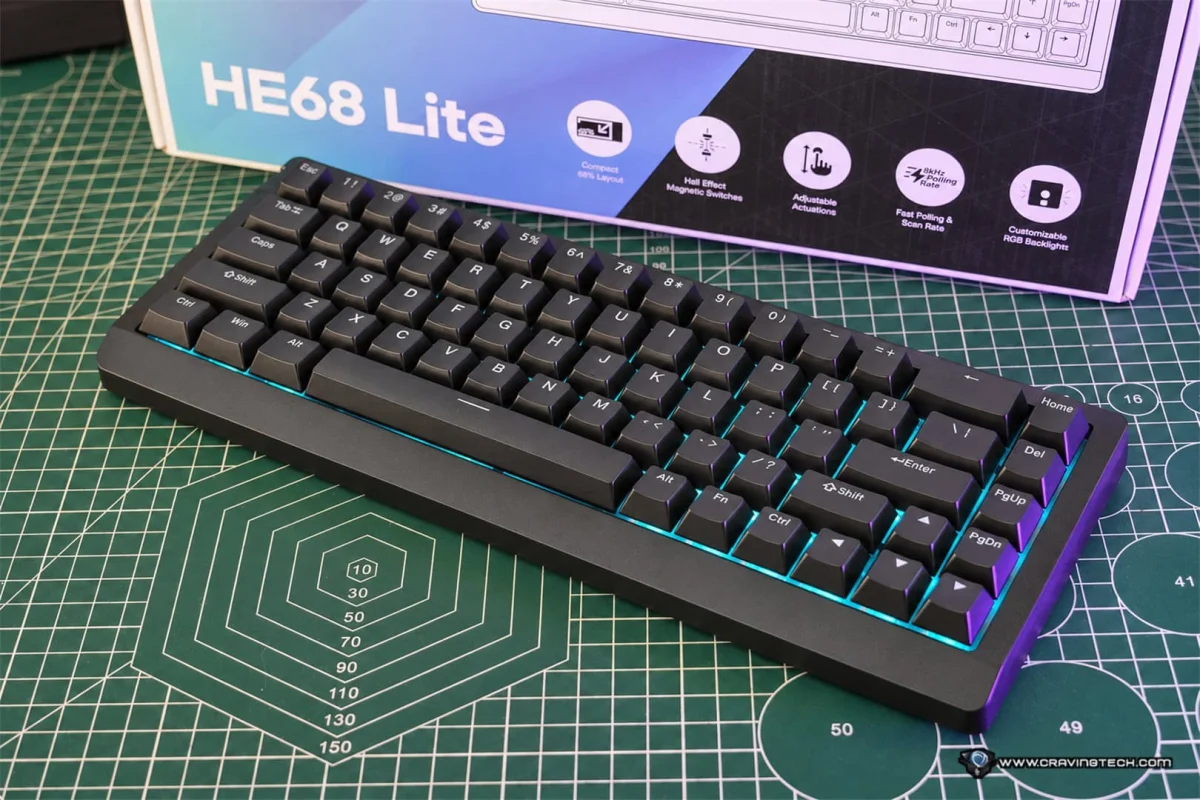
Budget boards with magnetic switches often sound hollow or thin. That's tolerable in a gaming session but tiring when you're writing documents or answering email all day. The HE68 Lite avoids most of that. It ships with factory-lubed EPOMAKER Clear Mag Hall Effect linear switches that feel smooth and even, without the scratchy edge you find on some cheaper mechanical boards.
The sound is the real highlight. Each keystroke has a creamy softness and some depth, instead of the plasticky clack I'd expect from an affordable tray-mounted design. Much of that comes from a five-layer acoustic dampening setup: PRO sandwich foam, an IXPE switch pad, a PET sound-enhancement pad, a switch socket pad and bottom foam. Together with the lubed switches and PBT keycaps, it sounds more refined than the price suggests.
That matters because it changes who this keyboard is for. It isn't just a budget gaming board with fast switches. It's a board you can happily type on for hours, which is a rarer thing at this price.
Hall Effect Performance and Gaming Features
Most gamers will be here for the Hall Effect side. Traditional mechanical switches register a press through physical electrical contact. Hall Effect switches sense the magnet's position in the switch, which lets the keyboard offer adjustable actuation and features that conventional switches can't easily support.
The HE68 Lite lets you set actuation anywhere from 0.1 mm to 3.4 mm, in steps as fine as 0.01 mm. That's useful for FPS players who want movement keys to react to the lightest touch. A practical setup is to make WASD very sensitive while keeping the rest of the board deeper, so you don't trigger stray keys while typing.
Rapid Trigger is the other big gaming feature. Instead of resetting at a fixed point, the key's reset adjusts according to its movement. In fast games, that means you don't have to fully release a key before it can register again. I play a lot of Counter-Strike 2, and the benefit shows up most in quick direction changes and repeated taps, where waiting for a full reset would cost you.
Snap Key handles SOCD, which deals with two opposing directions held at once. Hold A to strafe left, then press D, and Snap Key can favour the newer input rather than cancelling both. That makes direction changes feel more immediate in supported FPS titles. Worth remembering, though: some competitive games and tournaments restrict SOCD-style assistance. Check the rules before you switch it on in anything you plan to play competitively.
On paper, the HE68 Lite carries an 8000Hz polling rate and a 128,000Hz per-key scanning rate, and EPOMAKER advertises a 0.125 ms response time. I haven't independently verified that latency figure. It's the manufacturer's number. Still, the fact that these specs sit on a board at this price suggests the gaming side hasn't been trimmed to hit the cost target.
EPOMAKER Hub and Customisation
Software is where the HE68 Lite really stretches its budget. EPOMAKER Hub handles actuation behaviour, magnetic switch settings, RGB lighting and the advanced gaming functions.
Dynamic Keystrokes is the standout. DKS lets one key carry up to four different actions, depending on how far it's pressed or released. A light press might do one thing and a full press another. That opens up interesting shortcut layouts and more complex input setups. Features like this usually show up on considerably pricier Hall Effect boards, so seeing it here is a real gift.
Hub also includes Combo Burst (CB), Magnetic Toggle (MT) and Toggle Switch (TGL), which give you finer control over how individual keys behave.
Dead zone is adjustable, down to zero. In plain terms, dead zone sets how far a key must travel before its input behaviour changes. A zero setting makes the board feel extremely responsive, though you may not want the most aggressive setting for everyday use. Because the adjustment lives in the software, you can dial it to your own preference.
RGB Lighting
The HE68 Lite has per-key RGB with south-facing LEDs. Lighting effects and colour options are managed through EPOMAKER Hub. For this price, I found the lighting more than adequate. You can go with animated effects or keep it subtle. On the black and white models, the shine-through legends help keys stand out in dim rooms.
Who Should Buy the HE68 Lite
The HE68 Lite earns its place on the strength of its gaming features at a budget price. Rapid Trigger, Snap Key, adjustable actuation, DKS and an 8000Hz polling rate are all here for around $49.99. Add the depth of EPOMAKER Hub, and it's a practical way to explore magnetic switch tech without paying a premium.
The plastic case and tray-mounted build keep costs down, and the five-layer dampening and lubed switches still deliver a satisfying, creamy sound. That makes it a good everyday keyboard as well as a gaming one, especially if you type for hours at a stretch.
There are trade-offs. The 65% layout means no function row and no number pad, which some people will find limiting. The board is wired-only, and the case is chunkier than I'd like. If you need a full-size or tenkeyless layout, you'll need to look elsewhere.
For budget-conscious FPS players who want premium-style features without the premium price, this is an easy board to recommend. Watch for whether the typing sound and the software hold up over months of use, because that's where cheap keyboards usually show their age. The review unit was supplied to the reviewer for testing.