Razer Basilisk V4 Pro Review: A Comfortable Gaming Mouse with Standout Scrolling
The Basilisk V4 Pro pairs accurate tracking and extensive controls with a superb free-spin wheel, though its weight and A$289.95 price narrow its appeal.
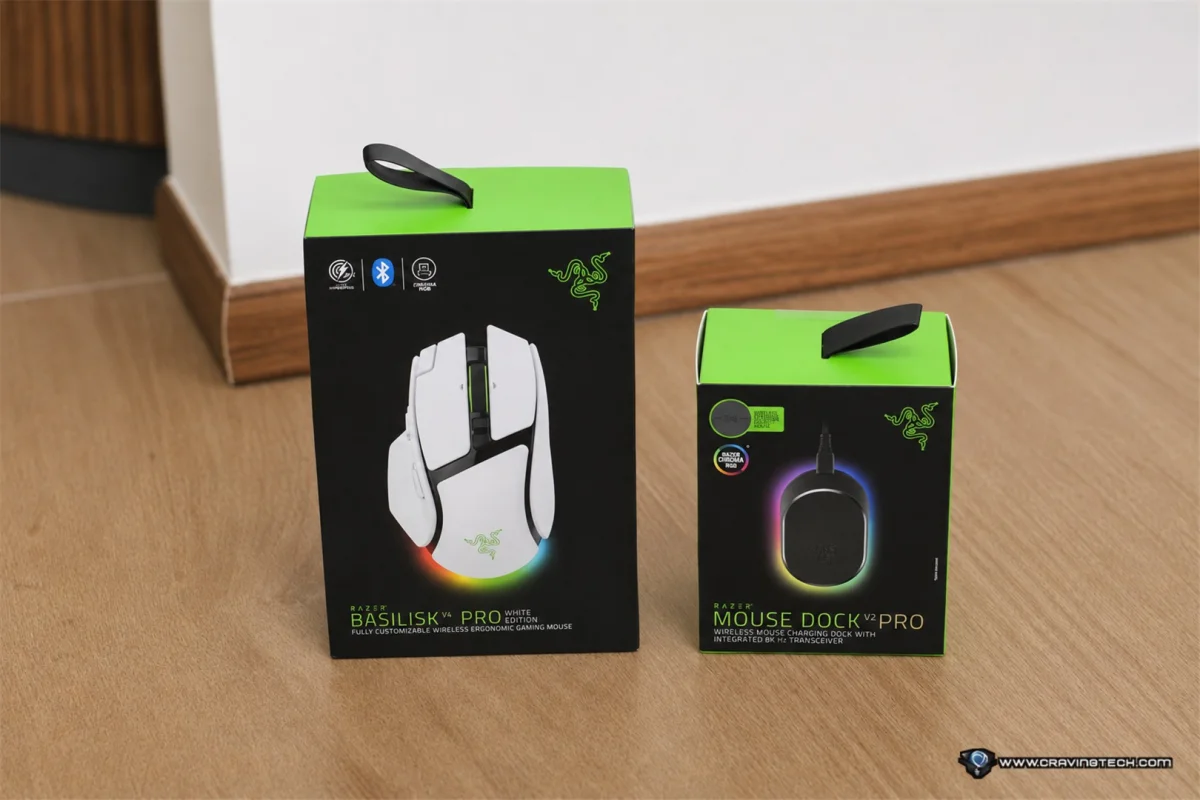
The Razer Basilisk V4 Pro makes its strongest case as a mouse you can use all day, not just for games. Its ergonomic shape, numerous programmable controls and second-generation HyperScroll wheel give it range across work and play. The Focus Pro 50K sensor and 8,000Hz wireless option round out a high-end package, but at around 100 grams and A$289.95, it won’t suit every player.
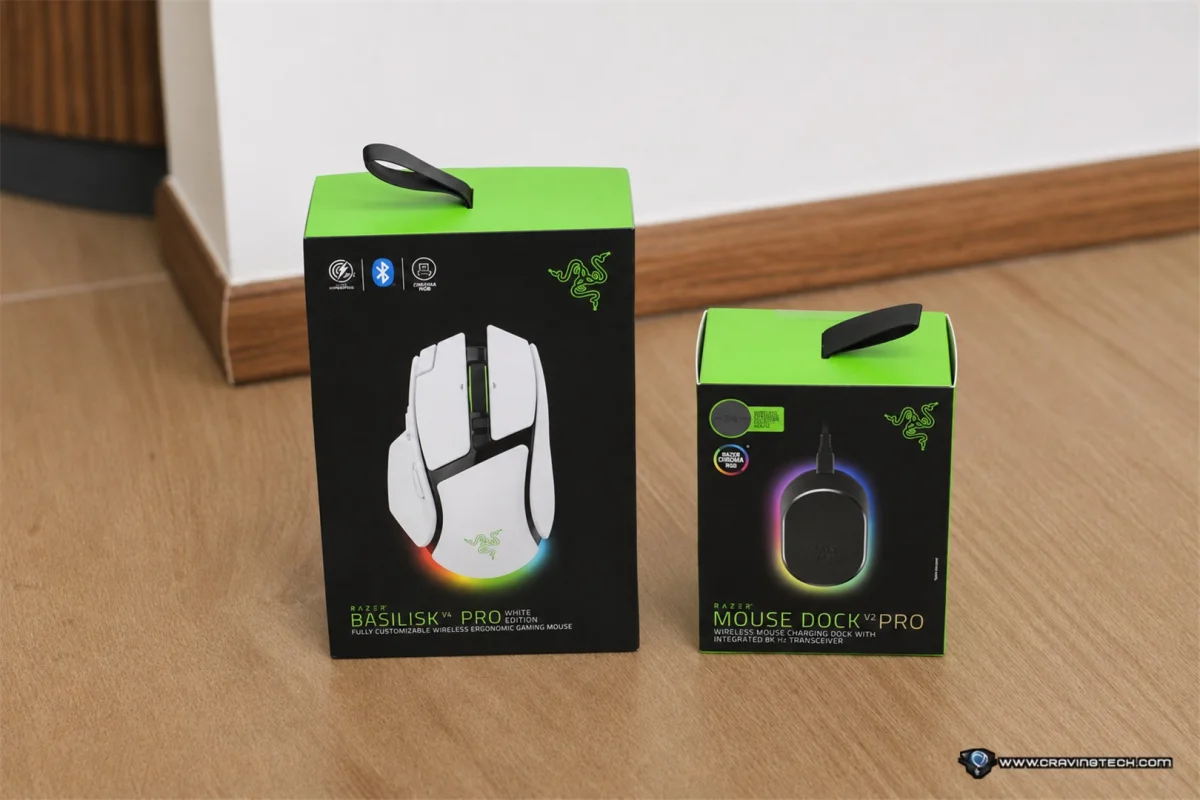
That weight and price make the choice between the Basilisk and a lighter competitive mouse a matter of priorities. The Viper series pares back features in pursuit of low weight; the Basilisk adds a thumb rest, extra controls, adjustable scrolling and lighting. If your mouse spends as much time moving through code and documents as it does in a game, those additions matter. If quick, low-effort flicks are the priority, the heavier body is a clear trade-off.
A familiar shape, with a little less weight
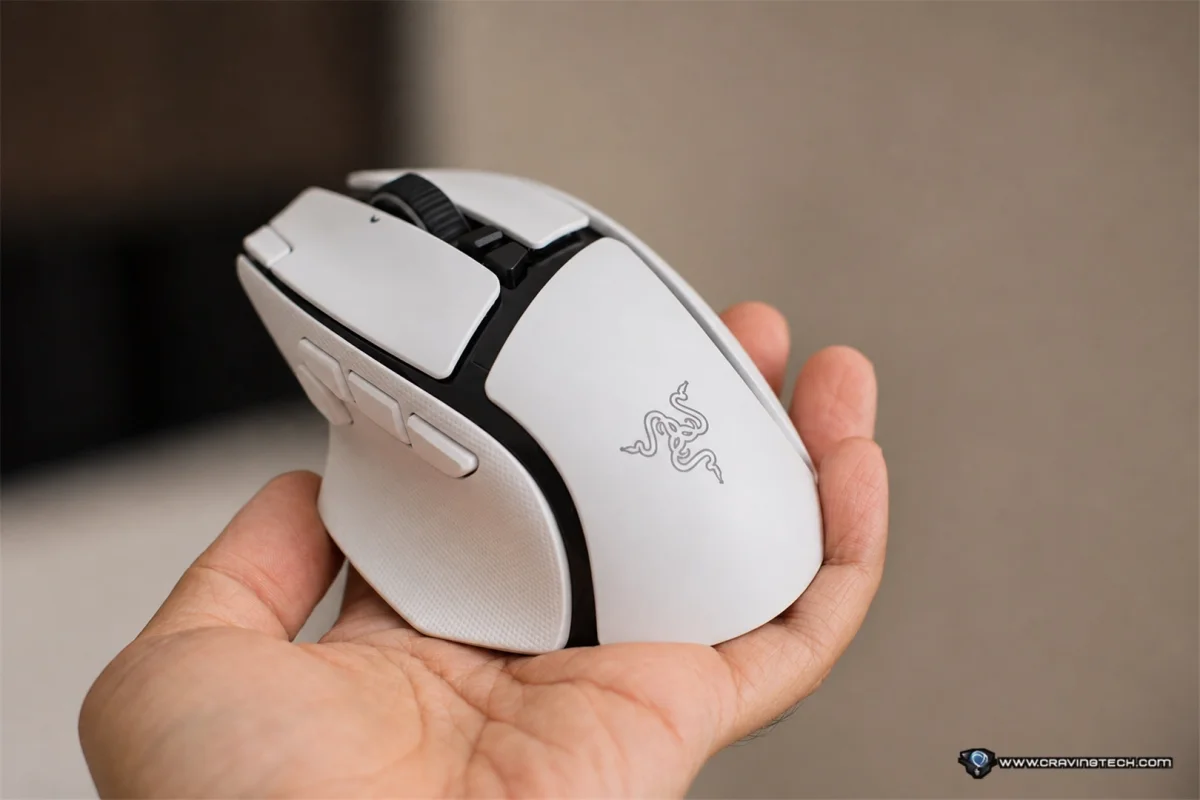
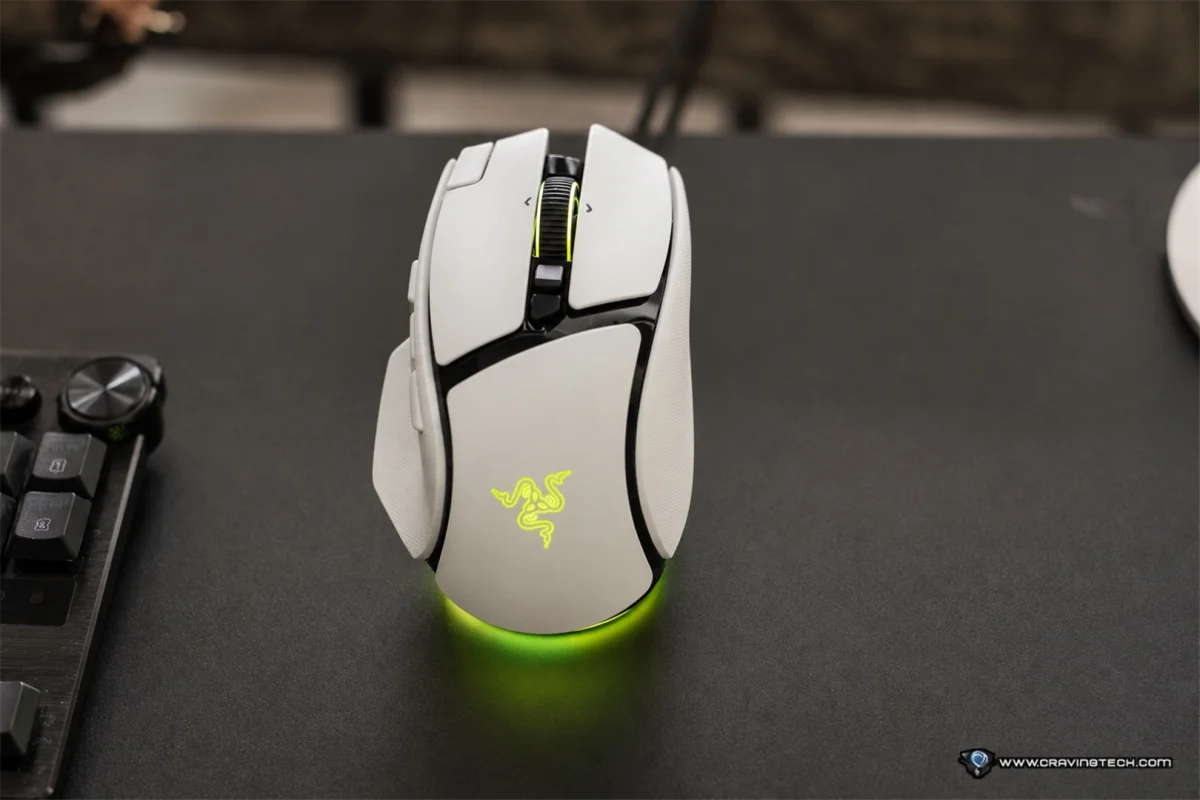
The V4 Pro keeps the Basilisk series’ right-handed contour, including a broad thumb rest that gives the thumb somewhere to rest without gripping the mouse’s side. In use, the shape feels natural for a relaxed palm grip, and the reviewer found the weight well distributed rather than awkward during movement.
At approximately 100 grams, it’s still heavier than many current mice aimed at competitive play. It is, however, lighter than the Basilisk V3 Pro 35K, which weighs approximately 112 grams. That reduction helps, though it doesn’t change the V4 Pro’s basic character: this is a substantial mouse with more emphasis on comfort and features than on minimum weight.
The reviewer tested it on the Razer Atlas Pro glass gaming mouse mat and reported a consistent glide, including during quick aiming adjustments. That combination made everyday movement and aiming feel smooth. The mouse’s balanced feel helps offset its mass, but players who prefer a light, nimble design may still notice the difference.
Hand size and grip style should factor into the decision. The Basilisk’s size and contour are especially well suited to palm grip, where much of the hand rests on the body. The reviewer found the lighter Razer Viper V4 Pro a better fit for fingertip grip and competitive Overwatch 2 matches. The Basilisk isn’t described as uncomfortable for claw or fingertip users, but its shape and weight are designed around a different preference.
The wheel earns its place on a work desk
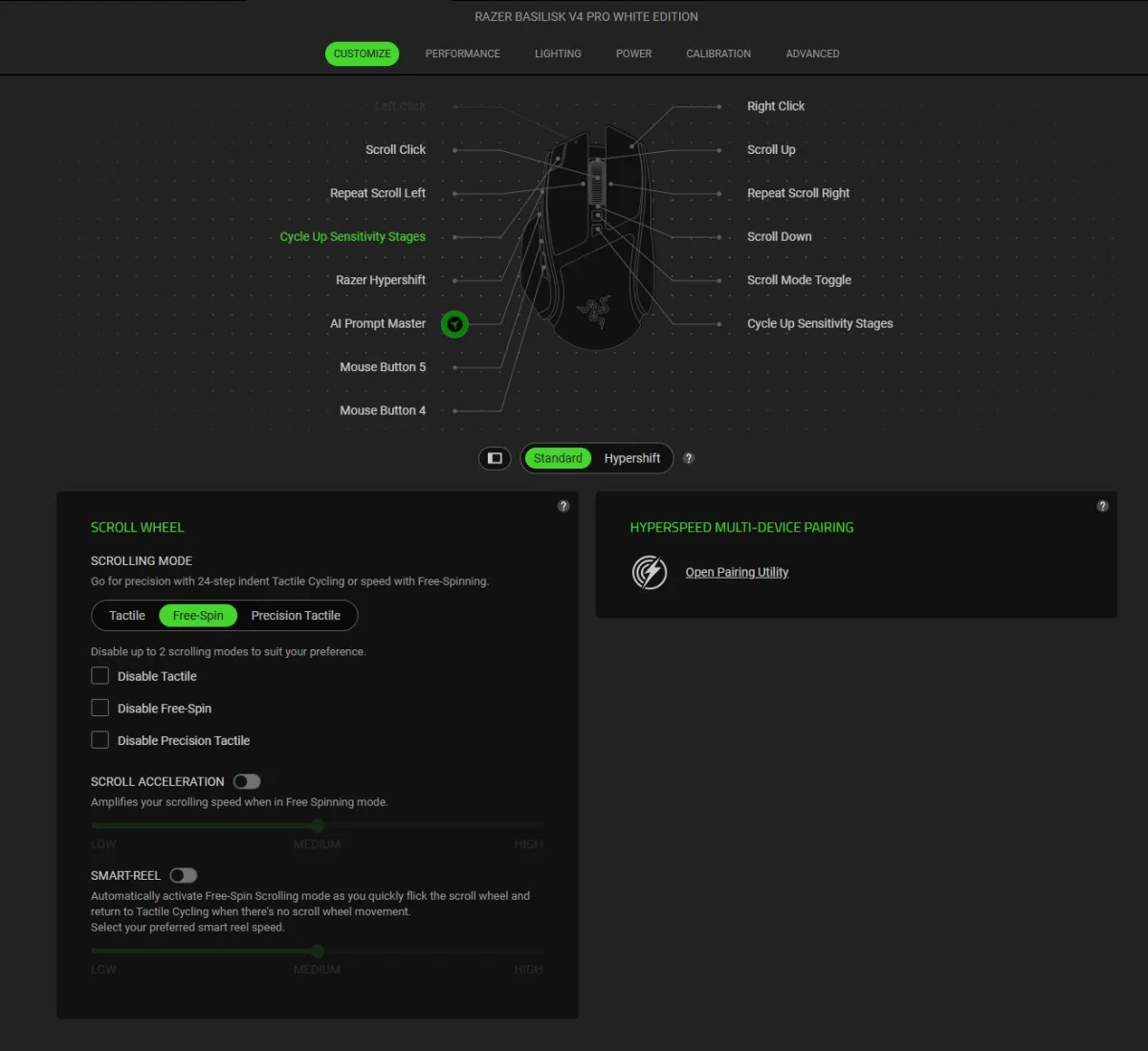
Razer’s HyperScroll Tilt Wheel Gen-2 is the standout feature. In Razer Synapse, the wheel can be set to Precision Tactile, Tactile, Free-spin or Smart-Reel, with scroll acceleration also configurable. These modes address different jobs: Precision Tactile gives finer, more distinct steps; Tactile keeps the familiar notched feel; and Free-spin removes that resistance so the wheel can run quickly through long pages.
Smart-Reel switches between tactile and free-spin scrolling based on how fast the wheel is turned. That automatic change offers a useful middle ground for people who want controlled steps for short movements but need to move rapidly through longer content.
The reviewer preferred Free-spin for everyday work, including browsing code, web pages and documentation. A light flick can move through a long stretch of content without repeated rotations of a notched wheel. That makes scrolling feel less effortful during long sessions. It’s a practical benefit that may be more noticeable to someone working at a computer all day than to someone who mainly uses a mouse for short gaming sessions.
For games, the tactile modes provide more defined steps when cycling through weapons, items or menus. The wheel also tilts left and right, adding two further inputs without requiring more buttons around the thumb. Taken together, the different modes and tilt actions make the scroll wheel useful as a control surface as well as a way to move through pages.
Responsive tracking and high polling options
The Focus Pro 50K Optical Sensor Gen-3 supports sensitivity up to 50,000 DPI, tracking speeds up to 930 IPS and acceleration up to 90G. Razer Synapse allows sensitivity adjustments in increments as small as 1 DPI. Those maximum specifications are well beyond what most players will need; the more relevant question is whether the sensor tracks consistently during play.
In Overwatch 2, the reviewer found aiming responsive and accurate during both small corrections and fast sweeps across the mat. No noticeable tracking problems came up during testing. Paired with the Atlas Pro’s smooth glide, the mouse delivered a polished feel in matches. That account is based on the reviewer’s experience rather than a claim that every player will aim better with the device.
HyperSpeed Wireless Gen-2 supports polling rates up to 8,000Hz over both wired and wireless connections. A higher rate lets the mouse report its position to a computer more often than a standard 1,000Hz gaming mouse. Whether a player can feel that difference in a match is less certain, but the option is available for those who want it.
Razer’s fourth-generation optical mouse switches are rated for more than 100 million clicks. The optical design avoids the mechanical contact issues that can lead to unwanted double-clicking over time. Alongside the sensor and wireless options, the switches give the V4 Pro the core hardware expected of a premium gaming mouse.
Controls for games and everyday shortcuts
Razer advertises 14 customisable controls, counting the main buttons, scroll-wheel inputs, an M1 edge button, the side buttons and the multi-function trigger beside the thumb rest. Through Synapse, users can assign functions, macros, shortcuts and game commands. Hypershift adds a secondary function layer, allowing a control to do something different when that mode is active.
That flexibility extends beyond games. Frequently used application shortcuts or commands can be assigned to the mouse, making the extra inputs useful during work as well. The reviewer reported no accidental button presses, suggesting that the controls felt accessible without getting in the way during use.
One unusual option is Perfect 180, a configurable command intended to turn a character around quickly when assigned to a button. Its usefulness depends on the game and its sensitivity settings. The reviewer plays Overwatch 2 at 1,600 DPI with in-game sensitivity set to 1, a setup that provides the preferred aiming precision but takes more physical movement to turn around quickly. In that situation, a button-triggered turn offers a way to react when an opponent appears behind the player.
For a low-sensitivity player, that shortcut could be appealing, particularly in a game where changing direction quickly matters. It won’t replace ordinary mouse movement for every situation, and the result depends on how the game handles the chosen settings. Still, Perfect 180 gives the extra trigger a distinct job beyond standard macros and shortcuts.


Three ways to connect, with battery life tied to settings
The Basilisk V4 Pro supports HyperSpeed Wireless Gen-2, USB cable and Bluetooth 6.2. Bluetooth can pair with up to three devices, which makes it possible to move between a gaming PC and work laptops without relying on a single connection. The comfortable shape, programmable controls and scroll modes also give it a credible role as a daily productivity mouse.
Razer rates battery life at up to 200 hours over HyperSpeed Wireless Gen-2 at 1,000Hz, and up to 54 hours at the maximum 8,000Hz polling rate. The company’s figure for Bluetooth is up to 275 hours. These are stated maximums under specific conditions; actual runtime will vary with polling rate, use and RGB lighting settings. The shorter figure at 8,000Hz is a useful reminder that choosing the highest polling option has a battery cost.
Seven-zone Razer Chroma RGB lighting adds colour around the mouse, including an underglow effect. Synapse provides lighting effects and synchronisation with other compatible Razer Chroma devices. The lighting won’t sway buyers who prefer a stripped-down design, but it’s a visual extra for people who already use Chroma gear or want a brighter desk setup. It also reflects the Basilisk’s feature-rich approach compared with the more weight-focused Viper line.
The Mouse Dock V2 Pro is an extra, not a requirement
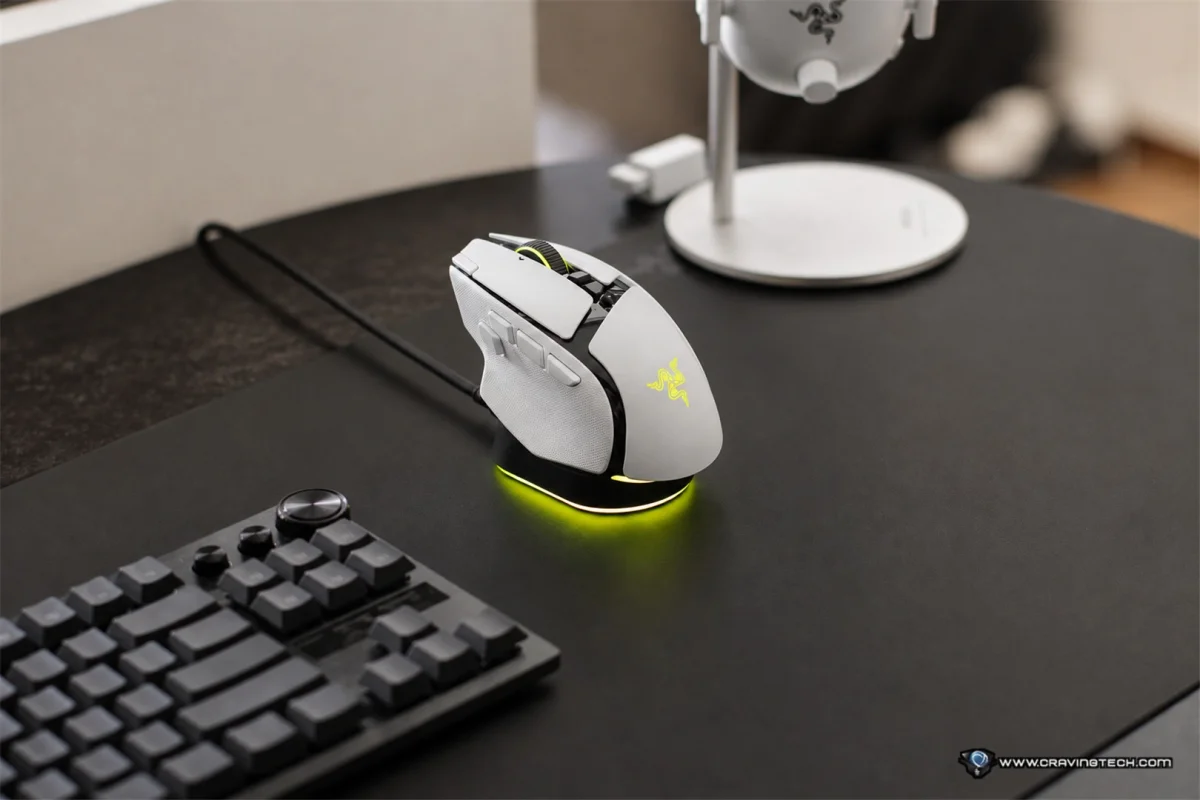
The review unit included the Razer Mouse Dock V2 Pro, an optional accessory that combines wireless charging with a place to park the mouse. It uses magnetic charging through the included Razer Wireless Charging Puck V2, which replaces the standard cover on the underside of a compatible mouse. Once fitted, the Basilisk can charge when placed on the dock, avoiding the need to plug in a cable whenever the battery runs low.
The dock also contains a HyperSpeed Wireless Gen-2 transceiver that supports wireless polling up to 8,000Hz with compatible mice. It can connect a supported Razer mouse and keyboard through one transceiver, reducing the number of receivers attached to a PC. Eight-zone Chroma RGB lighting and an underglow effect match the mouse’s lighting, while a battery indicator shifts between green, yellow and red to show the mouse’s charge level. An anti-slip base helps keep the dock in place.
Wireless charging and a tidy place to store the mouse make the dock a useful companion, but it isn’t needed to use the Basilisk V4 Pro. It costs extra unless bought in a bundle, so it’s best treated as an added convenience when comparing the total price.
Verdict: best for players who want one mouse for work and play
The Basilisk V4 Pro combines accurate tracking, a comfortable right-handed shape and a broad set of controls. Its wheel is the feature most likely to keep earning its place after the novelty of a new gaming mouse wears off: Free-spin is especially useful for long pages and code, while tactile modes and tilt inputs bring different options for games and shortcuts.
The costs are tangible. At approximately 100 grams, it’s heavier than a dedicated competitive mouse, and its A$289.95 Australian retail price puts it firmly in premium territory. Smaller-handed users and those who favour fingertip or claw grip may prefer the lighter Viper V4 Pro. Adding the Mouse Dock V2 Pro raises the price further.
For buyers who want a single mouse for serious gaming, long work sessions and lots of scrolling, the mix of ergonomics, connectivity and customisation is compelling. The Razer Basilisk V4 Pro is available through Razer’s Australian website and participating retailers for A$289.95, or A$419.90 bundled with the Mouse Dock V2 Pro. Its strongest appeal is the combination of a comfortable shape and a wheel that can make everyday computer use feel easier.