Google Play Store Will Rank Apps for Foldables, Tablets and Googlebooks
Google plans to reward apps that adapt to large screens with better Play Store placement, backed by Compose tools for responsive layouts and laptop controls.
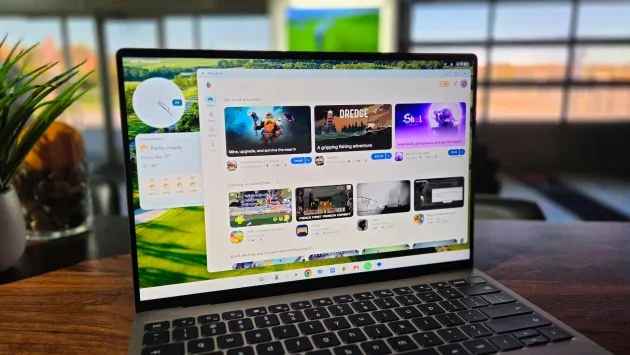
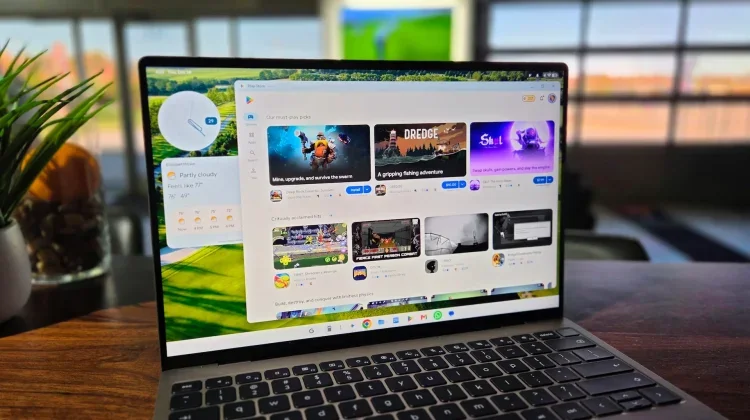
Google is tying large-screen app design to Play Store visibility, giving developers a direct reason to make Android apps work well on foldables, tablets and Googlebooks. Starting next year, the store will evaluate app quality on larger screens and give well-adapted apps stronger search placement and more prominent positioning, Android Authority reported from the Android Dev Summit in Mountain View.
That could change the experience for people using Android beyond a phone. On a tablet or a laptop-sized screen, an app built only for a narrow portrait display can waste space, feel awkward with a mouse, or fail when its window changes size. Google’s plan aims to make those problems matter to the people who build apps, by linking adaptation to how easily users can discover them.
Store visibility becomes part of the incentive
Google has spent years publishing design guidance and running workshops to encourage developers to adapt their apps for larger displays. Some major productivity and streaming apps have added responsive interfaces, but many others have kept their phone layouts. The source article attributes that gap partly to developers focusing on phones, which have represented most of the daily active users for many apps.
Advice alone hasn’t been enough to make large-screen support a priority. A small team weighing where to spend development time may choose improvements for its biggest audience. That choice leaves tablet and Chromebook owners with interfaces that look enlarged rather than designed for their screens, along with controls that can be frustrating to use with a keyboard and mouse.
Google’s store ranking approach changes that calculation. If an app can earn more search visibility or a featured position by working well across different screen sizes, developers have a reason to treat that work as part of reaching users. It also gives the Play Store a role in setting expectations: large-screen support becomes something the store can assess, rather than a suggestion that app makers can set aside.
The timing matters because Googlebook brings Android 17 to 14-inch and 15-inch clamshell devices, while foldables and tablets also put Android apps on larger displays. More screen area creates room for multitasking and richer layouts, but only if apps can use it. A phone interface stretched across a laptop display can make the hardware feel less useful, even when the device itself is capable.
Compose tools are intended to reduce the work
Google is pairing the store incentives with development tools built into Jetpack Compose. The stated aim is to help teams adapt existing apps without having to create and maintain a separate desktop codebase from scratch. The source describes these tools as AI-assisted adaptive skills, with support for adding desktop controls, handling foldable layouts and scaling interfaces as windows change size.
- Mouse and keyboard controls: The tools can audit mobile interfaces and add features such as hover states, custom pointer cursors, tooltips and keyboard shortcuts. Those details can make an existing app easier to operate on a laptop, where tapping the screen isn’t always the natural way to interact.
- Layouts for foldable use: The system can respond to partial hinge angles on foldables such as the Galaxy Z Fold 8. The examples described include separating a camera viewfinder or media controls into split panes, so the unfolded or partly folded device can use its shape more effectively.
- Layouts that respond to window size: Updated Navigation 3 v1.2 libraries and upcoming Compose 1.13 components are intended to support stable Grid and Flexbox behavior. As a desktop window is resized, text and images can reflow instead of remaining fixed in a phone-shaped column.
These tools could make adaptation more practical for teams that don’t have the time or staff to rebuild an app for every screen category. They also point to the range of changes involved: large-screen support isn’t just about making buttons bigger. Apps need to account for different input methods, window dimensions, fold positions and ways of arranging content.
What users should watch for
The store’s criteria will determine how much weight Google gives each of these qualities and how users will see the results. The source says Google expects to roll out the specific Play Store quality criteria later this year, while the store’s evaluation and ranking changes are set to begin next year. Until those details appear, developers and users don’t yet have a full picture of what will count as a well-adapted app.
For users, the practical test will be whether familiar apps feel more at home on a large display: whether they make sensible use of extra space, remain usable when resized and respond well to a keyboard or pointer. Store placement may help people find apps that meet those expectations, but it won’t by itself guarantee a strong experience.
Google has built hardware for larger screens, but third-party apps determine much of what those devices can do day to day. Linking Play Store discovery to app quality gives developers a clearer reason to adapt. The next sign of progress will be the criteria themselves, followed by whether popular apps make visible improvements as Googlebook, tablet and foldable use grows.


