iPhone Duo FAQ: MagSafe, Displays, Battery Life and Cameras
Hands-on answers reveal where the iPhone Duo works well, from Books on its inner screen to all-day battery life, and where it falls short.
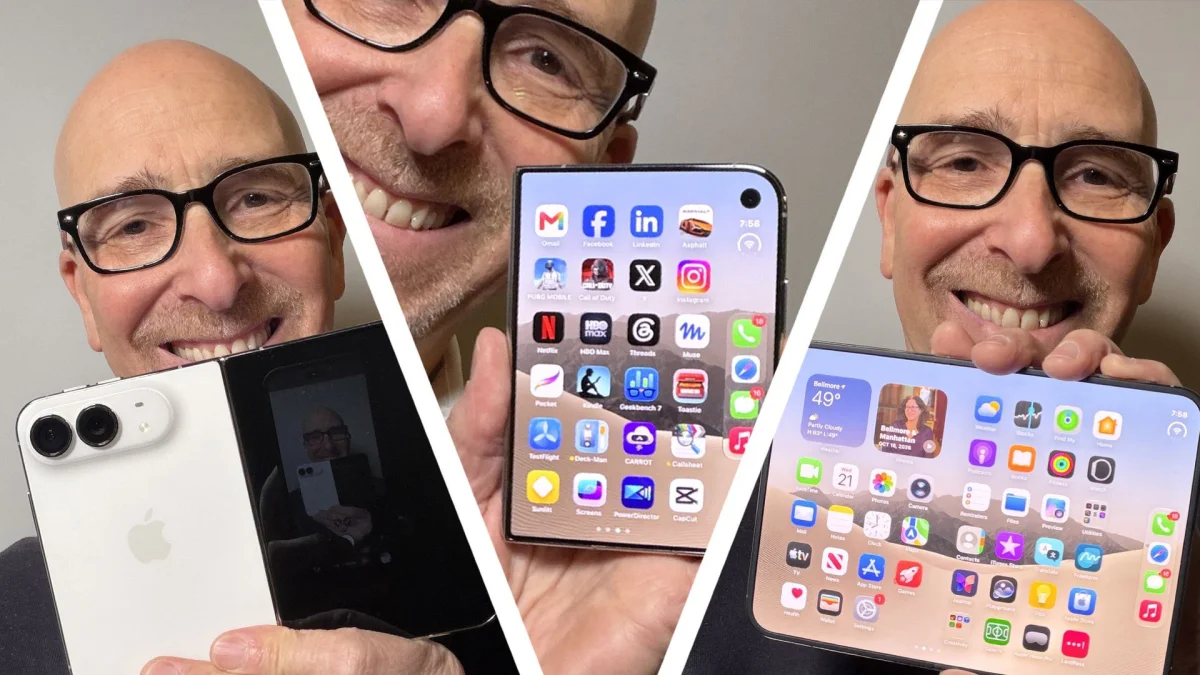
The iPhone Duo’s appeal comes with practical trade-offs: it folds into a larger workspace, but loses Face ID and a telephoto camera, and its weight and layout won’t suit everyone. Questions from readers prompted a fresh round of hands-on checks, revealing how its screens, accessories and apps behave beyond a standard review.

The questions followed a review and two Ask Me Anything sessions on Threads and X. The Threads post alone drew 1,300 comments. Not all were about the phone, but several led to useful tests of details that can shape day-to-day use.
MagSafe works best with the phone folded
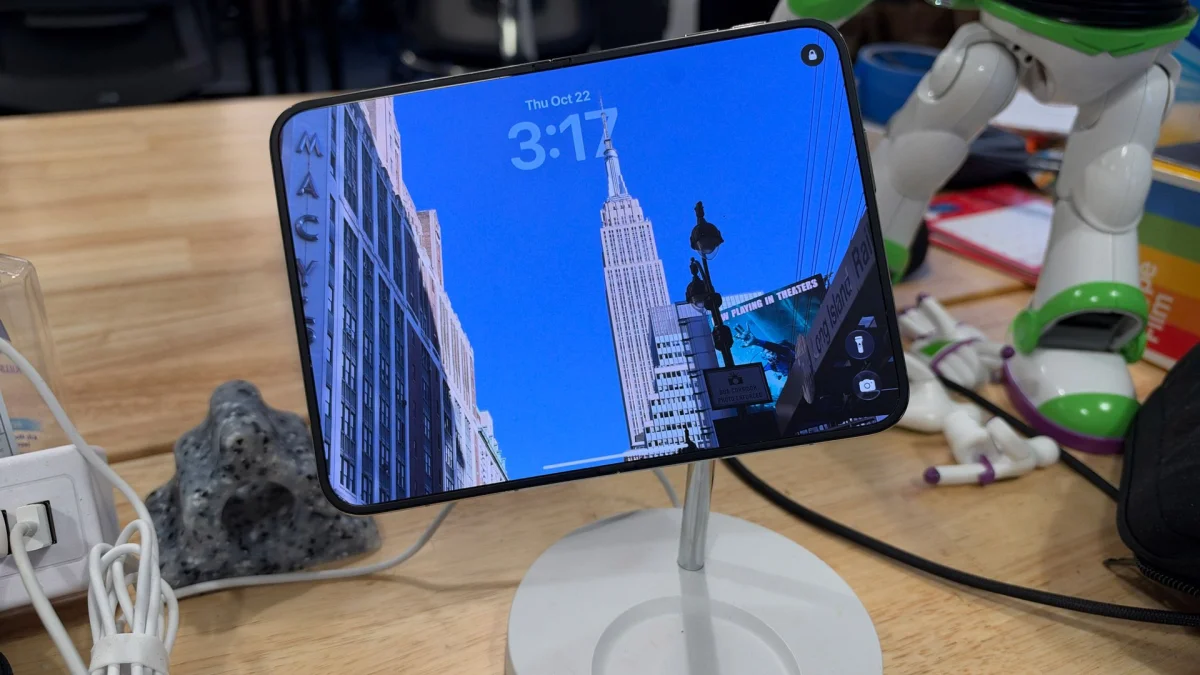
With the Duo closed, its MagSafe magnets sit below the camera array, and the phone fits properly on the charge stands and holders used during testing. Setting it on a charging stand also brings up the redesigned StandBy mode.

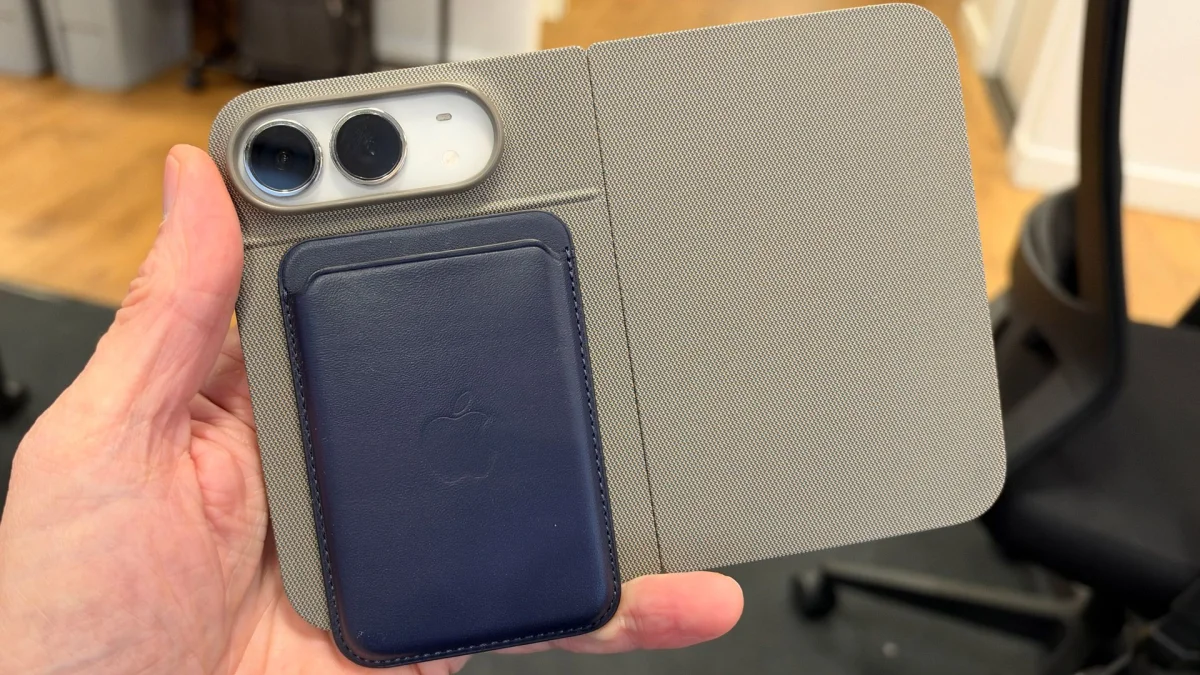
Opening the Duo while it’s attached to a MagSafe stand is less practical. The unsupported half pulls the phone’s balance off-center, making the whole device rotate slowly on the charger. It can be done, but the folded position is the stable one. The standard MagSafe Wallet also doesn’t fit: the Duo’s back is too short to hold it.
Two screens change how apps and photos behave
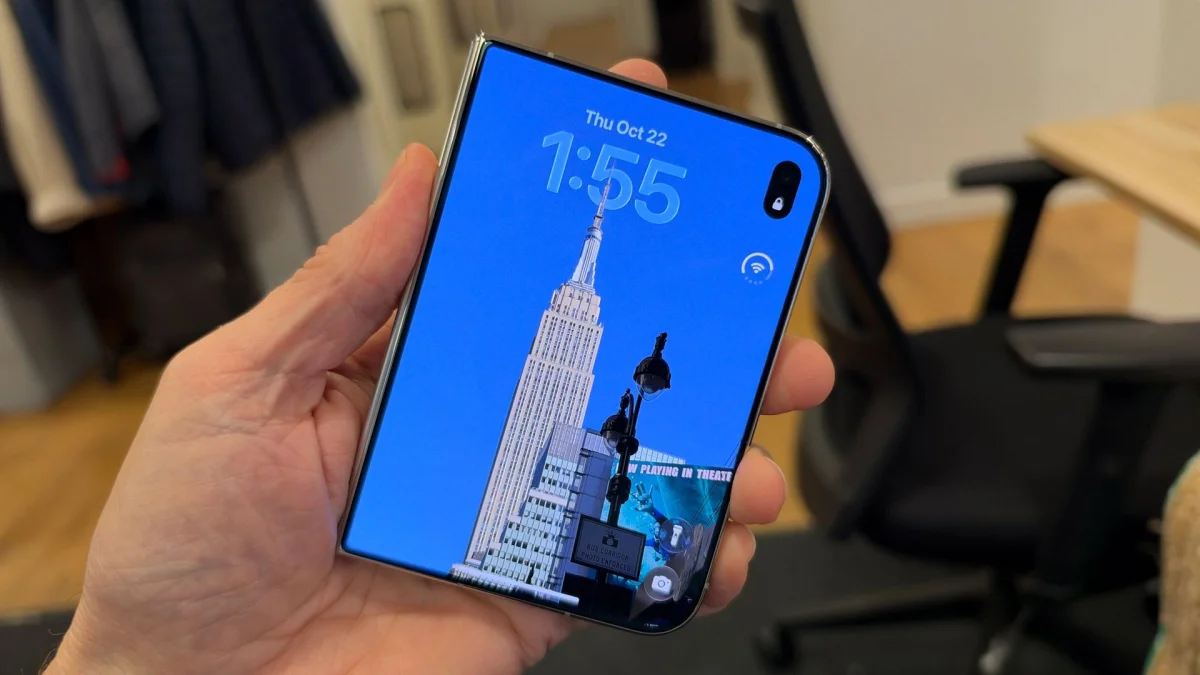
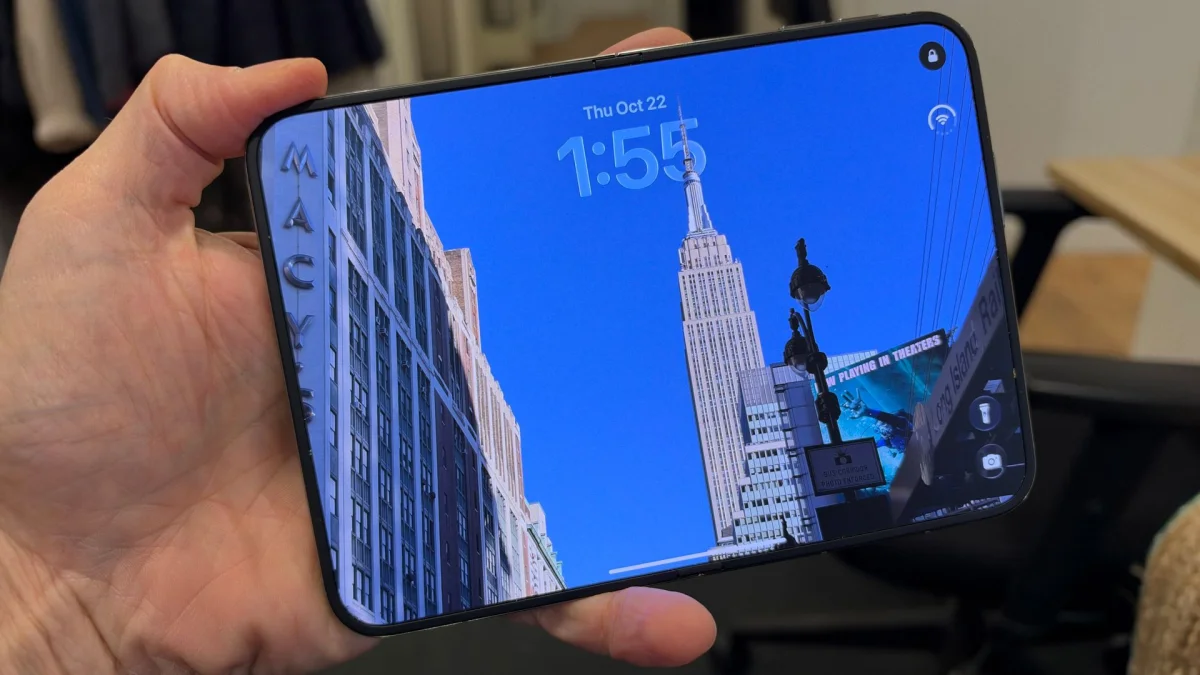
The Duo’s 5.4-inch cover display and 7.6-inch inner screen don’t show identical slices of a vertical wallpaper. A photo of the Empire State Building set on the cover screen revealed more of the same image when the phone was opened. That handoff makes the display transition feel considered, rather than like a stretched crop.
Split-screen use supports two apps at once, with picture-in-picture video available as an overlay. You can drag and drop content between apps, but you can’t open the same app in both windows. Different apps can run side by side, though: TikTok and Instagram Reels, for example, make it possible to watch two feeds at the same time.

App optimization remains uneven. Kindle looked too small to be useful during the review, while Apple’s Books app is designed for the Duo. Turning virtual pages on its 7.6-inch screen made reading feel well suited to the larger format. LinkedIn, Gmail and Adobe Acrobat were also reported as poor fits, although app updates can change the experience quickly. Optimized apps generally expand from the cover display to the inner screen without losing their place. Some, including DeckMan and Toastie, use the two screens for playful effects; DeckMan turns the device into a virtual portable tape deck.


The inner screen feels firm, while the layout has limits
The matte inner display drew questions about its crease, durability and susceptibility to fingernail scratches. The reviewer hadn’t scratched it, either accidentally or on purpose, and didn’t see fingerprints on the matte surface. Pressing the crease produced no noticeable movement or bounce. That’s a reassuring hands-on impression, though it doesn’t establish how the screen will hold up over extended use.

The cover screen’s 5.4 inches drew concern about its size, but the interface may make it feel smaller than the diagonal suggests. The Dock sits vertically along the right edge, taking up screen space that can otherwise look empty. Its position can’t be changed, and the same fixed placement on the inner display also bothers some users. Left-handed buyers may find the arrangement awkward.

Battery and cameras matter in comparisons
Face ID is missing from the Duo, while Touch ID handles authentication. The reviewer initially struggled with the return to fingerprint unlocking but got used to it. For someone accustomed to Face ID across other iPhone models, that adjustment remains a notable compromise.
Battery life was another frequent concern, particularly for people expecting to use the inner display heavily. Some reviewers have criticized endurance in that scenario. In the reviewer’s own testing across varied use, the Duo lasted all day.
Compared with the iPhone 18 Pro Max, the Duo is harder to judge because its folding, dual-screen design serves different needs. Buyers focused on cameras may favor the Pro Max, which has a telephoto lens and a variable-aperture main camera. The Duo is also heavier than the Pro Max, a potential deal-breaker for anyone sensitive to weight.

Against the Samsung Galaxy Z Fold 8, the camera comparison is closer. Both phones have two external cameras, a wide and an ultra-wide, and the reviewer found their results broadly even. The Duo’s camera setup includes a 12MP Center Stage front camera and a 4MP inner camera. In testing, its wide and ultra-wide images matched the reviewer’s results from the iPhone 17 Pro, but the missing telephoto remains a limitation.


The Duo also differs from Microsoft’s Surface Duo, launched in 2019 and discontinued in 2024: Microsoft’s device used two separate inner displays, while Apple’s has one flexible inner display.

Apple Pencil support has a catch
The Duo supports Apple Pencil USB-C, which can be charged separately. Apple Pencil Pro depends on an iPad for charging, and the Duo can’t charge another device. So anyone hoping to bring an existing Pencil Pro into this setup will need another charging option.
The Duo’s strongest case is its flexible screen setup, smooth app handoff and useful folded MagSafe experience. Its fixed Dock, Touch ID, weight and missing telephoto camera are the trade-offs to weigh before swapping from a conventional iPhone.


