Apple HomeView: A $299 Smart Display Built Around Your iPhone
Apple’s 7-inch HomeView pairs smart home controls with personalized Siri features, but its closed app selection and iPhone setup limit its appeal.
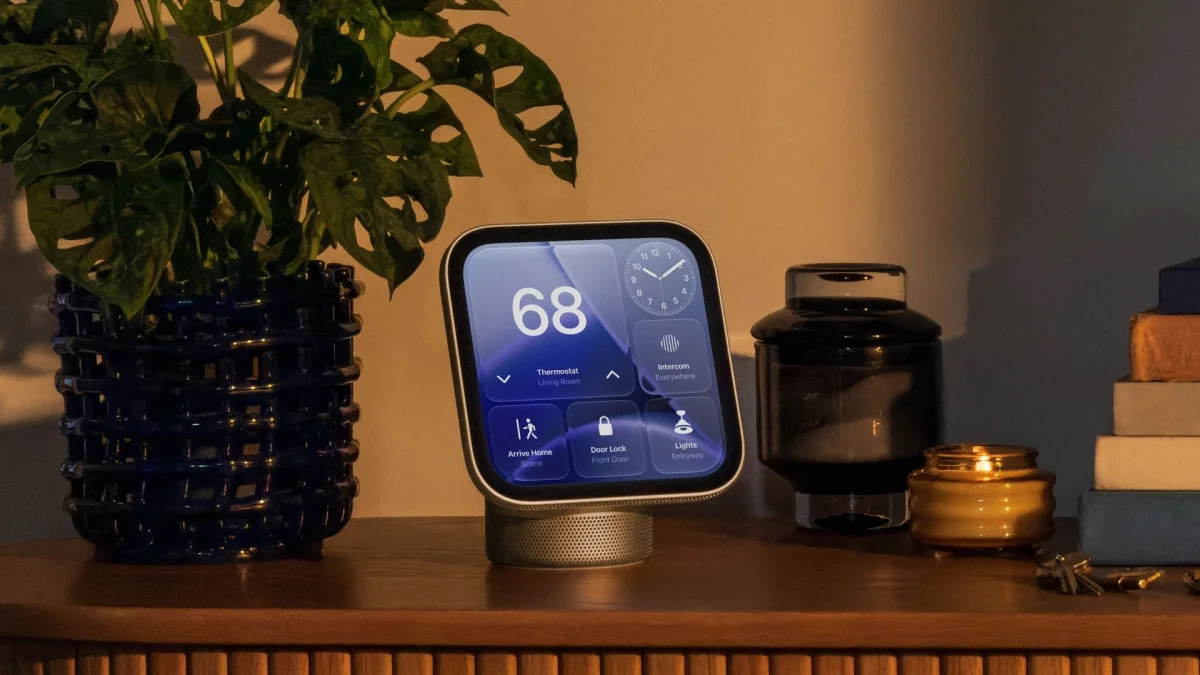
Apple’s first smart display is built around a clear idea: a shared screen at home can still offer personal information without turning into a general purpose tablet. The $299 HomeView combines smart home controls, Siri, music and Apple services in a 7-inch display, with features that draw on the iPhone or iPad you already use. For Apple households, that combination could make it a useful new hub. For everyone else, the setup requirement and limited app selection are significant considerations.
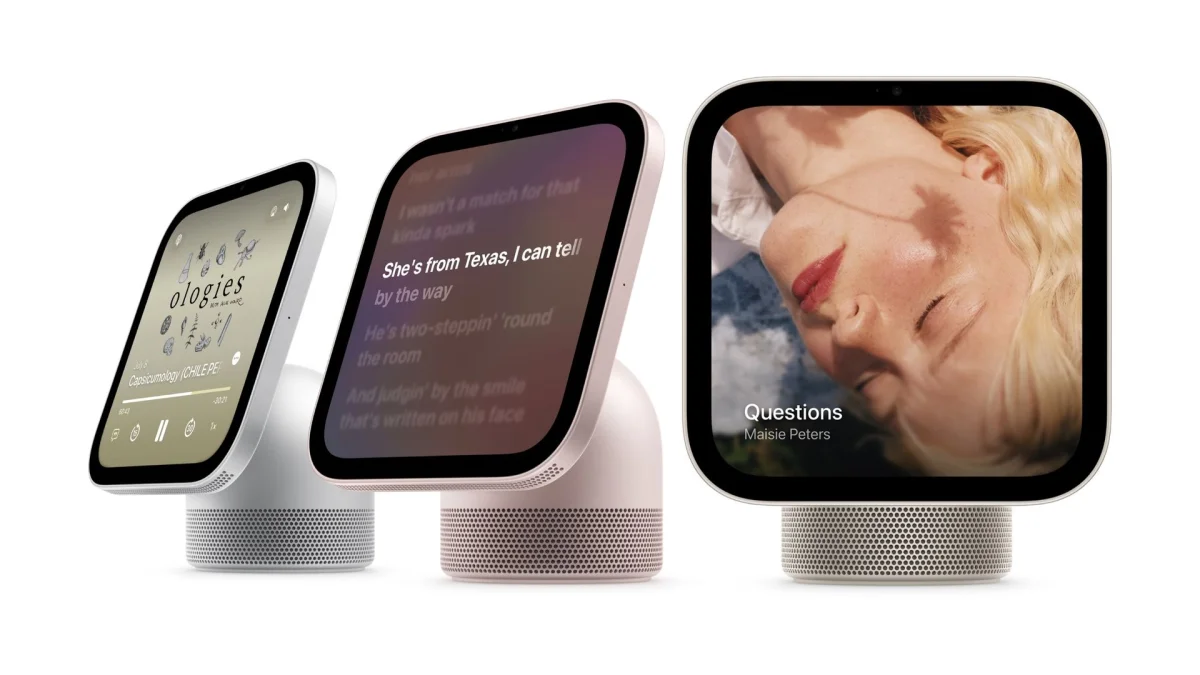
Apple introduced HomeView alongside the HomePod mini 2, a new Apple TV 4K and a set of smart home products from partner brands LG and Schneider Electric. The display comes in two designs: one attaches to a speaker base by an adjustable arm, so you can tilt and rotate the screen; the other is a screen-only model designed for wall mounting. The speaker version looks suited to a kitchen counter or island, while the wall model could take the place of fixed controls in a connected home.
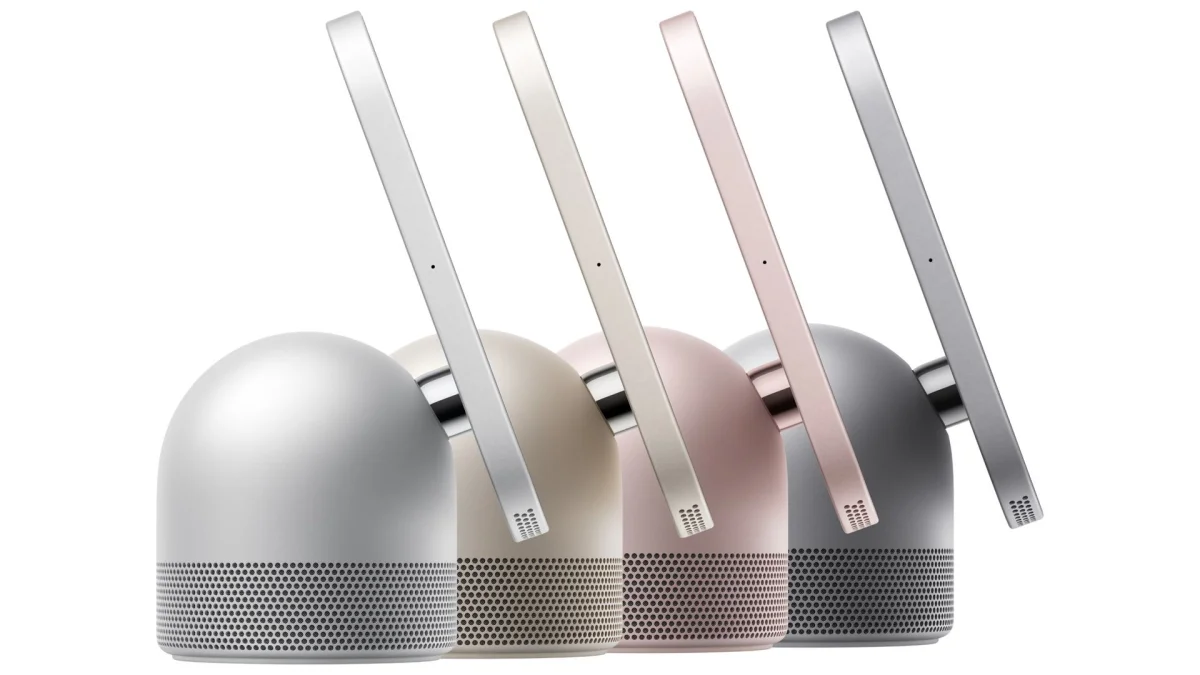
HomeView starts at $299 in the US, £299 in the UK and AU$449 in Australia. Preorders open October 13, ahead of its November 13 on-sale date. It comes in Silver, Starlight, Rose Pink and Space Gray. The price is below earlier rumors that suggested a figure around $350, though it remains $100 more than the Echo Show 8. That premium will make the most sense to buyers who already rely on Apple devices and services.
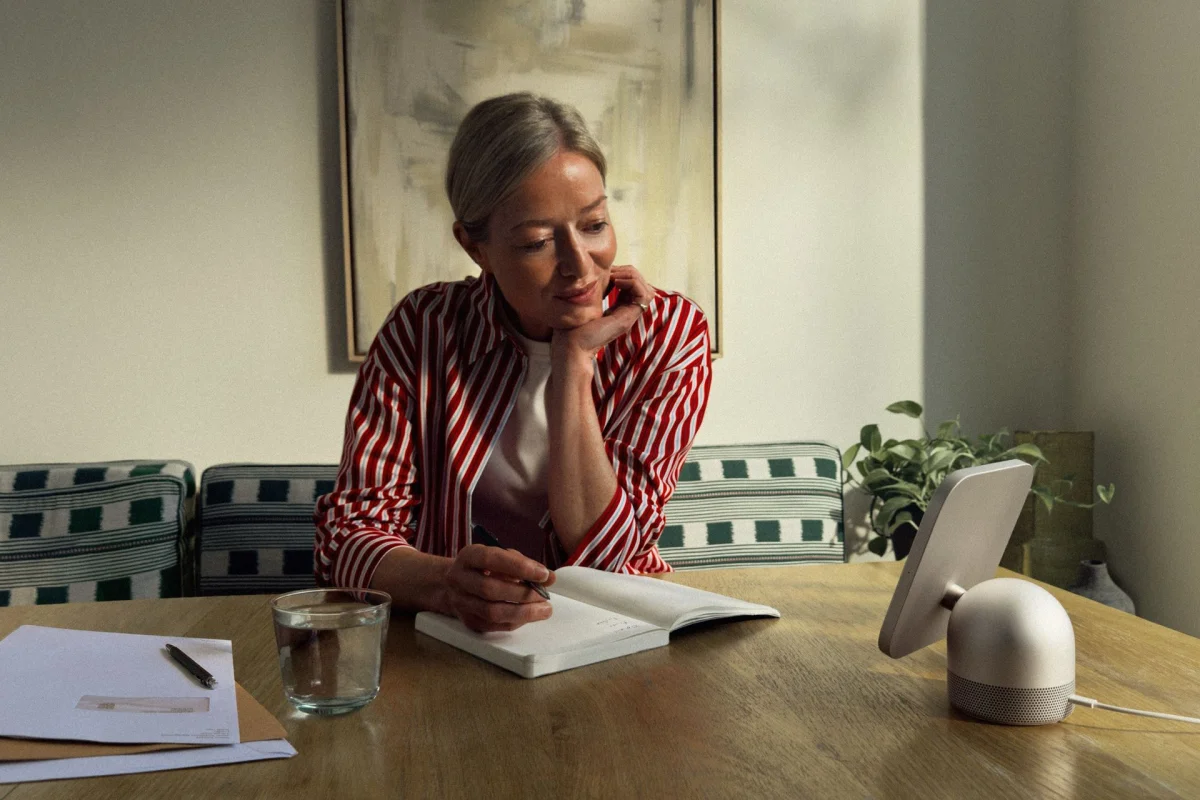
The hardware includes a 7-inch Liquid Retina display, a 12MP Ultra Wide Center Stage camera and four microphones. The speaker mounted model adds a multi-driver audio system. An A18 processor runs HomeView Software, a new platform that isn’t iPadOS, tvOS or iOS. Apple is shaping the device around shared household tasks rather than offering an open tablet experience.
That approach shows up in the home screen. You can choose from clock faces, including a refreshed Flow design whose colors react to what the camera sees, and new Snoopy animations. Familiar Apple Watch style faces also appear, with room for calendar entries, reminders and weather. Information can become more specific as you approach the display, so the screen can serve as a glanceable household dashboard.
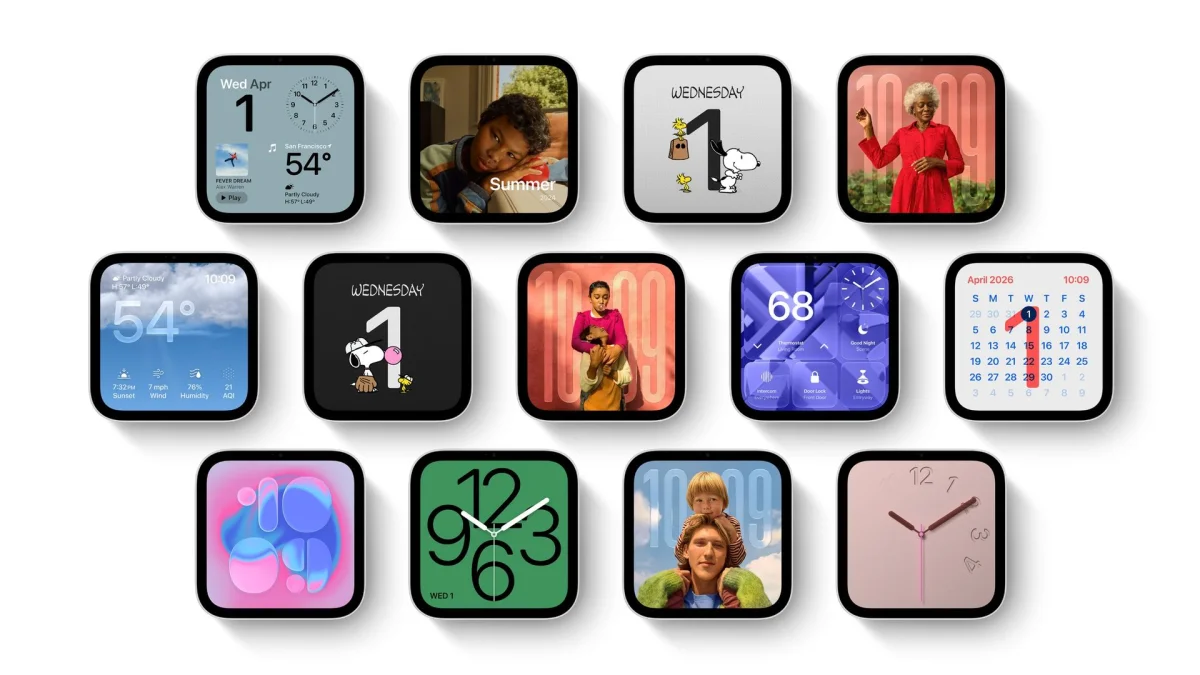
The camera can recognize as many as six family members. Each can set up a personal face, apps and widgets, and the interface supports tinted icons. Apple says one person’s private information won’t be exposed just because another family member walks up to the screen. The company also says Siri requests aren’t recorded and personal data isn’t stored directly on HomeView. There are no ads, which helps the display feel more like a household control point than a surface for promotions.
There’s a trade-off: setup requires an iPhone or iPad, which also supplies much of the personal context that makes HomeView distinctive. The device has no App Store. Instead, Apple has selected the services it considers useful on a shared display: Messages, Music, Weather, Reminders, Calendar, Safari, Find My, FaceTime, Apple TV, Podcasts, News and Home. Apple says select third-party media apps that work with CarPlay will also be supported, which could bring services such as Spotify into the mix.
That curated software makes the display easier to understand at a glance, but it also limits what owners can add. HomeView is designed for checking the weather, controlling accessories, playing audio and keeping up with family tasks. Buyers who expect to install a broad range of apps may find the boundaries restrictive.
Siri is the feature that could make HomeView feel more capable than a screen for simple commands. In a demonstration, it used personal context to help locate a recipe a friend had recommended or a song someone had mentioned in a message. Apple also showed a longer request that connected details: asking when a family member’s flight would land, estimating the trip from the airport to an apartment, then looking for brunch ideas.
The point is to let Siri carry context across related questions instead of making each request a fresh start. That could make the display useful for coordinating everyday plans, provided the personal assistant works as shown. It’s an ambitious role for a device that also needs to handle basic tasks reliably, such as setting a timer or turning on a light.
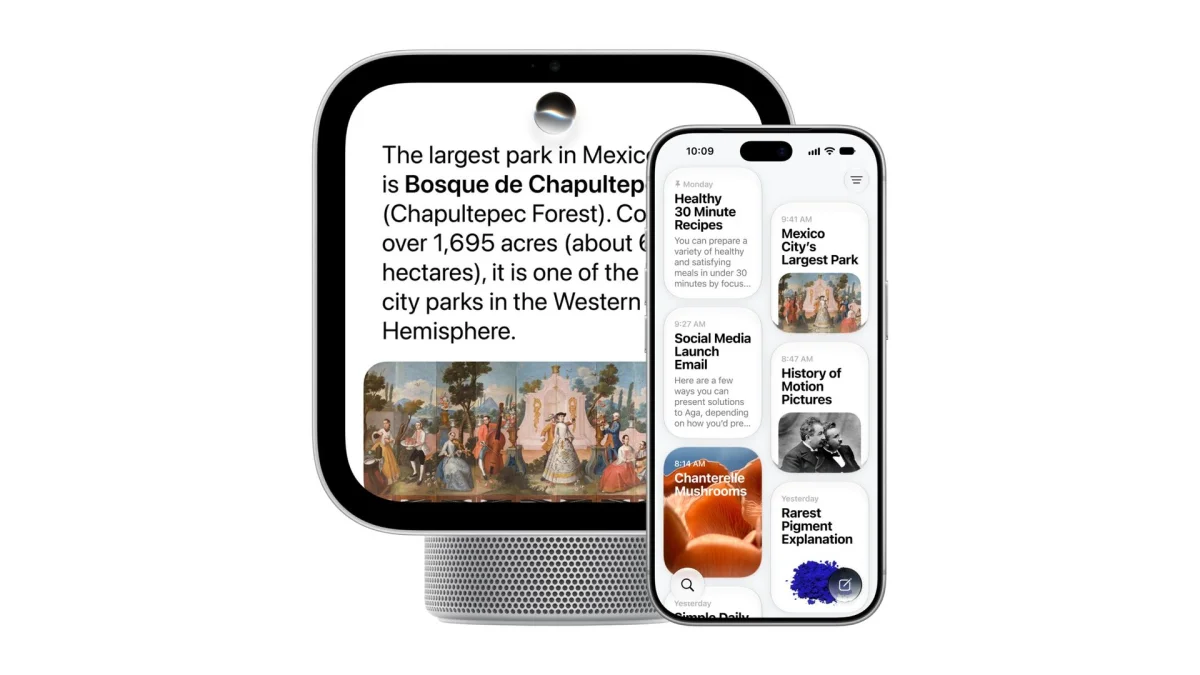
Apple has given the speaker model a more considered audio setup than a screen with a basic speaker attached. Two custom drivers handle high notes in the display, while the base contains a down-firing woofer and two force-canceling woofers. During a kitchen demonstration, a Bad Bunny track on Apple Music played loudly without obvious distortion, and lyrics appeared onscreen. That makes the speaker version a plausible fit for a shared room where music is part of the day.
The adjustable arm helps with that use: angle the display toward yourself while cooking, then turn it toward someone else. The wall mounted model has audio tuned for its position, though music playback on that version wasn’t demonstrated. The two designs serve different needs, so deciding where HomeView will live should be part of the buying decision.
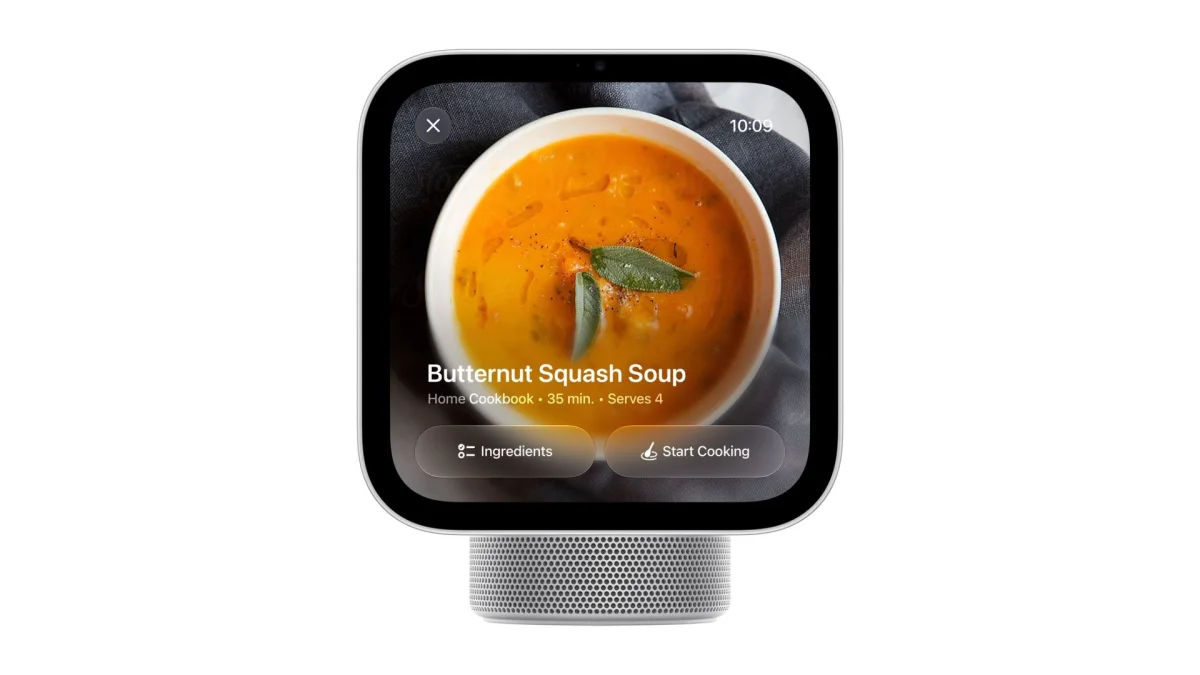
HomeView also works as a handoff point for an iPhone. Bring the phone close to the display or tap to move a recipe, FaceTime call or music playback onto the larger screen. For a recipe open in Safari, HomeView can show ingredients and instructions, with timers available as you work. Siri can add ingredients to a shopping list, set a reminder or help locate a nearby grocery store. Those connected steps are more useful than simply mirroring a phone screen.
As a smart home hub, HomeView can control compatible lights, thermostats, door locks and cameras through the Home app, with widgets for frequently used controls. It can show doorbell alerts and live camera feeds, including as many as nine camera views at once. Existing Apple Home and Matter compatible devices are supported, giving the display a role beyond media and personal assistance.

Apple’s Home Collection is expected to arrive in December. The range, made with LG Electronics and Schneider Electric, is set to include a video doorbell, smart lock, security cameras and sensors. Those devices could add to HomeView’s usefulness as a central control screen, although existing compatible products can already connect.
HomeView’s strongest case is its connection to the devices and information an Apple user already has. The experience is more personal than a typical smart display, and the privacy choices and lack of ads give it a distinct feel. Its restrictions are just as clear: it needs an iPhone or iPad, and its software is curated rather than open. If you want a flexible display for installing apps, that will matter. If you want a shared smart home screen that can also make better use of your Apple context, HomeView’s mix of controls, audio and Siri assistance looks like the reason to consider it.


