ESP8266 Ping Tester Shows What ESPHome Can Do with an Old NodeMCU
A NodeMCU, OLED and RGB LED make a configurable network ping tester, with ESPHome keeping RAM use to 41% and flash use to 43%.
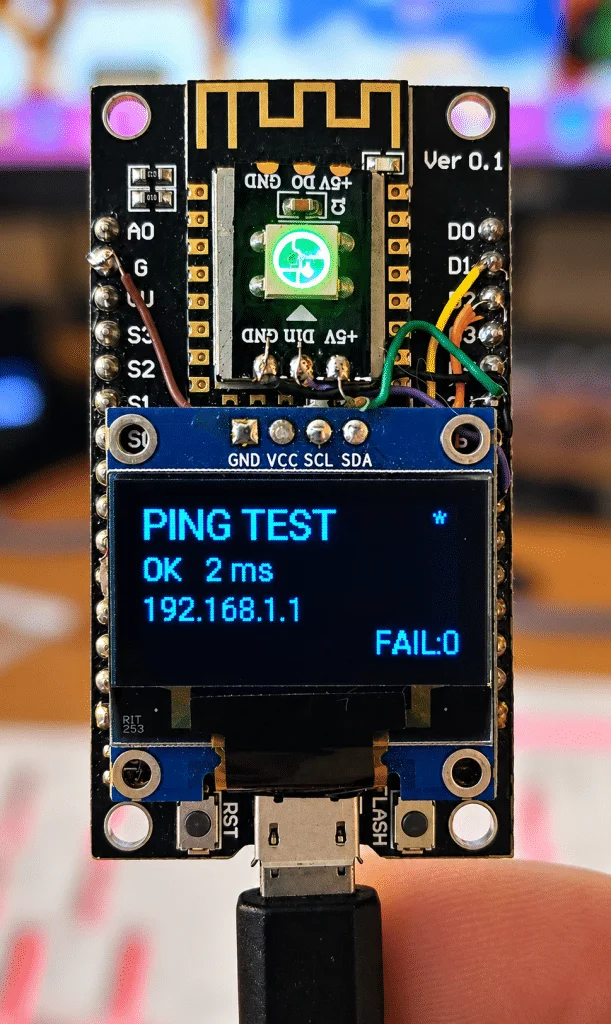
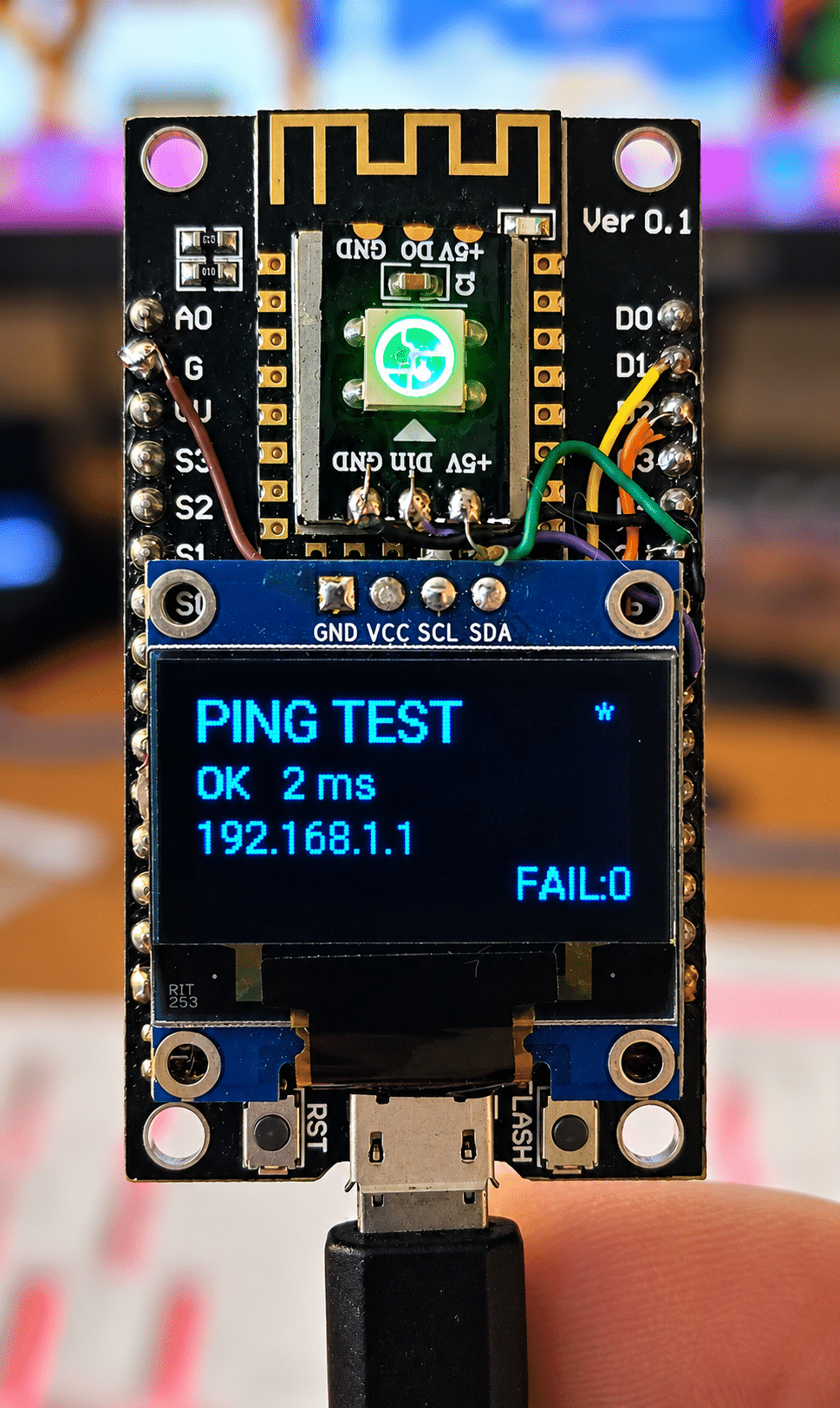
An inexpensive ESP8266 NodeMCU still has room to run a useful network monitor. This handheld ping tester checks a selected IP address every five seconds, shows the result and latency on a 128×64 SSD1306 OLED, and uses a single WS2812B RGB LED for a quick status glance. With its display, web interface, settings storage and Home Assistant connection in place, the project uses about 41% of the board’s RAM and 43% of its flash.
That memory result helps explain the project’s broader point: an older board can still handle a focused IoT task without needing a more capable replacement. The ESP32-C3 offers more processing power, RAM and room to expand, but the current tester doesn’t appear to need that extra capacity. The more striking change for its maker was the development experience. ESPHome allowed most of the device to be described in YAML, with a small amount of C++ for the ping operation.
A network check at a glance
The tester runs continuously, checking its target every five seconds. Its OLED shows the destination IP address and the latest result, including latency in milliseconds when a ping succeeds. The RGB LED provides a second, simpler readout: green signals a quick response, then the colour shifts through yellow-green and yellow as latency rises. Orange indicates a slower result, while red signals that the ping failed.
Latency thresholds depend on whether the destination appears to be on the local network. For targets whose first two address octets are 192 and 168, the LED moves through its colours at under 20ms, under 50ms and up to 100ms, with orange above that. For other addresses, the corresponding thresholds are under 75ms, under 125ms and up to 175ms. These are the project’s own visual categories, not a general rating of network quality.
A small heartbeat marker on the OLED changes state as the checks run. The display refreshes every two seconds, rather than once a second. During development, more frequent screen updates appeared to interfere with Wi-Fi authentication; the two-second interval proved a better balance for this build.
The tester also distinguishes a slow response from a lost one. A successful ping that takes more than 500ms increments a persistent counter, while a complete ping failure is shown separately. The counter therefore tracks unusually slow successful checks as well as later complete failures, but the screen labels the two cases differently: a slow response is shown with its time, while a lost response is marked as failed.
Startup and stored settings
Startup gets its own state. The display initially reads “SETTING UP”, so the first unsuccessful check doesn’t immediately look like an established connection has gone down. If the first ping fails, the device moves out of that setup state and shows a red failure indication, but it doesn’t add that initial result to the counter. Later complete failures do increment the count. Similarly, the first successful ping after startup isn’t counted as a slow-ping failure, even if it exceeds 500ms.
The destination address can be changed through the web interface. Four stored values represent the address’s octets, so a user can move from 192.168.1.1 to 8.8.4.4, for example, and retain the choice after a reboot. The interface includes a selection list with common destinations, such as Google DNS, Cloudflare, Quad9, OpenDNS and AdGuard addresses, along with several router and local network options. Users can also enter a custom address by editing its four parts.
Other settings are retained too. The OLED on/off setting survives a restart, as does the count of slow or failed pings. A control in the web interface resets that counter. The display switch reflects a practical concern raised by the maker: small OLEDs have a limited service life, based on their experience, so being able to turn the screen off may help avoid leaving it illuminated unnecessarily.
The project also includes a web interface, wireless configuration, over-the-air updates and an API connection for Home Assistant. The device is intended to work on its own, however. The configuration disables the API client timeout that would otherwise reboot the board after 15 minutes without a client, allowing the tester to keep running unattended.
Why ESPHome suited this build
The ping library is added as an Arduino library, ESPping version 1.0.5. The custom C++ code assembles the four address values into an IP address, runs three pings and stores the average response time when the operation succeeds. That is the main piece of custom logic; ESPHome handles much of the surrounding device configuration.
ESPHome already supports the SSD1306 display and WS2812B light, so the display code focuses on what to draw and the light code sets its colour. YAML describes components such as Wi-Fi, the web interface, API, update support, GPIO, persistent values and display settings. Where the project needs behavior beyond those components, it can add ordinary C++.
That arrangement felt more direct to the maker than extending a conventional Tasmota setup. They have used Tasmota for years and still consider it a capable choice for network-connected switches, sensors and similar devices. But a project that strays from its usual feature set can require increasingly elaborate Rules. Berry can handle more involved behavior, though it introduces another language into the project. Some past Tasmota builds also needed custom functionality, including ping support.
The author had already explored ping testing with Tasmota on ESP8266 and ESP32 hardware. Their earlier work is described in an earlier comparison of ping testing with Tasmota. For this particular tool, ESPHome’s YAML configuration plus a small C++ addition made the work feel more like building a focused device than adapting a system around its existing rules.
What the memory figures mean
The completed ESP8266 build uses roughly 41% of RAM and 43% of flash, according to the project’s reported figures. Those numbers include the web interface, OLED, RGB light, ping library, persistent settings and Home Assistant API support. The author expected the combined features to put more pressure on the NodeMCU, but reports that the board still has room for further additions.
That headroom matters when deciding whether to reuse an existing board. The device’s core workload is modest: connect over Wi-Fi, send pings, show the result and change an LED. For that job, the ESP8266 performs comfortably in the author’s build. A newer ESP32-C3 would make sense if a design needed more sensors, a more elaborate screen, additional network checks or other future features. The article doesn’t report a direct performance test between the two boards; its comparison is about capability and suitability for this particular application.
| Task or feature | ESP8266 NodeMCU-type board | ESP32-C3 |
|---|---|---|
| Ping, OLED and WS2812B | More than adequate | Easily adequate |
| Web interface and Home Assistant API | Works well | More headroom |
| Memory in this project | 41% RAM and 43% flash used | More available |
| Wi-Fi | 2.4GHz | 2.4GHz |
| Future expansion | Reasonable | Much better |
| Board cost, as described by the author | Extremely cheap | Very cheap |
The author had NodeMCU boards on hand and says they originally cost less than €2 each. Wemos D1 boards cost even less in their experience. That makes the project a practical case for putting spare ESP8266 hardware back to work, particularly when the requirements are limited and the board’s memory figures leave room for the software already in use.
Small build details and related projects
The NodeMCU serves as the physical base for the OLED and a small board carrying the single WS2812B LED. The author had several of those LED boards available and found they could be attached in the remaining space. Their main hardware complaint is the NodeMCU’s older microUSB connector.
The configuration includes several Wi-Fi networks, all using the same password in this installation, which the author says is useful in a large house. It also sets a firmware version that appears in the web interface. The configuration shown identifies the device as version 0.11 and uses a NodeMCU V2 board definition. Its fallback access point is named after the device, with a configured password; anyone adapting the example should review those values for their own setup.
The ping target can be selected from a list of common public DNS and local addresses, or adjusted manually through the four address fields. The example starts at 192.168.1.1, but the author notes that users whose local network uses another range can change the address. Persistent storage keeps the chosen octets across restarts.
The article also points to a separate project using Wemos D1 boards: a LoRa-enabled letterbox that detects when the box is opened and reports the event back to the house. It uses a Reyax LoRa module, and the author says two more modules were on their way for further work on that project. The related write-up is available at the second part of the LoRa letterbox project.
For this ping tester, the useful takeaway is specific: an ESP8266 can run a small network monitor with a screen, status light, configurable target and retained counter while using less than half of the reported RAM and flash. An ESP32-C3 would leave more room for a larger project, but a spare NodeMCU already appears well matched to this one.
The original post is at Scargill’s Tech Blog.


