macOS 27 Finder adds suggested names, while batch renaming still takes a separate tool
Golden Gate can suggest names for individual files, but Finder’s batch tools and A Better Finder Rename offer more control.

macOS 27 Golden Gate can suggest a name for an individual file or folder in Finder, using Apple Intelligence to examine its contents. It’s a handy shortcut when a document is still called “Untitled,” but the suggestions can be vague or absent. For organized batches, Finder’s built-in renaming remains basic, while A Better Finder Rename can build names from file metadata.

Suggestions are quick, but unpredictable
To see a suggestion, select a file or folder name in Finder, pause, then click the name once so it becomes highlighted. After a brief analysis, Finder may show a dropdown of possible names. Click one to apply it. The feature’s simplicity is appealing; its unpredictability is the trade-off.
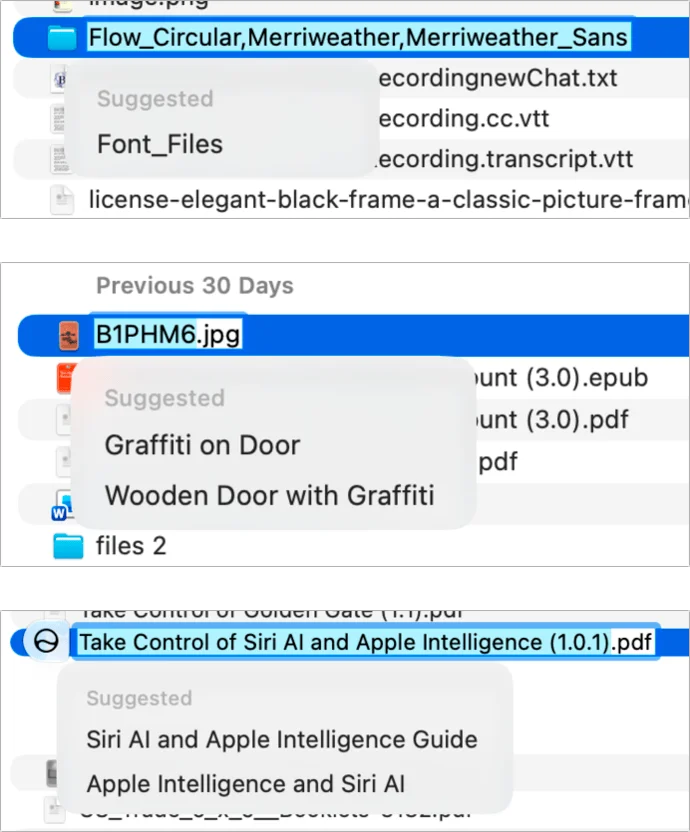
In testing, the suggestions did a reasonable job describing what images showed, effectively drawing on visual analysis without requiring a separate action. That can help when a generic filename gives little clue about a photo. But descriptive accuracy doesn’t guarantee a useful name: a photo titled “glenn as a freshman” prompted “Person with Hand on Head” and “Person in Thought Pose.” Those labels fit the visible scene, yet lose the personal context already present in the filename.
Suggestions can also fail to appear, with no explanation. Apple Intelligence may decide the existing name is already suitable, or the analysis may take too long or require too much computation. Some images with controversial elements may also get no suggestions, even when comparable photos do. And the feature works on one item at a time, so it won’t help rename a whole folder of files in one pass.
Golden Gate offers similar suggestions in some other naming moments: when saving an untitled document in Apple apps, sending files through AirDrop, or texting an image. In one example, a screenshot sent from an iPhone appeared in a message with the generic name “Screen Image.” That illustrates the feature’s limits: it can fill in a blank, but the result may not be specific enough to stand on its own.
To turn off Finder’s suggestions, open Finder Settings, select General, and uncheck “Suggest file names.” Apple Intelligence requires an Apple silicon Mac, and all Macs that can run Golden Gate meet that requirement.
Finder handles simple batch changes
When the job involves multiple files, Finder has offered a basic renaming dialog since OS X 10.10 Yosemite. It can replace text in filenames or add a prefix or suffix, and it can apply a custom name with a sequence number. For a short list of files that need a consistent label, these built-in options are likely enough.
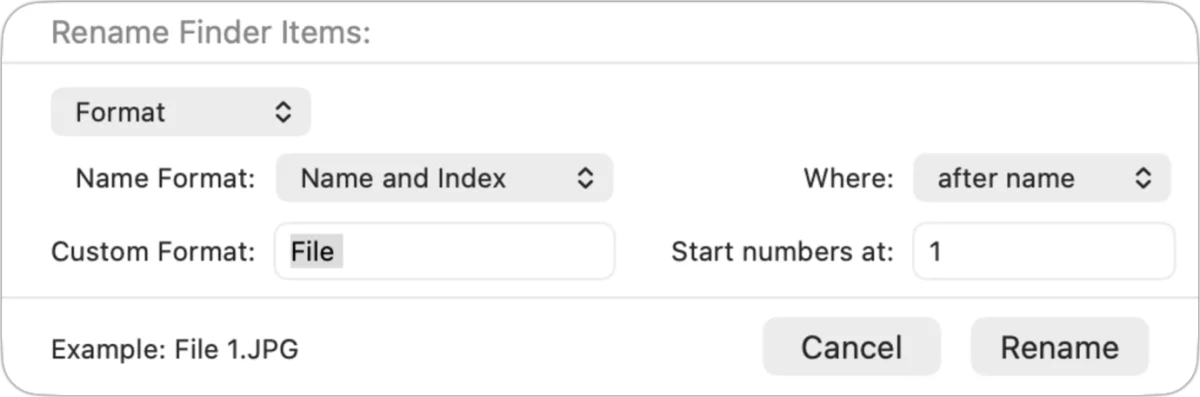
The limits show up when filenames should reflect information stored inside the files. Finder’s standard controls are designed for straightforward text changes, not for assembling a more descriptive name from image metadata or combining several rules into a single workflow.
Metadata makes a stronger naming workflow
A Better Finder Rename, by Frank Reiff, costs $30 and includes updates for all current versions. Its main advantage is the ability to create a sequence of actions for selected files or folders, including actions that use metadata to add details unique to each item.
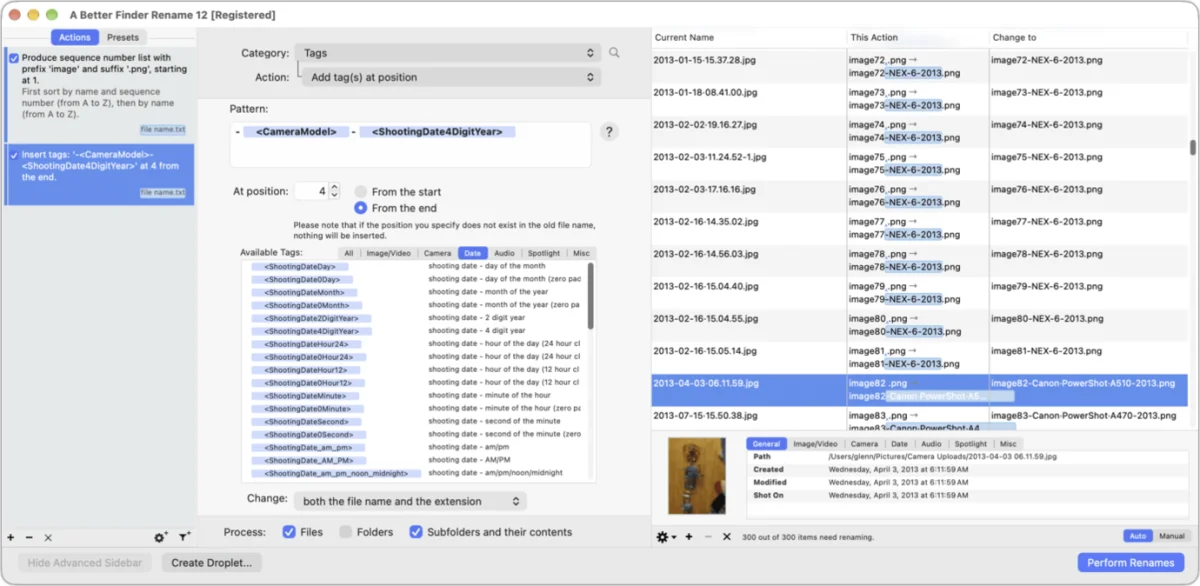
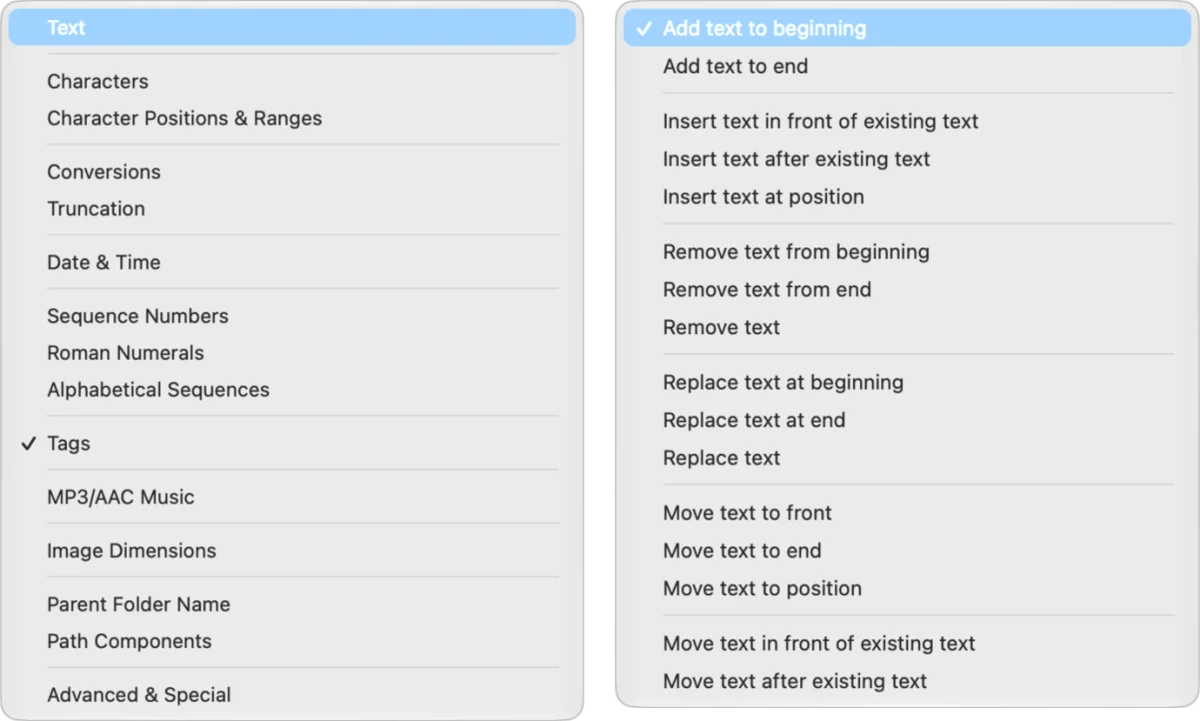
For example, one action can renumber files and another can add EXIF information such as camera model and shooting year. The actions can be combined, so files that currently have only date stamps can end up with names that say more about how they were made. The app includes several categories of actions with their own choices for editing names.
That flexibility suits recurring cleanup jobs as well as one-off fixes. It can extract capture dates from hundreds of arbitrarily named images, making them easier to sort chronologically. It can also add a shared prefix to screenshots for a project, making those files easier to locate after uploading. Version 12 first shipped in 2023; the utility dates back to 1996.
Name Mangler from Many Tricks is another long-running option, priced at $19. The choice between dedicated renaming apps and Finder’s own dialog comes down to the work: occasional prefixes and sequence numbers don’t call for a separate utility, while metadata-based rules can save time when file sets need careful, repeatable organization.
Clear names still save time
Spotlight and Siri can make searching easier, but they don’t remove the value of sensible filenames and a light folder structure. Search is useful when you remember a word or detail; readable names also help when scanning a folder and comparing items at a glance. That matters for photographs, screenshots, and documents that accumulate over time.
Golden Gate’s suggestions can give an untitled item a useful starting point, especially when its contents are visually clear. For larger collections, a deliberate naming pattern and metadata-aware batch tool offer more consistency. The practical takeaway: use suggestions to name individual items when they fit, then keep a repeatable system for the files Finder can’t rename with enough detail.
1 Apple Intelligence requires an Apple silicon Mac; all Macs that can run Golden Gate meet that requirement.
2 A Better Finder Rename began in 1996. Version 12 first shipped in 2023.
3 Name Mangler from Many Tricks costs $19.


