Five Mac and iPhone Apps for Cleaning Up, Saving Time and Organizing Media
Crumb, Klackey, MemoryString, Pixph and DumpPixels tackle clutter and repetitive work, with trade-offs in price, workflow and features.
These five Mac and iPhone apps take aim at small but familiar frustrations: a crowded drive, repetitive typing, photos waiting to become a video, loose clippings and a Photos library full of screenshots. Each offers a different kind of help, and each comes with a practical caveat that’s worth considering before adding it to your routine.
For Mac users, Crumb focuses on finding files and app leftovers that may be taking up space, while Klackey turns short codes into saved text. MemoryString offers a free way to assemble photos and video clips into a movie. Pixph gives copied material a home in project folders, and iPhone app DumpPixels extracts text from screenshots so you can keep the information and delete the image after unlocking its paid feature.
Crumb finds what’s taking up space
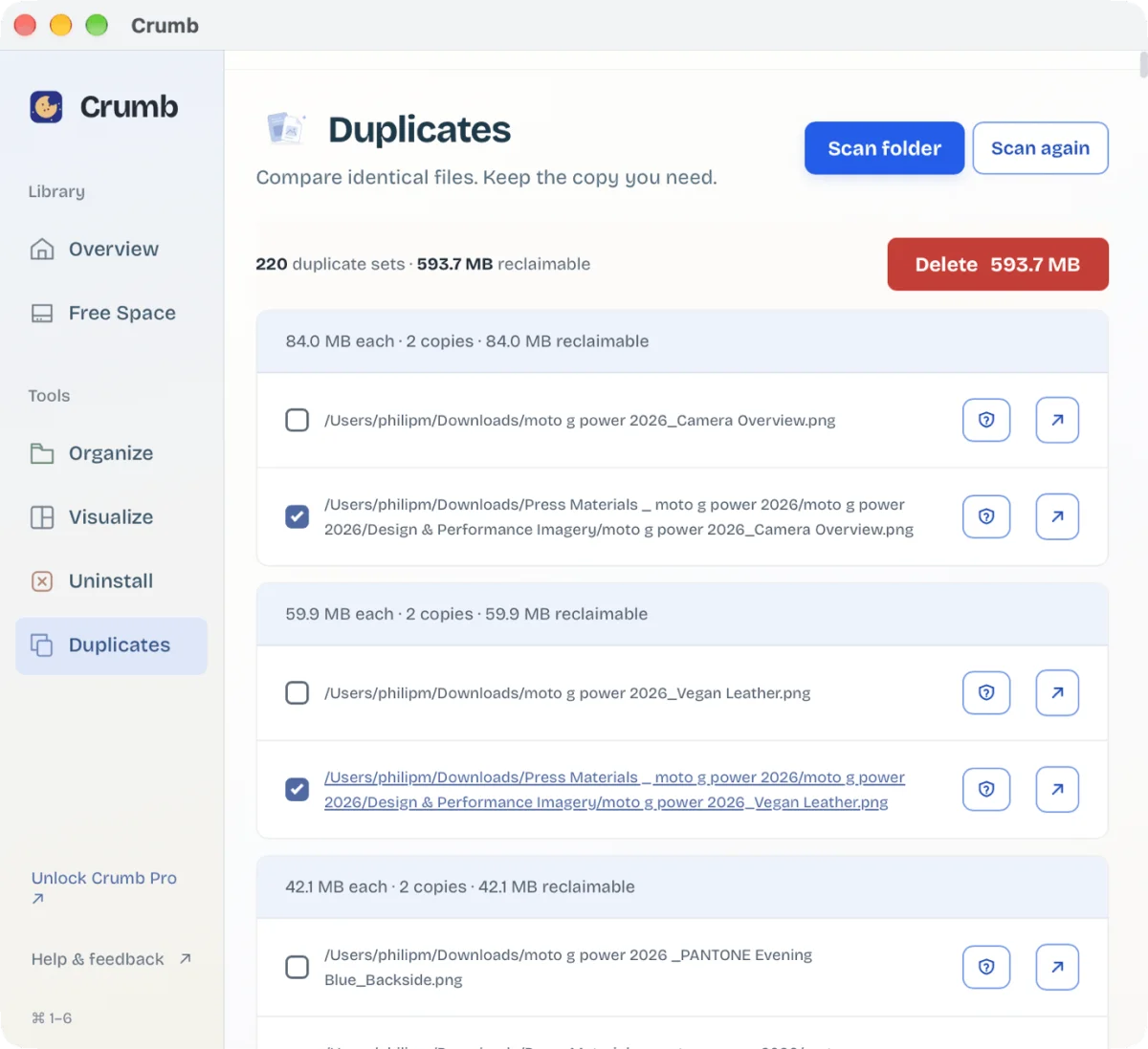
Crumb is designed for Mac owners whose storage has gradually filled with caches, logs, duplicate files and apps they no longer use. Its first cleanup can make a noticeable difference: in my test, it identified 2.4GB of cache and log files that could be removed. That figure will depend on the Mac and how often it’s cleaned, but the initial scan showed how much temporary clutter can build up.
The app’s Visualize mode maps the contents of folders and shows how much storage each uses. An analysis tool can flag material that appears to be user-created, giving you a chance to review it before deleting anything. Shortcuts open folders directly for a closer look, which is useful when a large category needs human judgment.
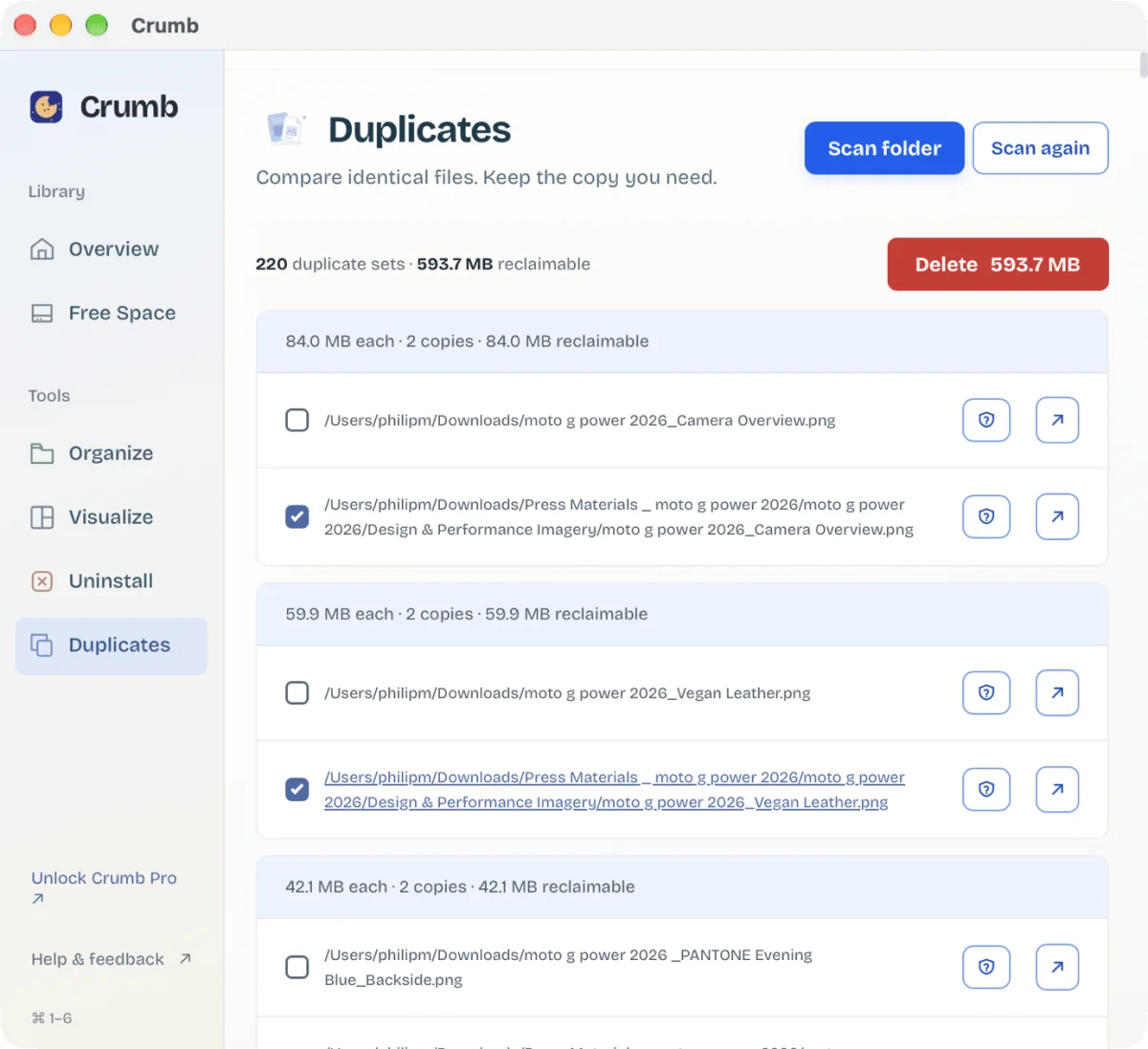
Crumb’s duplicate finder is especially handy if, like me, you save images and make resized copies for different uses. It locates repeated files so you can choose which to remove. An Uninstall tool also removes apps and the files they leave behind, while Organize sorts material into folders such as Images, Videos and Documents.
The free version allows one full cleanup. A one-time $9 payment unlocks unlimited cleanups along with Uninstall, Duplicates and Organize. One license covers up to two Macs. The main appeal is the combination of storage views and targeted cleanup; just review files carefully when the app identifies things you may have made yourself.
Klackey makes repeated text quicker
Klackey runs on Windows and Mac, though its Mac version is the focus here. Its broad collection of tools may be more than someone looking only for text expansion needs, but the central feature is straightforward: assign a short code to a longer passage, then type the code wherever text entry is supported.
![Screenshot of Klackey, a text-expansion app, with the Abbreviations list showing the "Email sign-off (try the abbreviation)" clipping, abbreviation ;sig, in the Welcome folder. Rich text editor reads "Best, [Your name]" and a hint to type ;sig then space.](/articles/175/eh2X5cRZLy1dUR3mL9XabU62Ff02ZAHz.webp)
For example, a saved reply to email submissions could appear when you type ;reply. A sign-off or any other frequently reused wording can work the same way. That saves repeated typing and makes it easier to keep routine responses consistent without opening a separate document to copy from.
Klackey also includes clipboard history, notes and an encrypted secure folder for items such as passwords. Those extras broaden its role, though the text shortcuts were the part I found most useful. A 14-day trial is available. After the trial, payment unlocks the current features and includes a year of updates; one cross-platform license covers up to two computers. At the time of writing, Klackey costs $35, reduced from its regular $49 price.
MemoryString turns a folder into a movie
MemoryString is a macOS video-creation app that aims to get you from a group of photos and clips to a finished movie with less setup than iMovie, while offering more control than the Memory Movie feature in Photos. It’s free to download and use, with no in-app purchases. Finished videos do include a MemoryString watermark at the end.
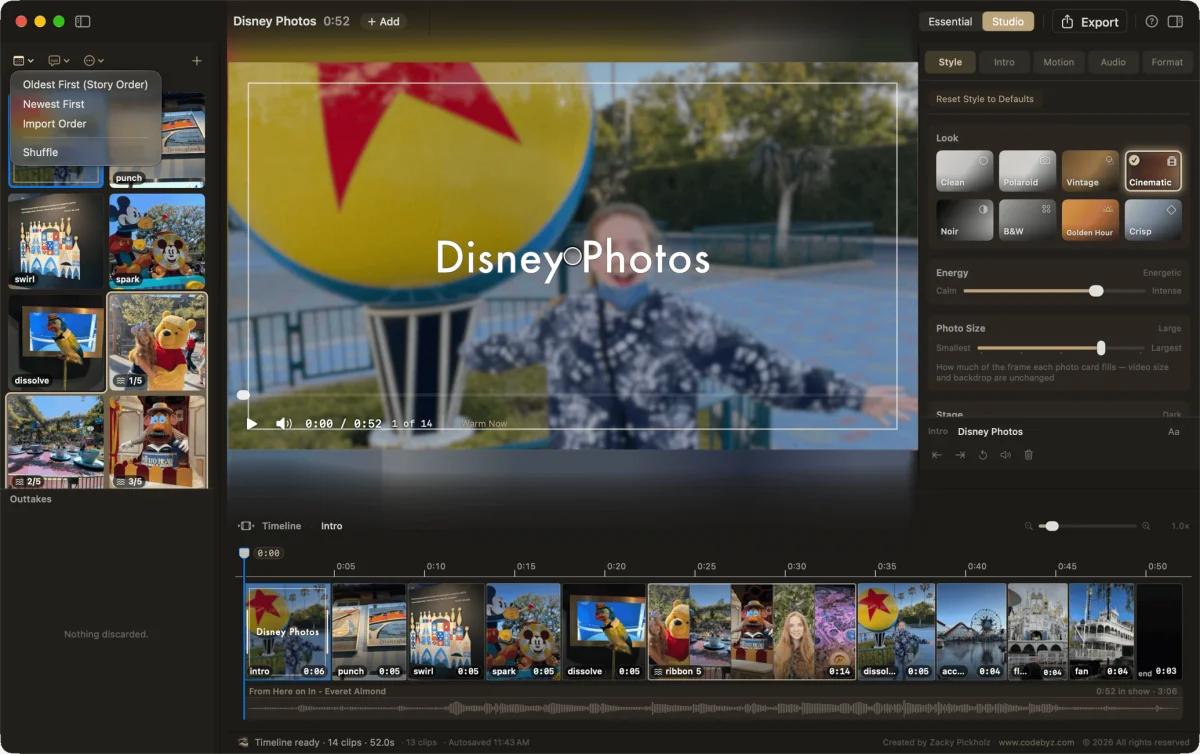
Import photos or videos, then adjust transitions, titles and audio. The app comes with a royalty-free music library, and you can use your own tracks instead. That gives users room to shape a project without first paying to unlock basic editing features.
There’s a workflow issue to keep in mind: dragging items directly from the Mac Photos app caused MemoryString to crash during my testing. Importing an image or a folder worked better. The developer responded promptly after I reported the problem, but the crash is still relevant if your usual process starts in Photos. For a no-cost tool that can turn images from a Mac or iPhone into a shareable movie, it’s easy to try while keeping that limitation in mind.
Pixph gives saved clippings structure
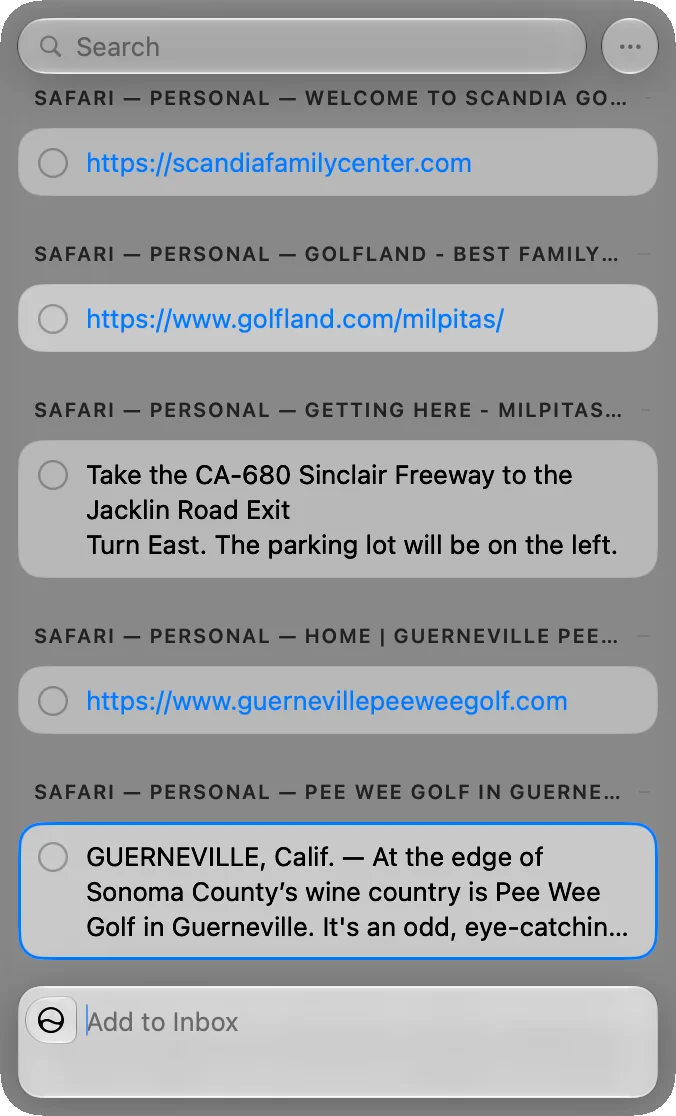
Pixph costs $10 and collects text, links and other copied material in a window you can keep beside your work or move elsewhere on the display. To save a clipping, highlight it and press Shift twice. You can then sort related material into projects, making it easier to gather research in one place and bring saved items back into the document or app you’re using.
The menu bar app makes it possible to switch between projects as new material turns up. You can add notes to clippings as well, which helps connect a saved link or passage to the reason you kept it. Pixph treats clips like a checklist, with controls to mark items as finished. I didn’t find that approach suited my workflow, though others may like having a clear way to retire old clippings.
The Liquid Glass look was distracting for me, but switching to dark mode in settings made the window easier to use over other apps. Pixph’s strongest case is its project organization, especially for people who collect links, text and images while working on several subjects.
DumpPixels keeps screenshot text
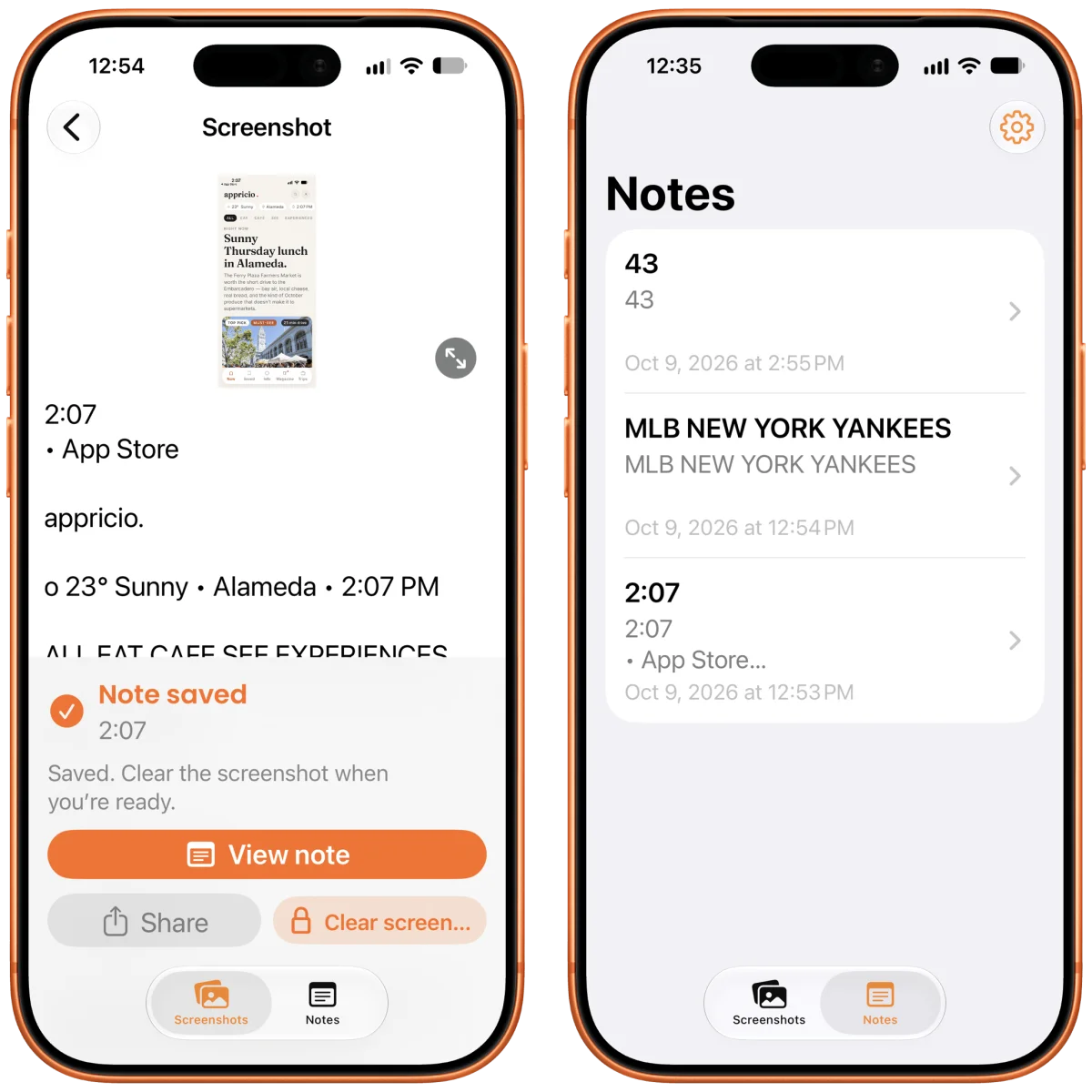
DumpPixels is for iPhone users who take screenshots to preserve details and then forget to clear them from Photos. Each screenshot appears in the app, which copies the text it can find into a note. You can save that text in the Notes tab and remove the screenshot, keeping the information while reducing the number of images in your library.
The distinction between the free download and the paid feature matters: the free version lets you save text copied from screenshots, while a $20 in-app purchase unlocks screenshot deletion. DumpPixels also only processes screenshots. It won’t extract details from an ordinary photo of a flyer, for instance, unless you capture that photo as a screenshot.
These apps address different kinds of digital clutter, from storage and repeated typing to scattered research and saved images. The best fit depends on where the friction is: Crumb targets drive space, Klackey handles recurring text, and DumpPixels is built for people who collect information as screenshots.


