Five Mac and iPhone Apps for Image Editing, Music, File Cleanup and Travel
Batch process photos, rename files with OCR, manage music and clipboard history, or get curated city tips with these five apps.
This collection of five apps tackles everyday friction points across Mac and iPhone: repetitive photo edits, hard-to-identify files, music controls, trip planning and quick access to copied items. The strongest picks save time on tasks that otherwise turn into a string of small interruptions.
Turn repeat photo edits into a drop folder
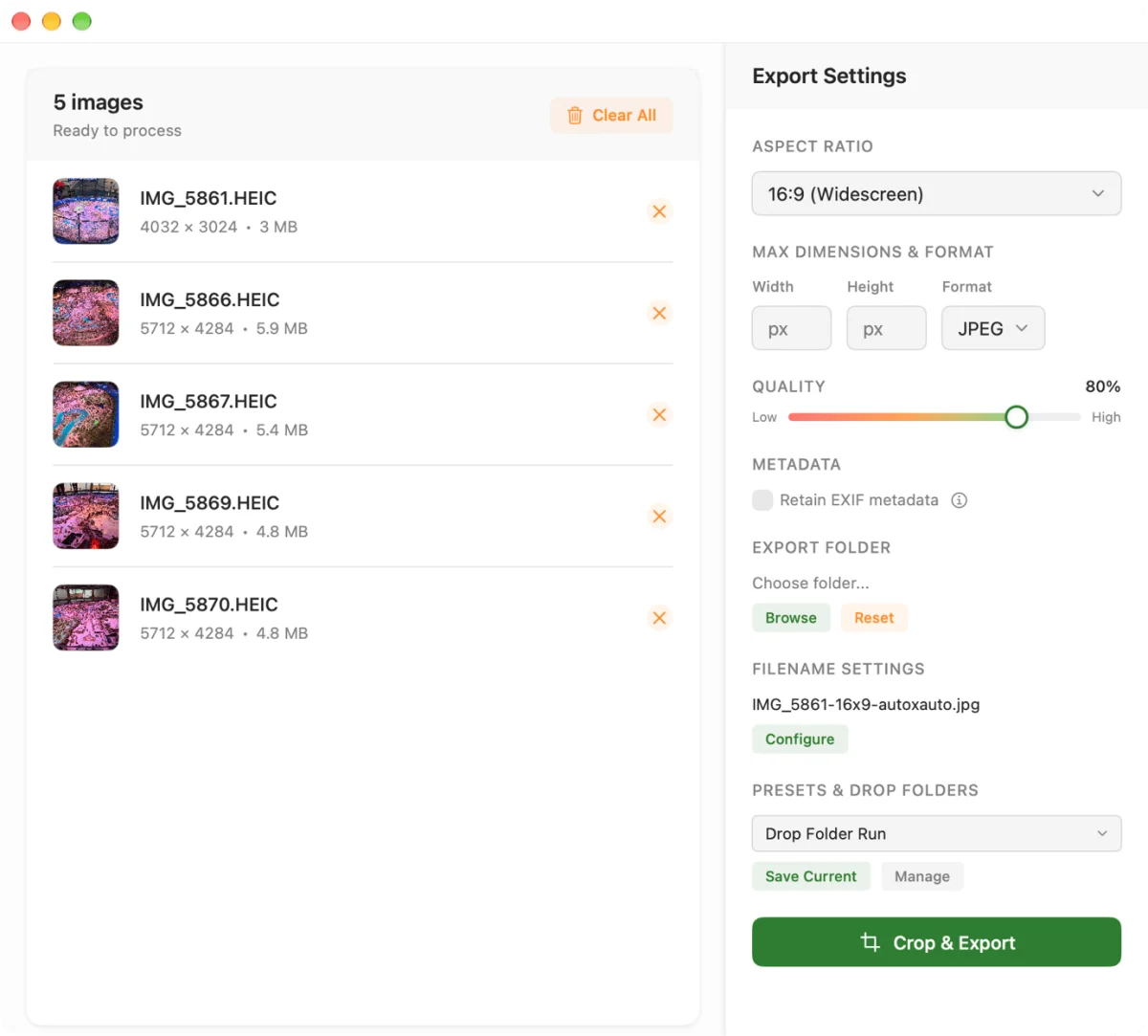
Freshly Squeezed is a Mac batch processor for resizing, cropping, compressing and converting images while leaving the originals intact. Its Drop Folder feature is the practical draw: configure a set of processing options once, then add images to the folder to apply them again. You can still adjust individual crops when an automated result needs a closer look.
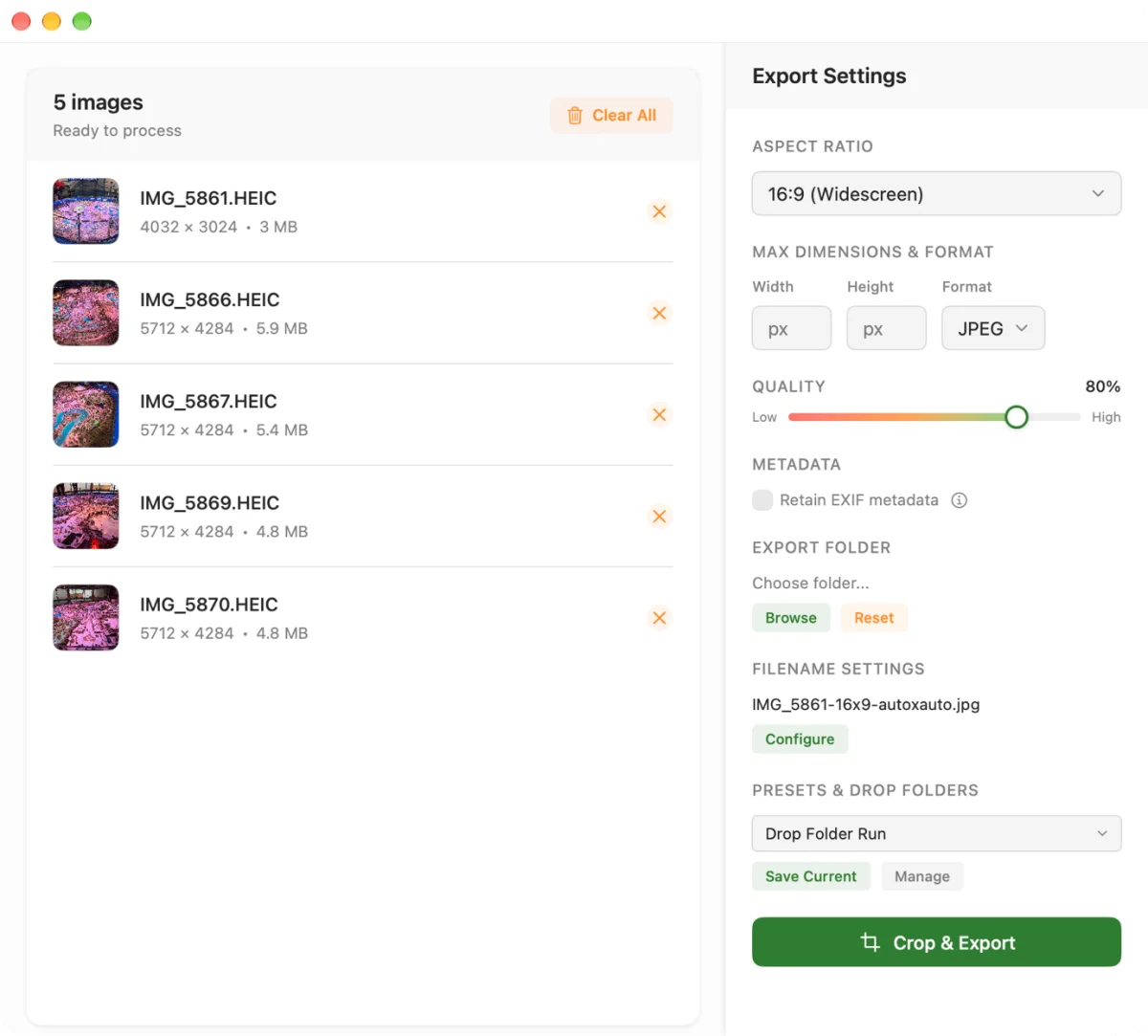
The app is especially useful when the same output requirements come up repeatedly. For example, a photographer who needs a batch of images converted to 16:9 JPEGs at 2000 x 1125 can save that setup and reuse it. Freshly Squeezed costs $7 for Mac, with a seven-day free trial.
Keep music controls close at hand
NepTunes 4 puts song information and playback controls in the Mac menu bar. It works with Apple Music and Spotify, and its Pro version lets you switch between those services. The app can also show recently played songs, connect to a Last.fm profile for account stats, look up similar artists and assign hotkeys to playback controls. Pro adds similar-track searches.
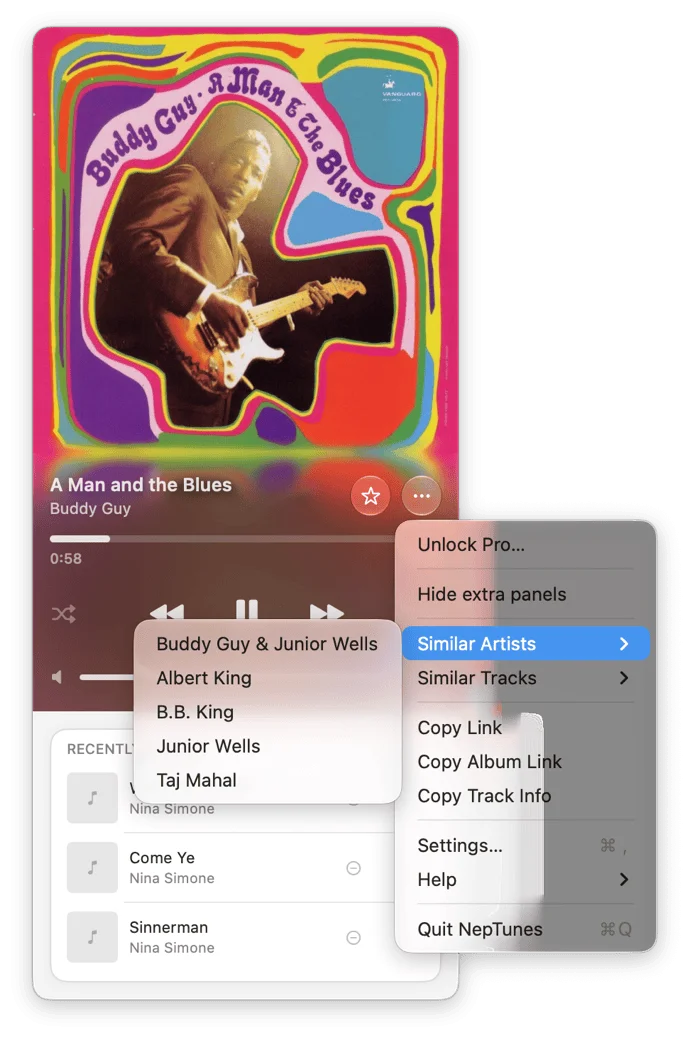
For listeners who want more of their music visible on the desktop, Pro also displays top albums in a grid and includes desktop widgets in 15 styles. One option frames the current album as a CD in a jewel case. NepTunes is a free download; Pro costs $10 per year and includes a 14-day trial.
Give mystery files readable names
Tidy uses built-in optical character recognition to inspect screenshots, scans and other files in the Downloads folder, then suggests descriptive filenames. You review and approve each change, so an inaccurate guess can be dismissed before the file is renamed. That check matters: the app can misread text, especially when a font is difficult to parse.
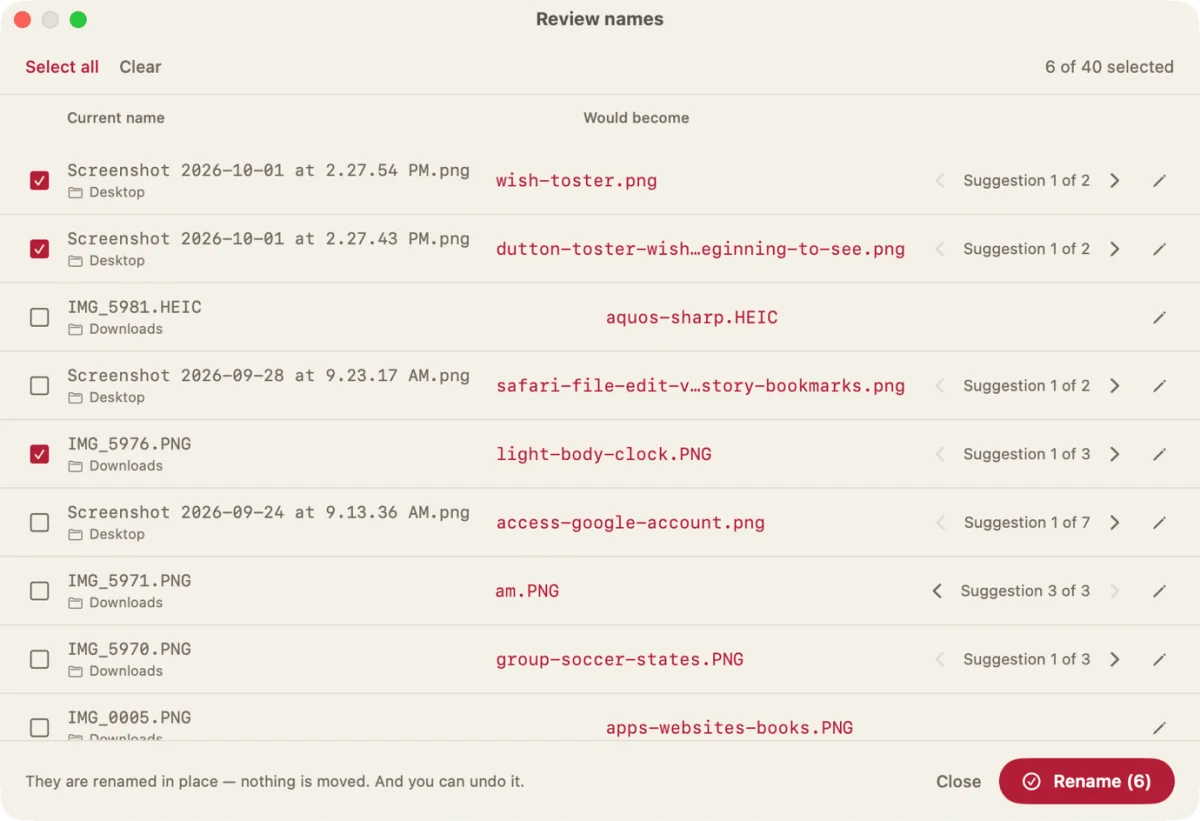
In one example, Tidy turned a screenshot of NepTunes into the mistaken name “dutton-toster,” apparently struggling with singer Sutton Foster’s name. The user could reject that proposal. A photo of a Ferris wheel at Disney’s California Adventure, by contrast, received the more informative filename “blue-sky-land-amusement-park” instead of “IMG_435.HEIC.” Tidy costs $9 for macOS.
Get location-aware travel suggestions
Appricio uses an iPhone’s location, local weather and preferences in the app’s settings to recommend things to do in cities covered by its guides. Its curated suggestions can steer visitors toward less obvious stops: near San Francisco on a pleasant day, for example, it recommended Golden Gate Park and discouraged a visit to Pier 39, described in the app as a tourist trap.

The app also supports trip planning, though its curated coverage currently spans 50 cities. A search for San Diego, which isn’t among them, didn’t offer the same guided recommendations. Appricio is free; a $30 annual subscription adds a dozen cities, multi-day planning and an events calendar, among other features.
Use the MacBook notch as a quick-access shelf
Droppy makes a MacBook’s display notch a place to park files temporarily: drag a document toward it, then retrieve the item when needed. The app also includes music controls, clipboard history and a five-hour weather forecast. Extra widgets, called Droplets, add options such as screenshot editing, file conversion and transcription.
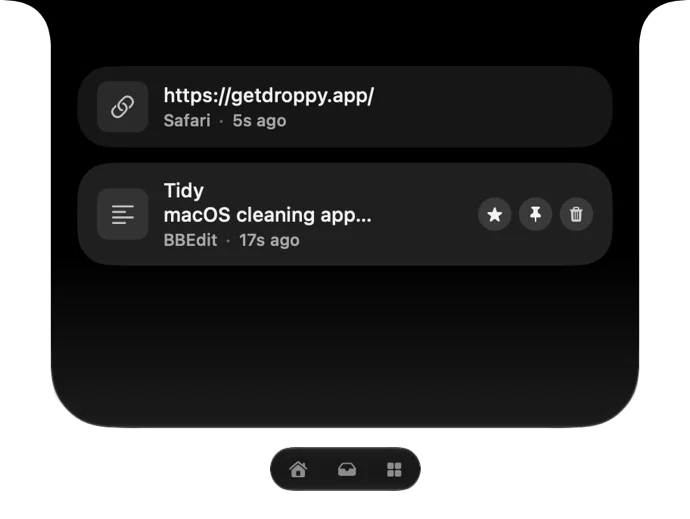
Droppy also brings these quick-access features to Macs without a notch. You can try it free for three days; after that, a $10 payment unlocks the app on up to two Macs. Together, these apps offer a mix of focused utilities: the best fit depends on whether your daily bottleneck is processing images, keeping files legible, controlling audio, planning a visit or holding onto things you’ve copied.


