Dell XPS Googlebook Unboxing: Snapdragon X Elite, 120Hz Display and Android Phone Handoff
The $999 Dell XPS Googlebook pairs Snapdragon X Elite hardware with a bright 120Hz screen and useful Android phone features. Its two USB-C ports are a clear trade-off.
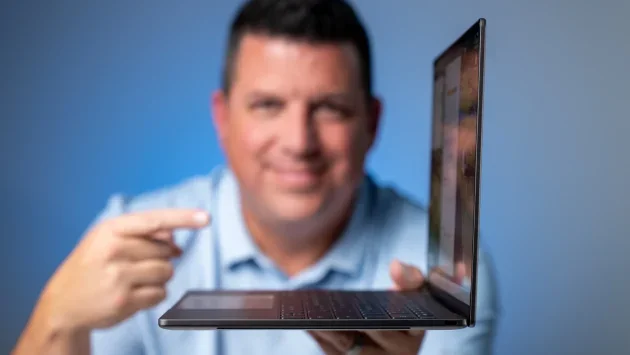
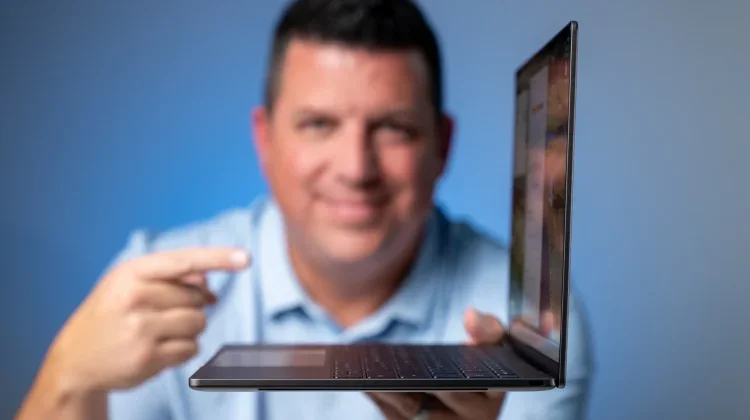
The Dell XPS Googlebook makes a strong first impression through a familiar combination: a slim aluminum body, a high refresh rate display and a processor built for efficient performance. Starting at $999, it brings Dell’s XPS design to Googlebook OS, with Qualcomm’s Snapdragon X Elite inside. In an initial unboxing and setup, the hardware feels polished and phone handoff features make the software’s Android connection immediately practical. Battery life remains an open question until a full review puts it through longer use.
A slim design with a few practical compromises
The aluminum chassis is rigid, understated and light enough to lift open with one finger. At just over two pounds, the laptop has the easy portability associated with a MacBook Air, though the first impression here is about more than weight: the construction feels notably solid for such a thin machine.
The most obvious limitation is connectivity. Dell provides two USB Type-C ports, with one on each side. That covers charging and basic connections, but a desk setup with an external display or several accessories may call for a hub or adapter. Buyers who regularly connect peripherals should factor that into the price and their everyday setup.
Dell has also made a welcome change inside the keyboard deck. Rather than the capacitive touch row used on some earlier Windows XPS laptops, this model has a physical backlit keyboard and a glass trackpad. The trackpad is quiet in use, while the keyboard is a more conventional, tactile part of the experience. Those choices make the machine feel designed for regular work, not just for a clean product photo.
A bright 120Hz display and useful everyday details
The 13.4-inch matte display has a 16:10 aspect ratio and QHD+ resolution of 2560 × 1600. Dell rates it at 500 nits, and the matte finish helped reduce reflections from overhead studio lighting during the initial look. The 120Hz refresh rate also makes scrolling and moving through the operating system feel smooth. That combination should appeal to people who spend much of the day reading, browsing or switching between windows.
For video calls, Dell has fitted a 1080p webcam into the slim top bezel. Side-firing speakers complete the setup; during the unboxing, they were loud enough to fill a room without audible distortion. There’s no infrared sensor for facial recognition, but the power button includes a fingerprint reader that proved fast and reliable during setup.
These details won’t determine performance, but they shape the laptop’s daily feel. A bright screen, comfortable physical controls, a capable webcam and speakers that can handle a room give the XPS a balanced starting point for work and calls. The thin design has not come with a capacitive keyboard row or a touchpad that clicks loudly, though the small port selection remains a real constraint.
Snapdragon performance meets Android handoff
The $999 starting configuration includes Qualcomm’s Snapdragon X Elite, 16GB of DDR5 memory and 512GB of storage. Early use was not a controlled performance test, so it can’t establish how the laptop compares with a particular rival under sustained workloads. The initial setup and filming, however, barely moved the battery indicator. That’s an encouraging first sign for an efficient processor, but it doesn’t confirm all-day or multi-day endurance. A longer review will need to measure battery life across varied use.
The clearest software benefit in the first session was the connection with an Android phone. After looking up golf tee times and texting with a group on a phone, the reviewer opened the Dell and saw a Chrome icon appear on the shelf, ready to reopen the booking page. It’s a small handoff, but it removes the need to search for the same page again on another screen.
Phone apps can also stream to the desktop without being installed on the laptop. The unboxing demonstrated this with the Chick-fil-A app, while the Files app can receive photos and other files dragged directly from a phone’s storage, up to 200MB. Together, these features give the phone a more active role in the laptop workflow: a user can continue a browsing task, access an app or move a file without first setting up a separate desktop version.
That connection is a meaningful part of the XPS Googlebook’s appeal, especially for people who already rely on an Android phone. The early examples cover routine tasks rather than demanding technical work, which is where reducing small interruptions can matter most. The initial session doesn’t establish how the features behave across every app or a full day of work, but it shows the sort of integration the platform is aiming for.
The Glow Bar adds status and personality
A light strip on the lid, called the Glow Bar, gives the otherwise restrained chassis a more distinctive detail. It stays subtly white while idle, shifts to a blue and purple gradient when Gemini is invoked and flashes through Google’s classic colors when the laptop shuts down. When a USB-C charger is connected, the bar also indicates the current battery level.
The reviewer would like to see the bar support a double-knock battery check while the lid is closed, along with access for third-party apps to use it. Those are suggestions, not features described as available now. The unboxing also mentions a hidden Glow Bar Disco setting, though it doesn’t describe how to activate it or what it offers.
The XPS Googlebook’s strongest first impression comes from how its parts fit together: a light, rigid chassis, a fast matte display, Snapdragon X Elite hardware and Android phone handoff. The two USB-C ports may complicate a desk setup, and battery life still needs proper testing. At $999, it looks like a laptop for buyers who want premium hardware and already value Android continuity. A full review will show whether its early efficiency and smooth feel hold up over longer use.
Membership informationMonthly trialAnnual trialRemove adsShop Googlebook at Best BuySubscribe to Upstream ===

