Googlebook Needs to Catch Up With Chromebooks Before It Can Replace Them
Googlebook has a higher ceiling, but missing ChromeOS productivity features make today’s $1,000-plus laptops hard to recommend.
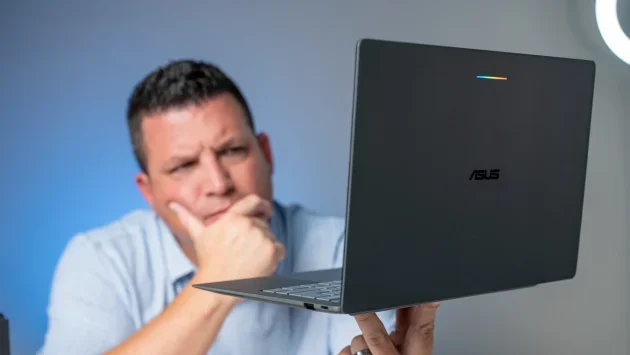
Googlebook’s biggest problem is how buyers are being asked to judge it. Reviews have compared its $1,000-plus laptops with MacBooks and Windows machines, while the product’s place in Google’s lineup remains unclear. My read is that Googlebook makes more sense as the next step after Chromebooks. That framing would explain its strengths and give its unfinished software room to grow. It wouldn’t, though, erase the gaps buyers run into today.
For now, Googlebook OS can trail a $400–$800 Chromebook on everyday desktop tasks. That’s a hard case to make for a laptop costing $1,200, even if its Android foundation and phone features point toward a more ambitious future. Buyers who want to try that future may accept some rough edges; anyone who needs familiar Chromebook workflows should weigh what’s missing first.
A higher ceiling, with Chromebook roots
ChromeOS showed that a fast, browser-focused computer can cover most daily needs. Its limits became clearer as computing moved toward more local processing and AI features: Android containers and Linux virtual machines added capabilities, but they sat on top of an operating system built around the web and a browser.
Googlebook rebuilds that foundation on Android 17, which gives Google more room to develop desktop features over time. The current software already brings closer phone integration than ChromeOS’s Phone Hub, along with desktop folders, widgets, animated interface details and system-level Gemini tools such as Rambler and Magic Pointer. The longer-term promise is to combine those additions with the productivity features Chromebook users already rely on.
That context also makes Googlebook’s emphasis on web apps easier to understand. Browser-based software can be quick to use and keeps the system lightweight. For people whose work already happens online, that may be a comfortable fit. But it’s a learned habit for users coming from macOS or Windows, where installed desktop apps are central to many workflows. Without explaining Googlebook as a Chromebook’s successor, Google left reviewers to judge it as a conventional laptop that should already run desktop-class Android apps.
Everyday tasks expose the current gap
The bigger concern is what happens when the phone integration, widgets and Gemini tools aren’t part of the task at hand. ChromeOS still has a more mature set of desktop features, and some Chromebook Plus models can handle routine work that currently causes friction on a more expensive Googlebook.
- Separate browser profiles: Chrome on Googlebook OS doesn’t support multiple profiles. Chromebook users can work around the same browser limitation by setting up separate operating system accounts and switching between them with a keyboard shortcut. Googlebook OS doesn’t offer that option.
- Chrome still needs desktop basics: The browser runs on a newer Android desktop branch, so Google is adding familiar computer features over time. Chrome 156 brought a “Save As” download prompt and proper Alt + Tab switching for fullscreen apps. Tab group syncing is still missing, along with other established ChromeOS behaviors.
- Virtual desks lack familiar controls: Chromebook users can switch desks with a four-finger swipe and open a window overview with three fingers. Googlebook currently lacks those trackpad gestures. Users also can’t drag an open app to another desk, rearrange desks or give them names.
- Files and app choices feel limited: The Files app is missing a collapsible folder tree and support for connecting to local NAS drives over SMB. Googlebook OS also blocks users from installing both the PWA and Android version of an app, and some Play Store games that run on Chromebook Plus aren’t available.
These are practical omissions, not abstract complaints about the operating system’s direction. People who depend on multiple work and personal accounts, desk switching or network storage can hit them during ordinary work. The source article points to early user discussions on Reddit describing similar snags, including owners of budget Chromebook Plus devices who find their usual routines easier there than on a $1,200 Googlebook.
Potential needs to meet the price
There are signs that Google is responding. The Googlebook engineering team is gathering feedback through community liaisons on Reddit and releasing browser updates every two weeks. The hardware and phone connection can also be compelling: after returning to a Chromebook, the author says those Googlebook features were noticeably missed.
That makes the device’s future appealing, but future features don’t solve a buyer’s current workload. If Google wants people to see Googlebook as the next generation of Chromebook, its software needs to handle core desktop tasks at least as well as a Chromebook does. The Android base may give Google room to build a broader system over time. For buyers choosing a laptop now, the deciding question is more immediate: do Googlebook’s phone integration and newer features outweigh the Chromebook tools they’ll have to give up?


