TerraMow V600 Robot Mower Review: Camera Navigation Without Boundary Wires
Hands-on with the TerraMow V600: camera navigation, no boundary wires, and fairly easy setup, but tall grass, stepping stones and lawn edges still need manual work.
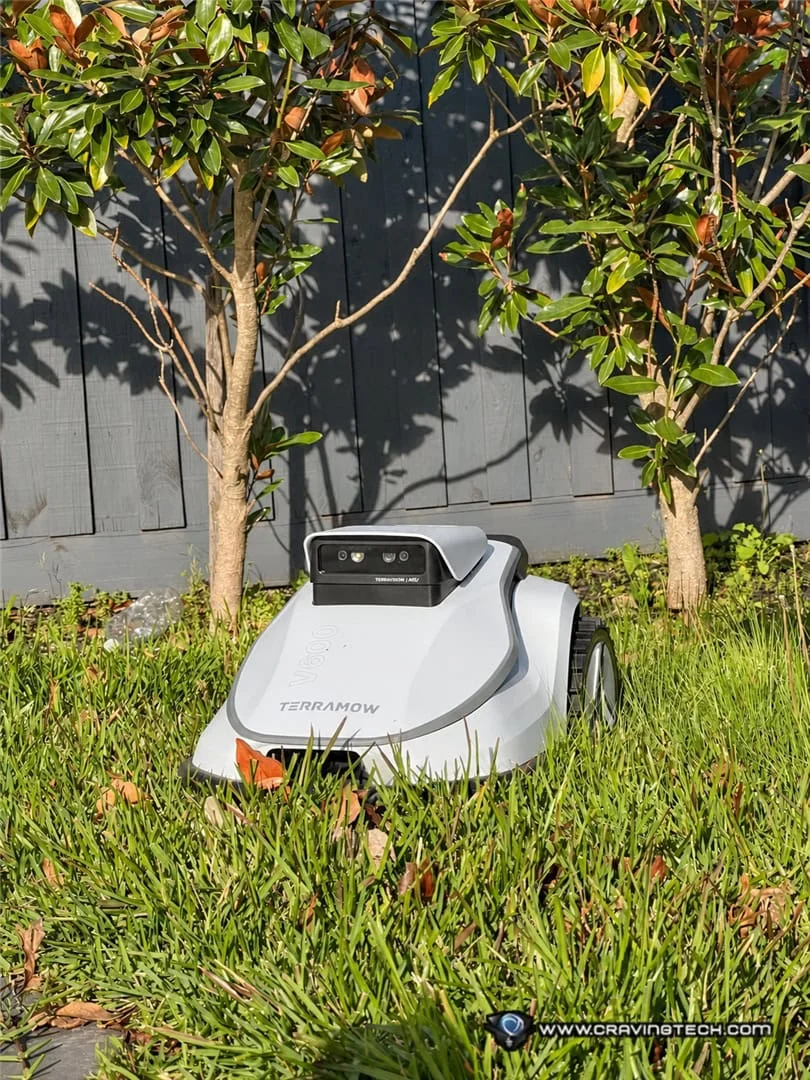
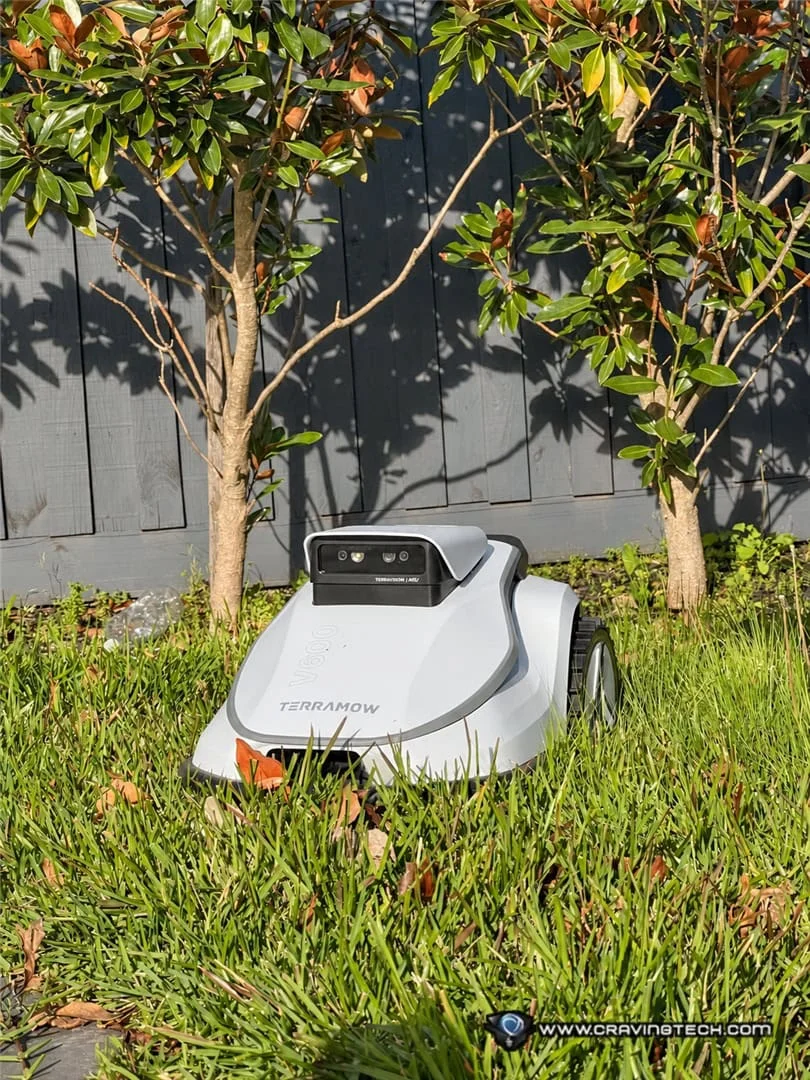
Robot mowers sell on a simple promise: the grass gets cut and you get your weekend back. The TerraMow V600 builds on that with camera-based navigation, so there's no boundary wire to bury and no RTK antenna to mount. TerraMow rates it for lawns up to 600 square metres. I tested it on a garden split into separate lawn areas, with raised sections, uneven soil and stepping stones, which is a tougher brief than one flat rectangle.
The appeal is obvious. Mowing is repetitive, it's dull, and for a household with a toddler and a long list of other jobs, it had slipped to the bottom of the priority list. Our grass had grown well past where it should have been before the V600 arrived.
The real question is whether a camera-guided robot can cope with a garden like that, or whether you'll still spend plenty of time doing the awkward bits by hand. My answer: it handles the main job well, with some clear limits. At close to A$2,000, those limits matter.
What's in the box
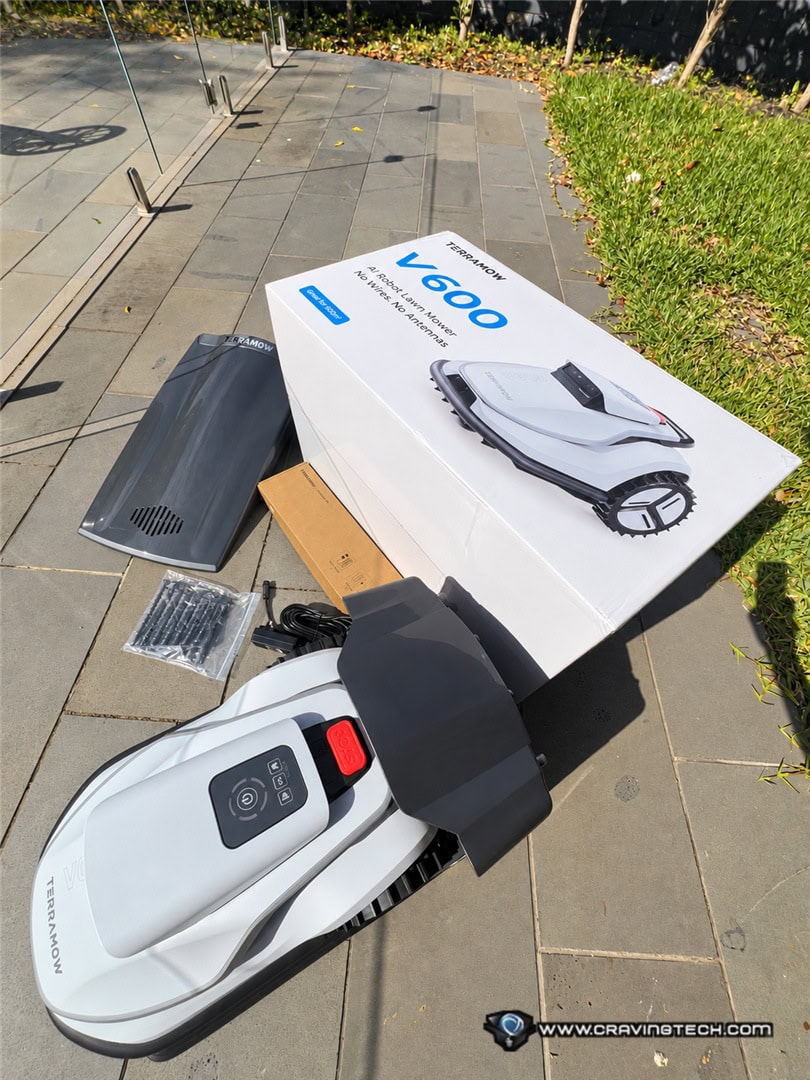
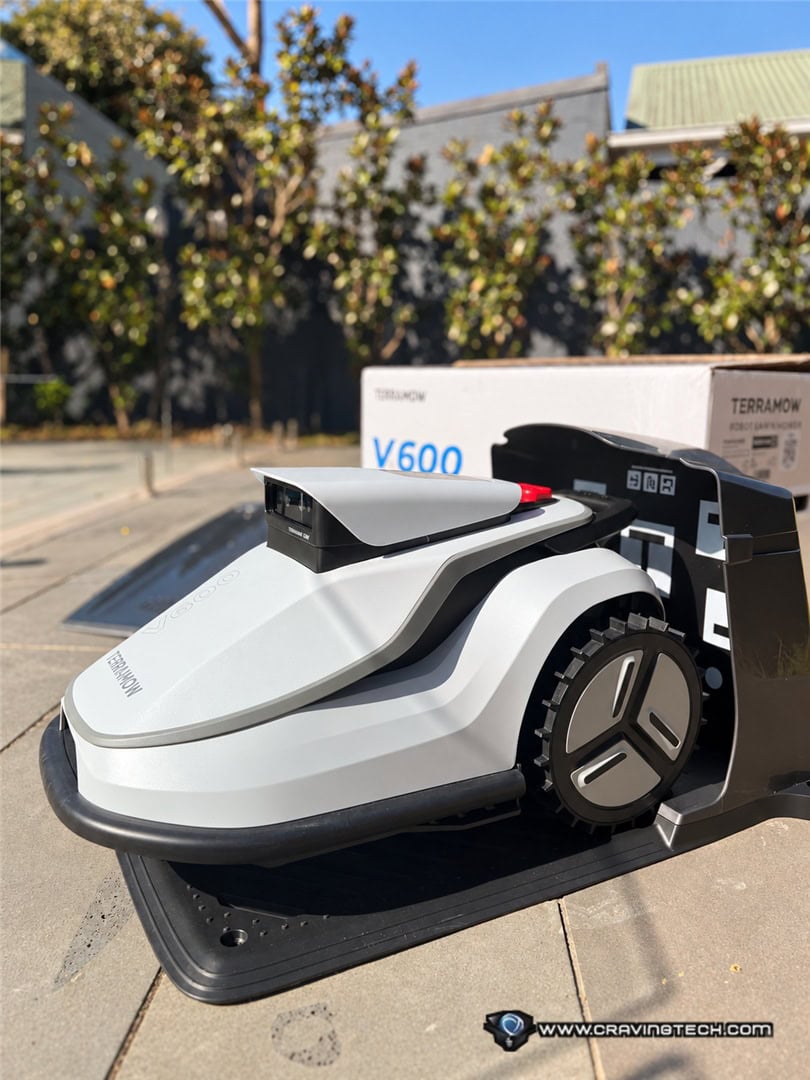
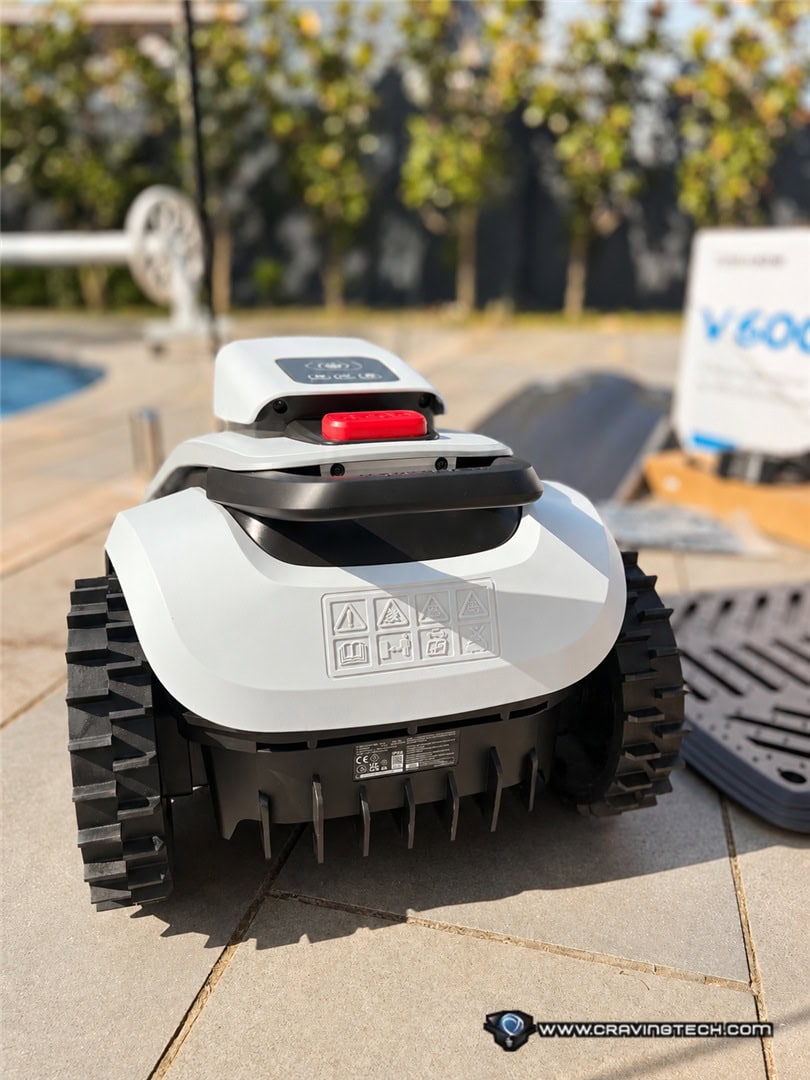
The package includes the mower, a charging base station with a protective garage roof, a power adapter, a blade kit with nine blades, base station screws, a user manual and a quick start guide.
The roof on the charging station is the detail I noticed first. The robot is built for outdoor use, but a covered dock is still welcome, especially when the mower spends its nights out in the weather. The paperwork is short and clear, which makes setup less intimidating if you've never owned a robotic mower before.
Build, specs and the trade-offs
The V600 looks more like a piece of consumer electronics than a garden tool. The shape is sleek and clean, and it feels properly put together. The body is sturdy and the wheels are thick and substantial, which pays off on uneven ground.
The cost of that solid build is weight. At approximately 11.8kg, it's heavy. Most of the time that won't matter, but if the robot gets stuck in a corner of the garden and you need to carry it back to the dock, expect some effort.
The specs are straightforward. The cutting width is 203mm, and the cutting height is electronically adjustable from 25mm to 75mm. You change the height in the app rather than fiddling with a mechanism underneath, which is a genuine convenience.
The navigation is handled by TerraMow's TerraVision 2.0 system. Three cameras and AI-based visual processing identify grass, lawn boundaries, paths and obstacles. Where many robotic mowers rely on boundary wires or RTK satellite positioning, the V600 relies mainly on what it can see. That makes installation easier, since you're not burying wire or mounting an antenna. It also makes the robot dependent on conditions.
Here's the thing: camera navigation needs adequate natural light. You can't simply send the V600 out at midnight the way you might run a robot vacuum overnight. Plan on daytime mowing sessions.
Connectivity covers Wi-Fi and 4G. The robot also offers automatic recharging, rain detection and over-the-air firmware updates. TerraMow rates it for slopes up to 18 degrees, and its IPX6 water-resistance rating means it's designed to handle rain and water jets.
The bigger limitation is the grass itself. The V600 is designed for regular maintenance, not for rescuing an overgrown garden. If grass has grown beyond roughly 9cm, trim it by hand first. Tall grass can block the cameras, confuse boundary detection and potentially clog the cutting mechanism.
It also has no grass catcher. Clippings are left on the lawn, where they can break down over time. That's a sensible approach for routine cutting, but it's a poor fit if you're clearing a lot of long grass in one go.
Setup and base station placement
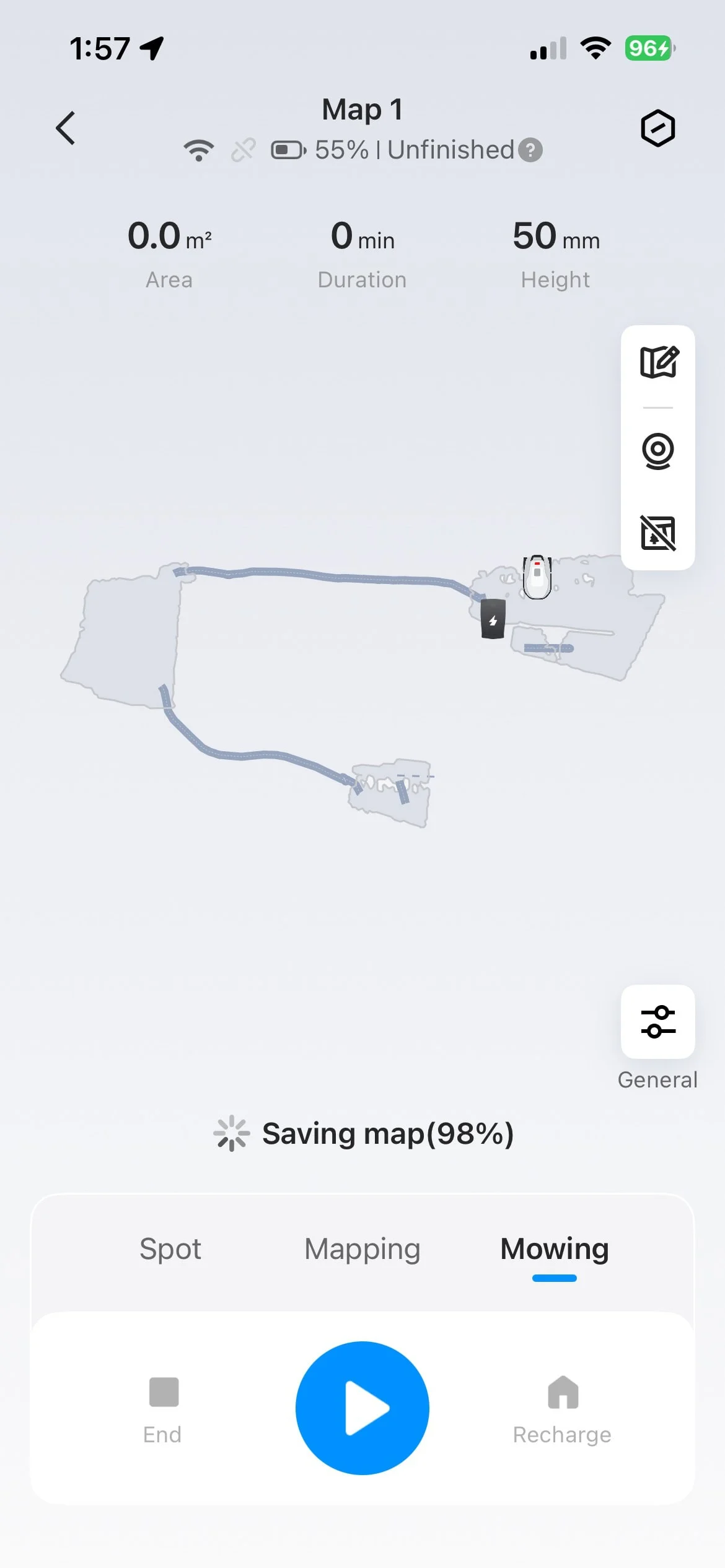
Getting the app running was quick. The interface is clean, the instructions are easy to follow, and I was through the initial setup in about five minutes.
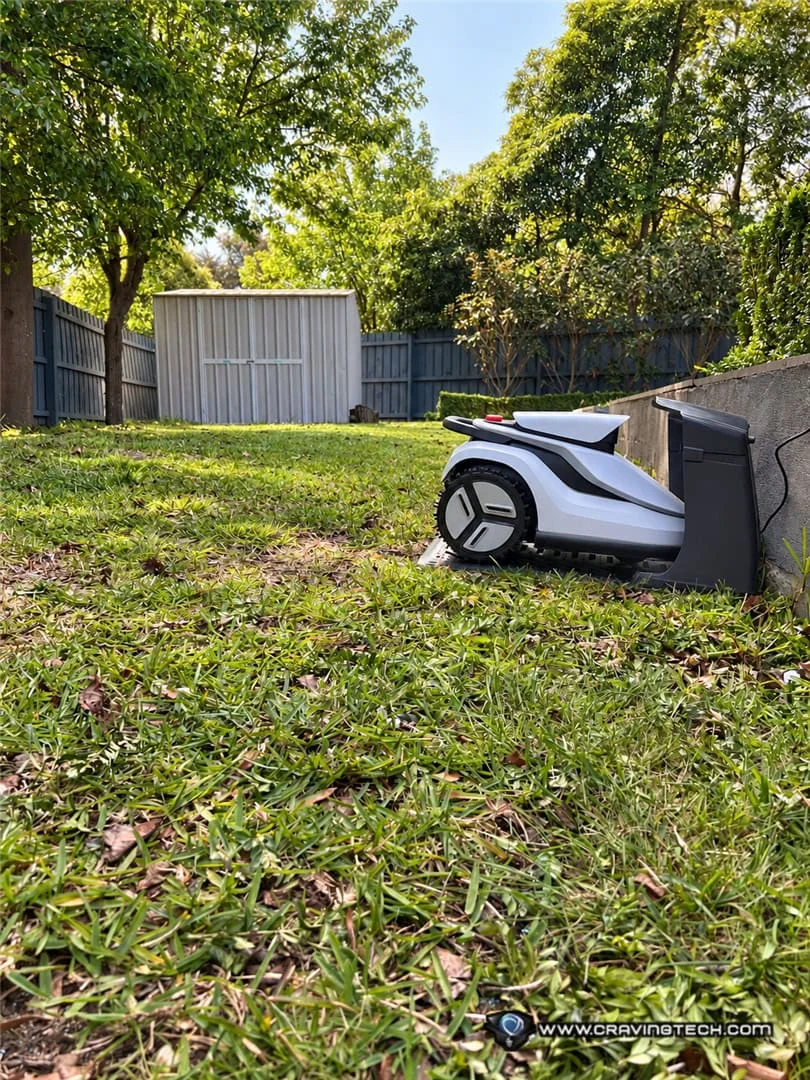
Picking a permanent home for the base station took longer. TerraMow recommends a flat patch of lawn with no slopes, stones or steps right around the dock. In a garden with mixed levels, that's harder than it sounds. We hadn't settled on a permanent spot. Ideally the dock would sit somewhere sheltered from heavy rain, but none of our usable lawn areas had natural cover. The roof helps, and the robot is built for outdoor conditions, but for a piece of equipment this expensive I'd still prefer extra protection from the elements. For testing, we didn't fix the base station into the ground. If you're considering the V600, I'd strongly suggest working out the dock location before you buy. Check whether there's a power outlet nearby, and confirm the robot can travel easily from the dock to every area it needs to mow. Every garden is different, and a layout that suits one household may be awkward for another.
Mapping and navigation
Our garden has three main parts: the backyard, a side lawn that links the sections together, and the front lawn. The backyard has raised sections, while the rest is relatively flat.


How hard mapping is depends almost entirely on the layout. One large, flat, rectangular lawn would be far simpler than several disconnected patches on uneven ground. I've used a few robot vacuums, but I still needed time to work out the best way to map this garden. Each area took roughly 30 to 50 minutes to map. That felt reasonable for a robot building a navigable model of an outdoor space. The result wasn't perfect. I'd estimate it captured about 80% of the lawn correctly, and given the obstacles and changing surfaces, I was pleased with that.


Mapping accuracy surprised me. It was better than some robot vacuums I've used indoors, though fewer obstacles outdoors probably helped. The V600 recognised the raised backyard sections and kept away from areas it shouldn't cross. It struggled more with uneven soil, stepping stones and patches of long grass. Because the system works from visual recognition, grass taller than the recommended height can look like an obstacle rather than lawn. That left blank patches in the map where the robot didn't recognise the ground. Fallen branches, fruit and other debris cause the same problem. The robot is designed to avoid obstacles, but clearing big debris beforehand makes its life much easier.
Fixing mapping problems and creating extra zones


The app's remote-control function is one of my favourite features. If the robot doesn't pick up a lawn area on its own, you can drive it there manually and create a new zone. You can also link mapped areas so the robot can travel from one part of the garden to another. That mattered for us. The side lawn links the backyard to the front, but much of the connecting route is stepping stones and smaller stones. During mapping, the V600 sometimes treated a stepping stone as the edge of the lawn, missing the grass beyond it. The app's tools for extending boundaries and adding zones fixed most of this without restarting the mapping process. There are limits, though. I could extend an existing zone's outer boundary, but I couldn't fill in every blank patch inside a mapped area with the map editor. Some of those gaps were grass too tall for the robot to read, so I often had to use manual control and create extra zones instead. The biggest surprise came after mapping. When I drove the V600 along the stepping-stone path by hand, it got stuck a couple of times on the uneven surface, and I had to help it free itself. Once mapping was complete and a normal mowing session began, though, it navigated back to the dock along the same route without getting stuck. I was impressed. That doesn't mean the robot is retraining its AI every time it mows. A better explanation is that the stored map and navigation data help it follow more consistent routes and avoid previously difficult spots. The V600 also didn't identify the grass growing between our stepping stones as an area to mow. It generally treated the stones as a path. The height difference between the soil and the stones probably contributed. If your garden has stepping stones, particularly ones that sit above or below the surrounding grass, keep that in mind. You may still need to trim those sections yourself.
Mowing performance


For my testing, I set the cutting height to 50mm. At that height, the before-and-after photos didn't show a dramatic difference. That's not really the point of a robot mower, though. It isn't meant to transform an overgrown lawn in one session. It's meant to hold grass at a consistent height so you don't lose weekends to mowing. On that measure, the V600 did well. Once the lawn was mapped and the robot knew where to go, I started a session and left it to work. When the battery ran low, it returned to the dock, recharged and picked up the remaining task without needing a restart. TerraMow says the V600 runs for about 120 minutes on a full charge, with a charging time of around 100 minutes. Estimated coverage is 130 to 250 square metres per charge, depending on lawn conditions and complexity. For bigger lawns or multiple zones, the automatic recharge-and-resume is the feature that really matters. For us, the only thing I had to do was make sure the gate between lawn areas was open so the robot could move between them. Then I could go back inside and get on with something else while it kept cutting. That's the real reason to buy one. You're not paying for better-looking grass. You're paying for not having to push a mower around yourself. I also like the idea of scheduling sessions in the afternoon, particularly for households with solar panels. Daytime generation could recharge the robot, which may lower the cost of running it. I haven't measured that, but it's the kind of saving worth checking against your own tariff.
Edge cutting still needs work
The V600 isn't especially good at trimming the edges. During automatic mowing it left grass untouched along the borders. Selecting the dedicated edge-cutting mode in the app improved things a little, but not as much as I'd hoped. My read is that the physical design is the main issue. The wheels are fairly large, and the cutting deck doesn't reach all the way to the outer edge of the chassis. So the robot sometimes rolls over grass along the boundary without cutting it. You'll still need a manual trimmer for those strips. The same goes for the grass between our stepping stones, which the robot didn't recognise as mowing territory. Weeds and the more awkward corners also need hand work. That doesn't make the V600 a bad robot mower. It just means you shouldn't expect it to replace every part of garden maintenance. It takes on the repetitive job of keeping the main lawn areas cut, and you'll still spend some time on the detail work.
Price, warranty and value
The V600 sells in Australia for roughly A$1,799 to A$2,000, so it's not a cheap purchase. For a mower built to handle lawns up to 600 square metres, I think that's reasonable given the camera-based navigation and automatic mapping. It's available through Australian retailers, including Amazon Australia. TerraMow advertises three years of coverage on the mower, charging base and power adapter, with a separate two-year warranty on the battery. Check the warranty terms and the seller's after-sales arrangements before you buy. For a product that will spend most of its life outdoors, local support is important. Put the price next to what you'd otherwise pay for upkeep. The last time we hired someone to mow and weed the garden, it cost us roughly A$300 to A$400 per visit. By that measure, the V600 costs about the same as five or six professional visits, depending on what you pay. That isn't a like-for-like comparison. A gardener does far more than mow, while the robot won't weed, trim edges or handle the fiddly work. You'll also need to budget for electricity, replacement blades and general upkeep. If you're happy to handle occasional trimming and weeding yourself, though, a robot for routine mowing could save a fair amount over time. More importantly, it hands back the hours you'd otherwise spend pushing a mower. For our family, that's the most valuable part, since it leaves more time for playing with our toddler and for other jobs that matter more.
Verdict
The TerraMow V600 showed me how much automated lawn care can help a busy household that doesn't enjoy gardening. The build quality is excellent, the app is easy to use, and the mapping does a reasonable job with a garden made up of several areas. The robot returns to its dock and resumes mowing without much help, and that's the feature I'd miss most. Skipping boundary wire and an RTK antenna makes installation more approachable, and the advertised three-year warranty is reassuring for a purchase this size. It isn't hands-free, though. Complicated layouts take patience to map, tall grass has to be cut beforehand, and uneven stepping stones can confuse the navigation. Edge cutting also needs work. Once everything is set up properly, though, the convenience is obvious. We don't need a perfect lawn every day. We want to keep grass from getting out of hand without thinking about mowing constantly. The V600 does that well. The robot covers routine cutting, and every few months we trim the edges, pull weeds and tidy the tricky corners. If you enjoy gardening and want every blade immaculate, the limits may frustrate you. If you want to cut the time spent on the most repetitive garden job, it's worth a serious look. It won't end gardening, but it can take the dullest chore off your plate. Disclosure: the TerraMow V600 review unit was supplied for testing.