GIGABYTE AI TOP AERO Puts NVIDIA RTX Spark in a One-Liter Desktop
GIGABYTE's AI TOP AERO pairs NVIDIA's RTX Spark N1X Superchip with up to 128GB of unified memory in a compact desktop for local AI work.
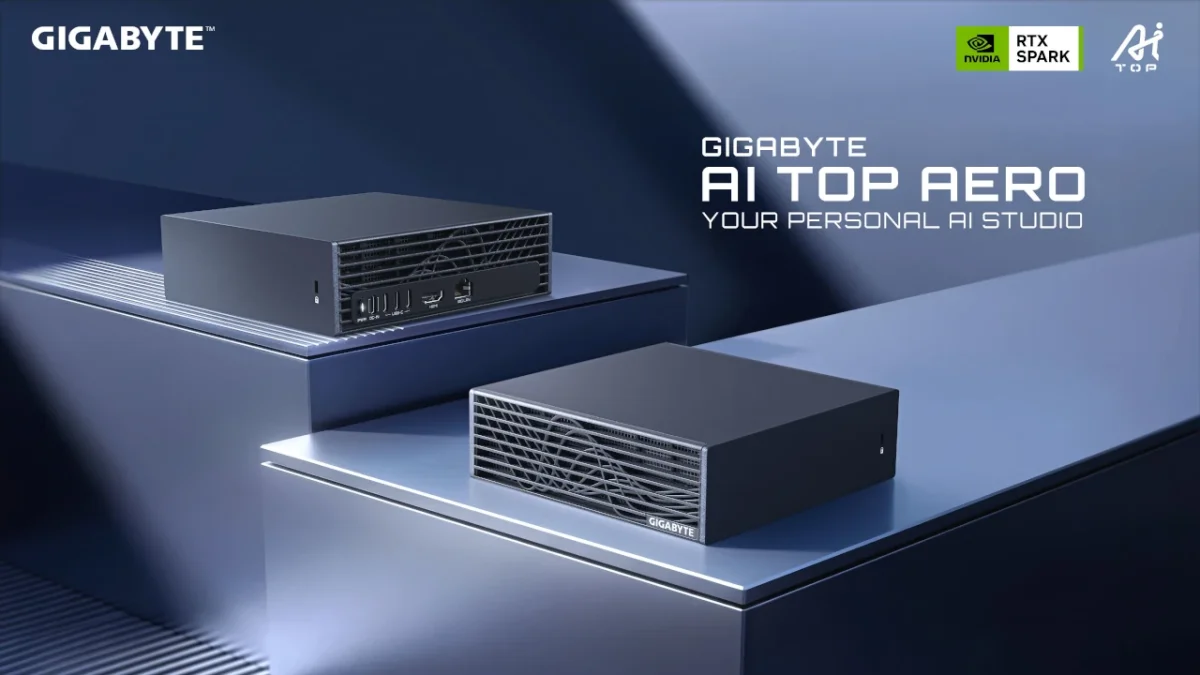
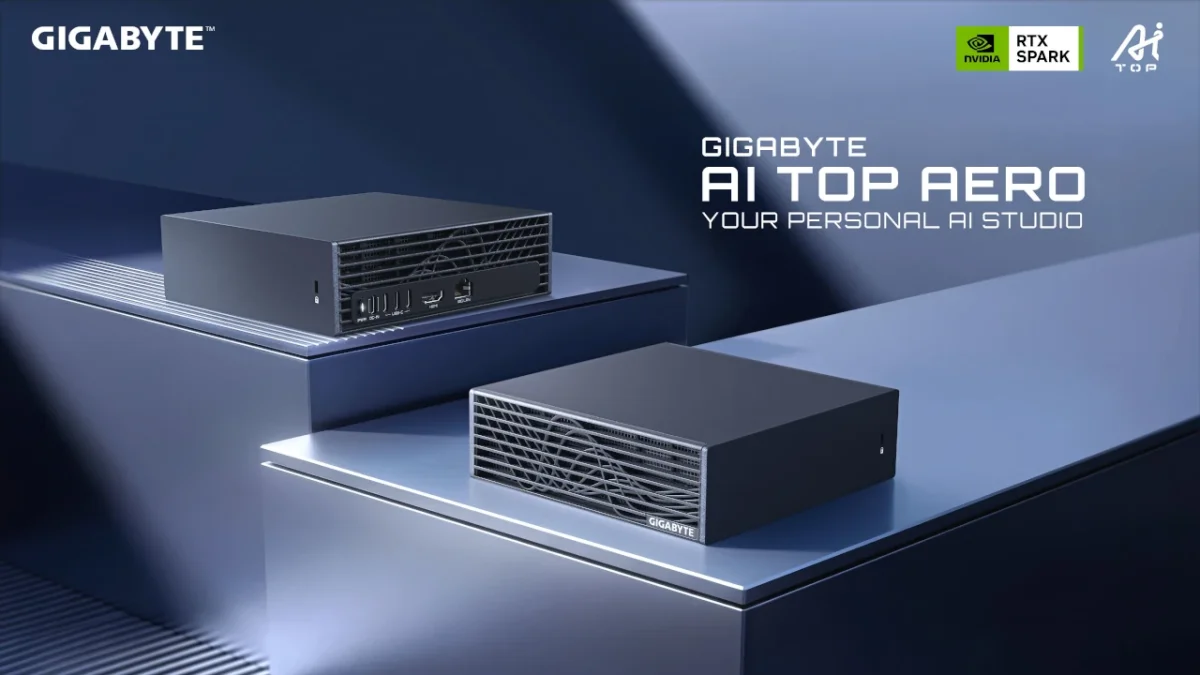
GIGABYTE has taken the wrapper off the AI TOP AERO, a desktop built around NVIDIA's RTX Spark platform. The company pitches it as a personal AI studio, and the spec sheet explains why: an N1X Superchip, a Blackwell-architecture GPU, up to 128GB of unified system memory and a chassis that GIGABYTE says is about one liter in volume. If you've been waiting for a box that can run serious local models without sending your data to a cloud service, this is the most concrete example yet of what that might look like on a desk.
Where the AI TOP AERO fits in GIGABYTE's lineup
GIGABYTE already sells the AI TOP ATOM, a DGX Spark-based machine, so the AI TOP AERO isn't a first step into this category for the brand. It's a second route into the same idea. Both are small systems aimed at developers and creators who want inference and fine-tuning on hardware they own. The difference is the silicon underneath: the AERO runs NVIDIA's RTX Spark platform rather than the DGX Spark configuration, which points to a Windows-first machine rather than one built around NVIDIA's Linux-based developer stack.
The silicon: a Grace CPU and a Blackwell GPU in one package
The N1X Superchip is the heart of the machine. GIGABYTE describes it as integrating a 20-core NVIDIA Grace CPU with an NVIDIA Blackwell RTX GPU. NVIDIA positions the pairing as a high-performance, power-efficient CPU married to its AI acceleration, and that combination is the reason the platform is interesting for sustained local workloads rather than short bursts.
Memory is where the design gets practical. Configurations go up to 128GB of LPDDR5X unified system memory, which is shared between the CPU and GPU. For people who work with large language models, that matters more than raw clock speed. Model size is usually limited by how much memory the accelerator can address, and a large unified pool means you can load bigger models without the trade-offs of splitting them across separate pools. Storage tops out at 4TB of PCIe Gen5 SSD, which is enough headroom for several large model checkpoints and a working dataset.
Connectivity covers the basics for a desk-bound AI box: USB Type-C, a 10GbE Ethernet port and Wi-Fi 7. The 10GbE port deserves a closer look. If you plan to move datasets between this machine and a NAS or other workstations, or to serve models across a home or studio network, wired 10GbE will be noticeably more useful than Wi-Fi.
What "local AI" means in practice
The pitch rests on three things: running models without cloud dependency, keeping data on the device, and controlling usage costs. GIGABYTE frames the choice as one of flexibility, letting users decide where each workload runs based on privacy needs, how quickly they need a response and what they're willing to pay per query. That's a sensible framing, though it's worth remembering that a local machine trades recurring cloud bills for an upfront hardware cost and the electricity to run it.
NVIDIA's software side is what makes the hardware more than a fast PC. According to NVIDIA, developers can build, prototype, fine-tune and run current open models locally on the CUDA platform. The company also points to supported Nemotron models and CUDA-accelerated tools for local inference, model testing and agentic applications. Agents that run around the clock are an interesting use case here, because they're the workloads where cloud pricing tends to hurt most.
NVIDIA's PAIR (Personal AI Router) adds a networking angle. The company says it lets the AI TOP AERO serve local network inference, which would extend local AI use from a single desk to a household or a studio. Whether that works smoothly across a mixed set of devices will depend on the real-world setup, so I'd treat it as a feature to test rather than assume.
Creative work and gaming
On the content side, GIGABYTE and NVIDIA point to compatibility with ComfyUI for building generative AI workflows. NVIDIA Broadcast and RTX Video are listed for improving audio and video quality and widening video processing options. For a creator who already lives in those tools, the appeal is that the AI features run on the same machine as the editing timeline, rather than in a separate cloud queue.
Gaming is the secondary pitch, and it's the one I'd take with the most caution until we see results. NVIDIA says DLSS 5, which brings neural rendering to supported games, runs on the Blackwell GPU. That's a credible claim based on how DLSS has been positioned, but the practical question is how much frame-rate and image-quality benefit a machine this size delivers in actual titles. Nothing in the announcement gives numbers, so there's no basis yet for ranking it against a conventional gaming desktop.
The cooling problem in a one-liter box
Small chassis and sustained load are a hard combination. GIGABYTE says AI inference, content generation and professional creative applications can keep a system under heavy load for long periods, and that its cooling design is built into the roughly one-liter body. The company describes the result as a balance between hardware integration and the demands of sustained computing in a small footprint.
This is the part I'd watch most closely. Compact systems often sound fine in a spec sheet and then throttle after twenty minutes of a long inference run. The useful test is not peak performance but how the machine behaves after an hour of continuous work, and how loud the fans get while doing it. GIGABYTE's experience with compact, high-density boards is a reasonable starting point, but thermal behaviour is what separates a small AI box from a small heater.
Who should pay attention
My read is that the AI TOP AERO is aimed at a narrow but growing group: developers who want to test models locally, creators who want generative tools without uploading their work, and enthusiasts who want one machine that can handle both AI experiments and games. If your AI use is occasional, a cloud subscription or an existing gaming PC will probably serve you better. If you're running models daily and paying for cloud compute to do it, the calculation starts to favour owning the hardware.
GIGABYTE hasn't tied the AI TOP AERO to prices or a sales date in the announcement, and regional configurations, pricing and availability will be set out in local GIGABYTE announcements. Check the company's Philippines site for those details before you compare it with a workstation or a cloud plan. The number to watch once it's on sale is the price per gigabyte of unified memory across the configurations, because that's what determines how big a model you can run locally.