iPhone Duo Adds Front Camera Unlock in iOS 27.3 Beta, With Touch ID Still in Control
iOS 27.3 beta adds quicker front camera unlocking to iPhone Duo, but Touch ID remains necessary for payments, passwords and periodic checks.
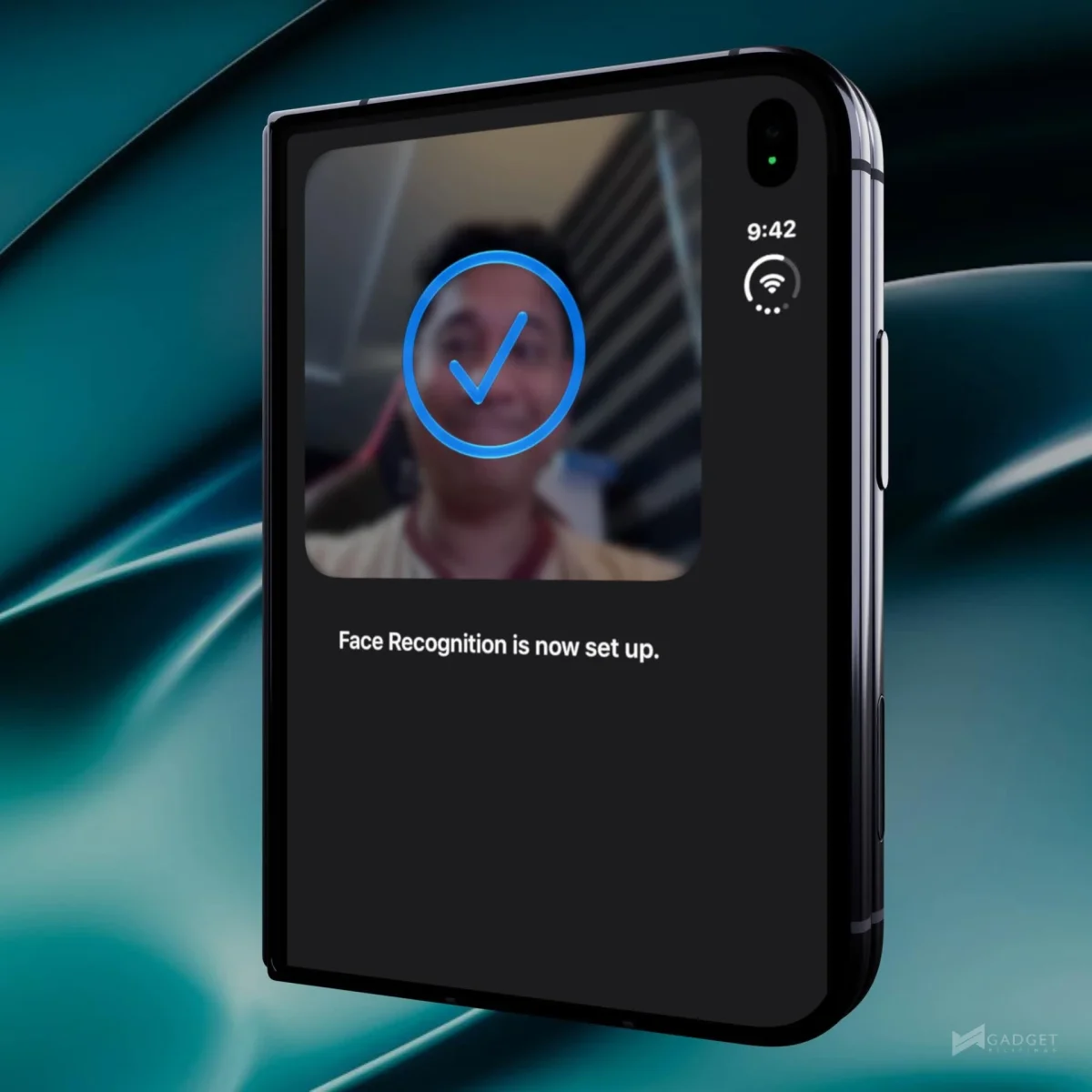
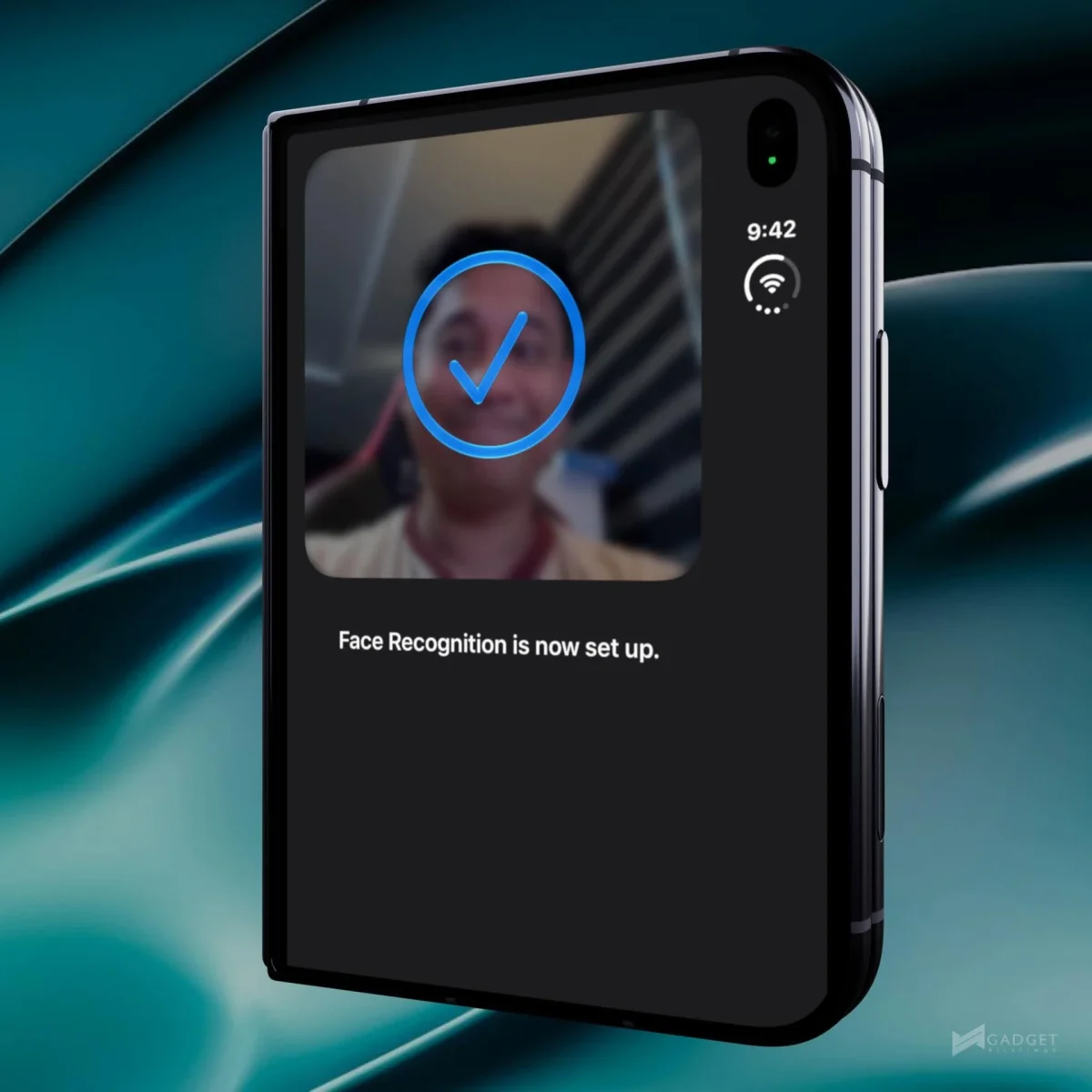
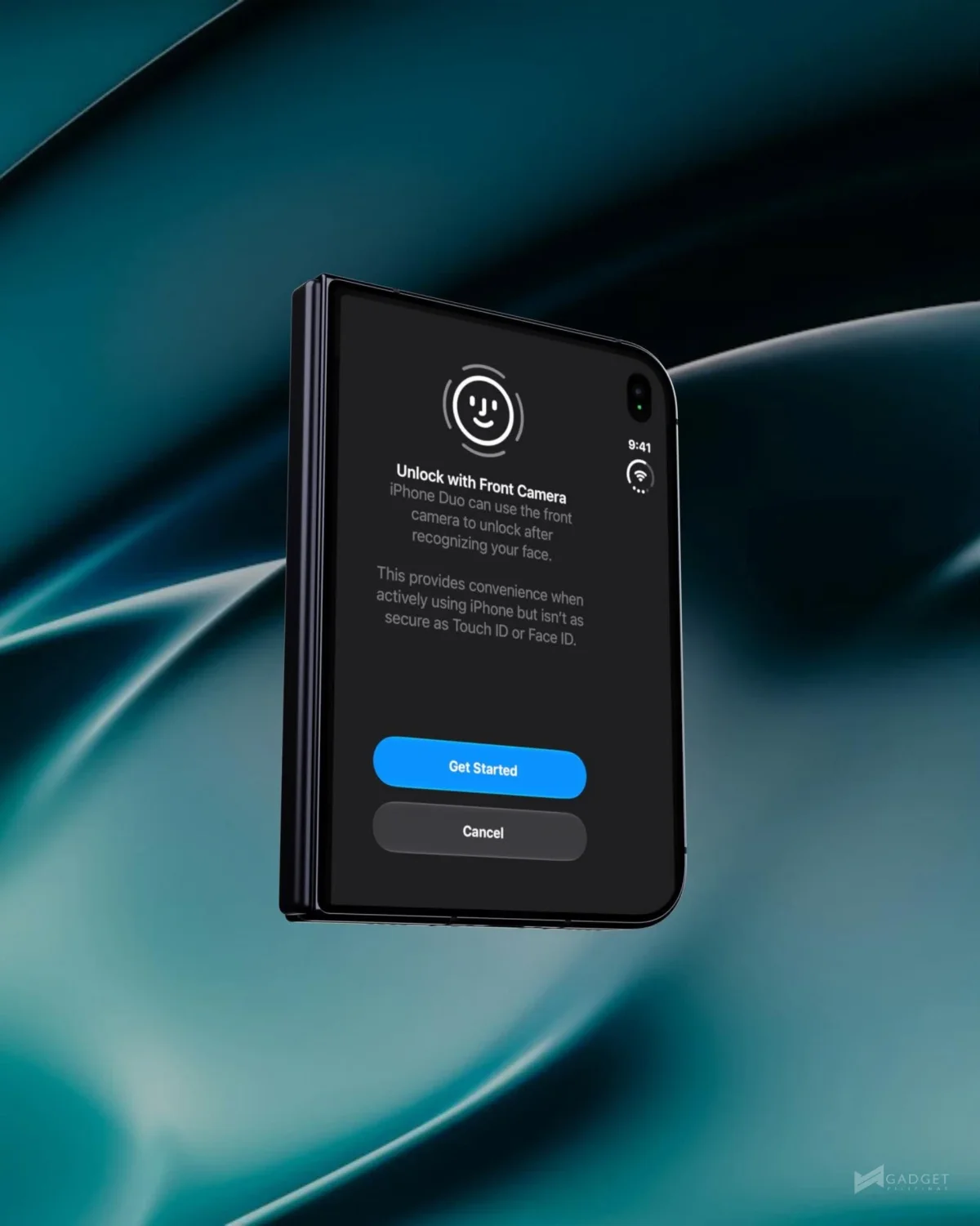
The iPhone Duo’s new face unlock could make getting past the Lock Screen quicker, but it’s best understood as a convenience shortcut with clear limits. Apple added Unlock with Front Camera in the second developer beta of iOS 27.3, seeded on November 16. The feature uses the phone’s regular front camera and doesn’t replace Touch ID for more sensitive tasks.
A shortcut for the Lock Screen
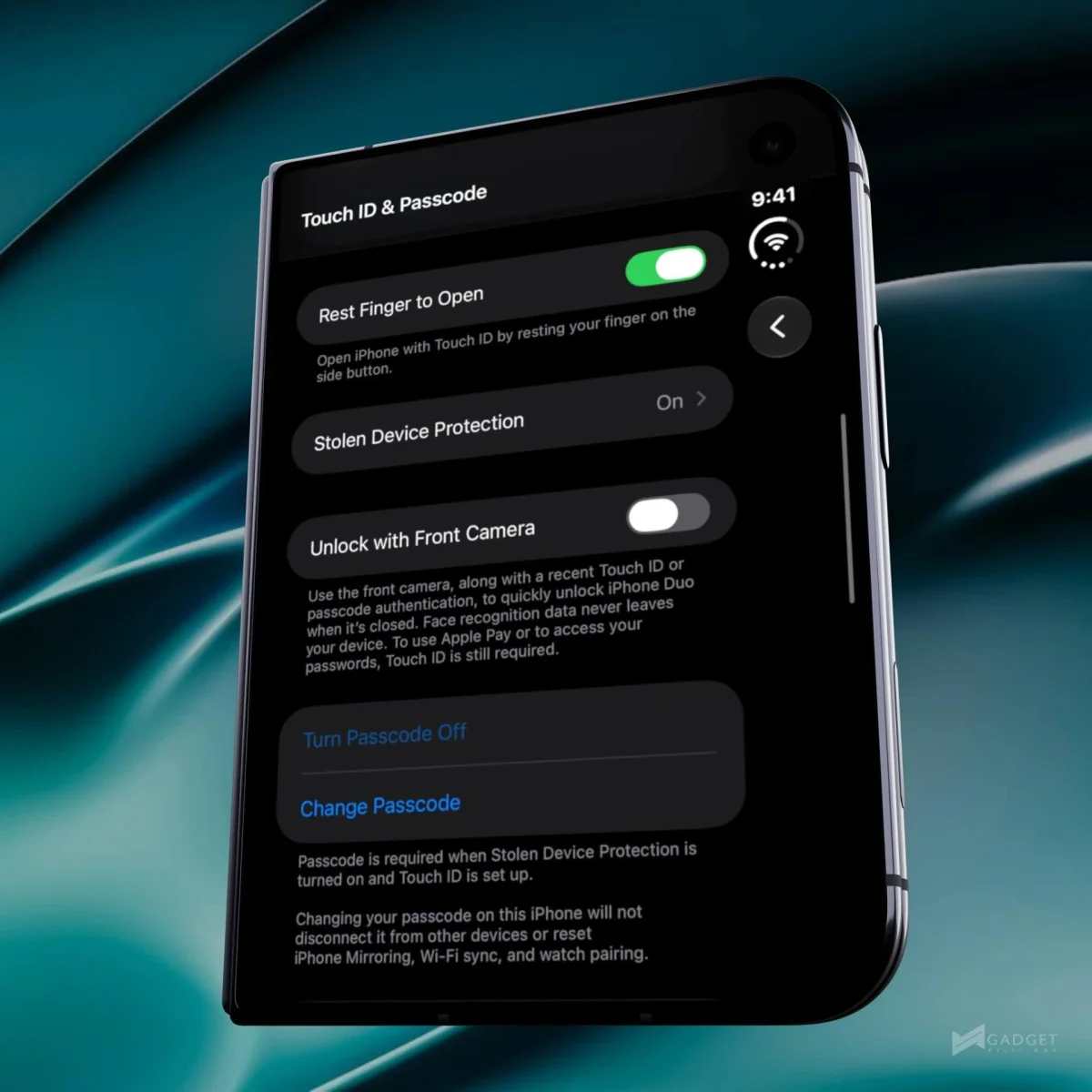
Setup lives under Settings, then Touch ID & Passcode. Once enabled, the camera checks the face it sees against one enrolled in the Secure Enclave. A successful match clears the Lock Screen, but the user still needs to swipe up to reach the Home Screen. That extra gesture means the feature saves time at the point where the phone is picked up and checked; it doesn’t take the user straight to their apps.
Apple is drawing a firm line between this feature and Face ID. The iPhone Duo has no TrueDepth camera, infrared dot projector or system for building a three-dimensional facial map. Its new option instead relies on a two-dimensional image from the outer screen’s front camera. That distinction matters because a conventional camera has less information to work with when deciding whether the person holding the phone is its owner.
Touch ID remains in place for Apple Pay, saved passwords and unlocking individual apps. The face check also has to be preceded by a recent unlock with Touch ID or a passcode. After about 45 minutes of inactivity, the Duo asks for Touch ID again. In practice, that makes the camera a faster way to resume using the phone during an active stretch, while the fingerprint reader continues to anchor access to protected features.
The option works with the outer display, not the inner one. The source of that restriction isn’t confirmed, though the inner screen’s under-display camera has a much lower resolution. That hardware difference offers a plausible explanation: facial matching depends on the image the camera can capture, and the outer camera appears to be the one Apple has chosen for this feature.
Early results suggest a speed benefit, with limits
Engadget’s beta testing found that the feature unlocked the Duo faster than Touch ID. It also didn’t accept a photograph of the user’s face in that test and worked in some low-light settings, though not in complete darkness. Those are useful early observations, but they don’t establish how reliably the feature will perform across different people, lighting conditions or day-to-day use.
Testing on an iPhone Duo also found the camera unlock faster than the usual method. That could make a noticeable difference for quick checks, especially when the phone is already in hand and the user doesn’t want to reposition a finger on the sensor. The trade-off is that this speed applies to access to the Lock Screen, not to every part of the phone. Touch ID remains part of the routine for payments, passwords and apps, and it returns after the inactivity period.
Apple’s setup screen describes the feature as one that “provides convenience” while warning that it “isn’t as secure as Touch ID or Face ID.” That wording helps set expectations. Face unlock here is an additional way to clear the initial lock, not a reason to treat the Duo’s camera as equivalent to Apple’s dedicated facial recognition hardware.
Apple previously put Face ID’s chance of a random person unlocking a phone at roughly 1 in 1,000,000, compared with about 1 in 50,000 for Touch ID. Those figures describe Apple’s stated comparison for its established biometric systems; they aren’t test results for Unlock with Front Camera. The new feature’s two-dimensional camera check is why Apple keeps it away from payments and passwords.
The approach resembles the simpler facial recognition used by HomeView, which also lacks Face ID and uses a face check to decide whose content to show. For Duo owners, the practical question is narrower: whether a faster Lock Screen entry is useful enough to enable, given that Touch ID still handles the higher-sensitivity tasks.
Close to Lock changes what happens when the phone folds
The same iOS 27.3 beta adds Close to Lock under Settings, then Display & Brightness. Previously, folding the Duo transferred whatever was displayed on the inner screen to the outer display. With Close to Lock enabled, folding the phone locks it instead. That gives users a way to keep a document or message thread from appearing on the outside screen when the device closes.
The first iOS 27.3 beta added Apple Pencil support for the Duo, so this second beta brings another change to how the foldable handles everyday interactions: one speeds up unlocking, while the other changes what appears after folding. Both remain beta features for now. Apple hasn’t said when iOS 27.3 will reach all users; developers and beta testers have access to it at this stage, as MacRumors reports. Anyone considering the camera unlock should expect Touch ID to remain central, and wait for Apple’s broader release timing before counting on either feature in daily use.