Lesson Logger Turns Golf Lessons Into a Practice Plan on iPhone and iPad
Lesson Logger keeps coaching notes, practice plans and fitness records together, helping golfers carry lesson advice onto the range.

A golf lesson can give you a clear fix for your swing, then leave you struggling to remember it a few days later. Lesson Logger is designed to bridge that gap, keeping coaching notes, practice tasks and training records together on iPhone and iPad.
The app began as a way to record the useful details of a lesson before they faded: who coached you, where the session took place, which parts of your game you covered and what you were asked to work on. Its focus has since widened. Lesson Logger now connects those notes to planned practice, guided programmes, fitness sessions and information that can help shape your next conversation with a coach.
From lesson notes to a usable record
Golf coaching can involve several adjustments at once. A coach might point out a swing issue, suggest a different movement and leave you with a drill to practise. A phone note or notebook can capture that advice, but those records are easy to scatter across apps or forget when it’s time to practise.
Lesson Logger gives each session a dedicated record. You can add a coach and location, select the areas covered and write down the key points. The app also tracks upcoming appointments. A future lesson can be added to your calendar, then converted into a completed session afterward.
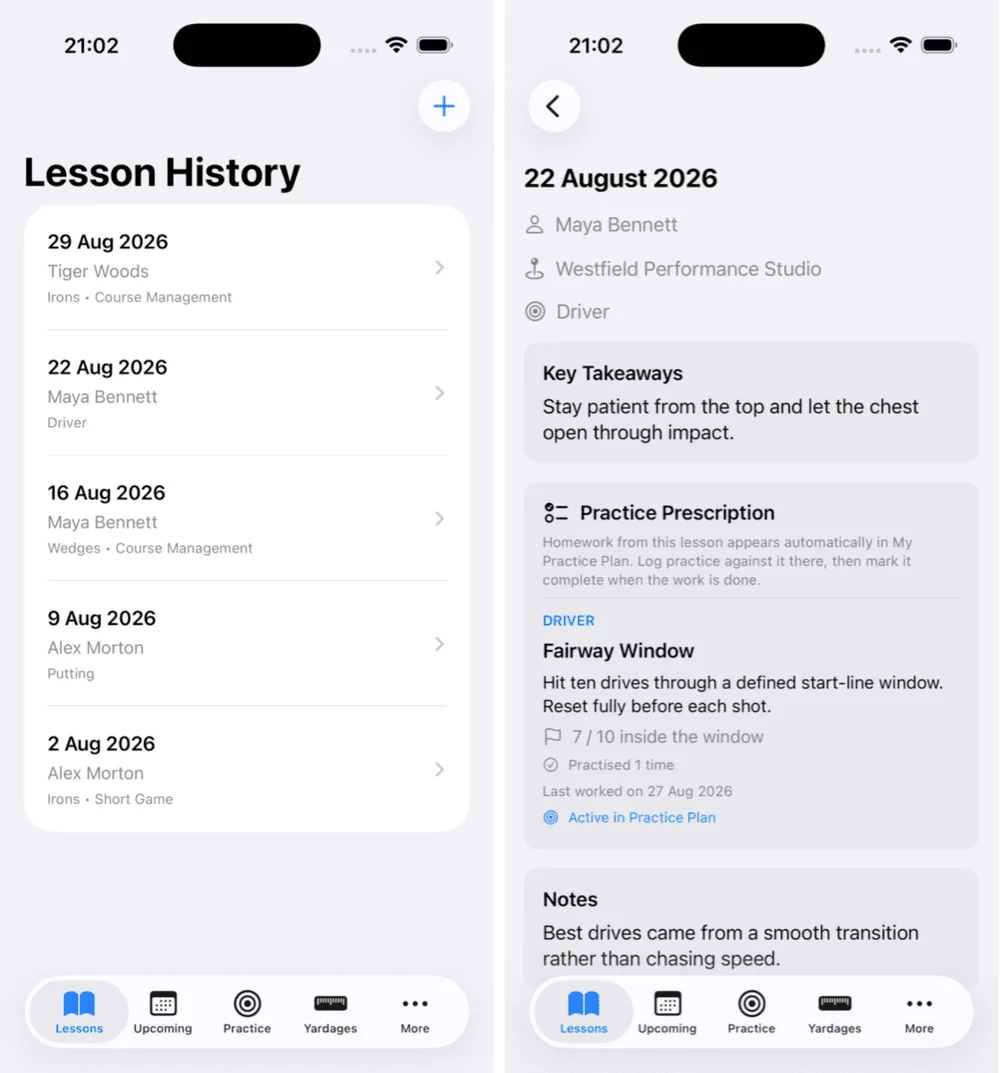
The app grew alongside ForeThought, a macOS golf journal created by the same developer. ForeThought holds broader records about a golfer’s game, while Lesson Logger is intended to work as its mobile companion. It also stores practice history and saved golf locations, and includes a yardage book for recording distances for the clubs in your bag. That puts several range day references in one place instead of spread across notes, spreadsheets and screenshots.
Practice tasks stay tied to coaching
Saving a coach’s advice is only useful if it carries through to the next practice session. Lesson Logger addresses that with Practice Prescriptions and My Practice Plan. You can attach a drill or movement to the lesson where it was assigned, then add it to your plan as a reminder for later.
Practice can be logged against individual prescriptions, making it possible to see how often you’ve worked on each task and mark exercises complete. If a drill needs more attention, you can reopen it. The approach is simple, but the connection between a lesson instruction and a later practice record is the app’s most practical idea: it makes the next step easier to find when you arrive at the range.
The app’s development is also documented in the creator’s Built By Me posts. For golfers who already use ForeThought, the two apps are intended to support different parts of the same routine.
Version 2.0 adds guided programmes
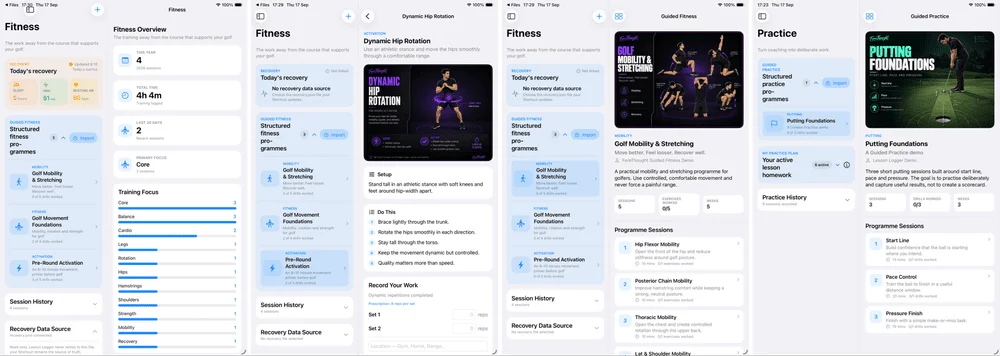
Version 2.0 expanded Lesson Logger beyond lesson records and self-directed practice. It can import structured ForeThought practice programmes, including sessions and drills that users can follow step by step. After a session, you can log what you completed, where you practised and how it went.
Guided Fitness adds programmes for mobility, activation, warm-ups and other golf-related exercises. Fitness activity can also be recorded separately, with categories including strength training, cardio, yoga, recovery work and padel.
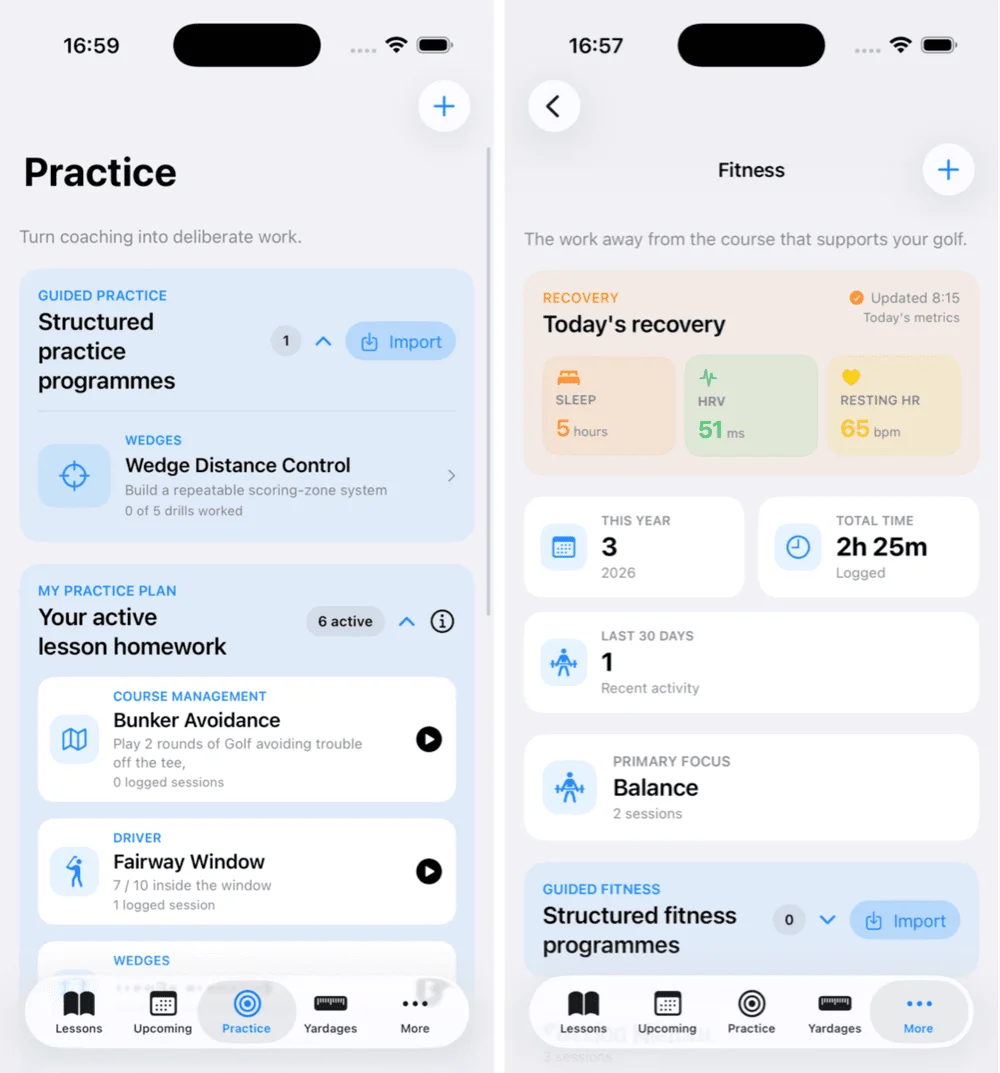
For recovery tracking, the app can read data from a compatible JSON file and display sleep, heart rate variability and resting heart rate alongside fitness history. The developer says this import method doesn’t require direct access to Apple Health. That gives users a way to review those measures with their training records while keeping the data flow based on a file they provide.
Bring a clearer picture to the next lesson
Lesson Logger’s pre-lesson assessments are meant to replace vague recollections with recorded patterns from a round. Driver and greens in regulation (GIR) assessments use quick inputs to capture details such as fairways, missed greens and penalties. The app isn’t intended to replace a full scoring product; these assessments are focused on giving a coach useful context about areas that may need work.
A Coach Overview and PDF reporting can collect completed programmes and assessment information into a document that can be shared. That can make a lesson discussion more specific: instead of trying to recall how the driver has been behaving, a golfer can bring a record of recent patterns.
Portable data, with more platforms in view
Lesson Logger stores information in a portable JSON file that can be kept in supported cloud storage, including iCloud Drive or Google Drive. ForeThought on the Mac can import lesson and practice information from it. That file based setup gives the developer a route to connect the mobile app with the existing desktop journal.
The app’s iPhone and iPad versions have gained larger layouts and the guided programmes introduced in version 2.0. An Android version is also in development, though the source doesn’t give a release date. The broader goal is to make the coaching and practice records useful across phones and computers, rather than tie them to one device.
Lesson Logger won’t supply a better swing on its own. Its value is more straightforward: it gives golfers a place to keep coaching advice, return to assigned drills and bring more useful records to their next session. For anyone who regularly forgets what to practise after leaving a lesson, that’s a concrete improvement to the routine.
More details are available at LessonLogger.


