Apollo Cast-1 Adds Wi-Fi Streaming to Existing Speakers Through Home Assistant
Apollo’s Cast-1 turns an auxiliary input into a Wi-Fi music endpoint, though its setup page may need a different address or Bluetooth.
The Apollo Cast-1 gives an existing speaker or amplifier a route into Home Assistant and Music Assistant over Wi-Fi. In testing, getting it to play took a little troubleshooting: the setup address printed on the box opened to a blank page, but Bluetooth pairing got the device into Home Assistant and online radio playing through a speaker’s auxiliary input.
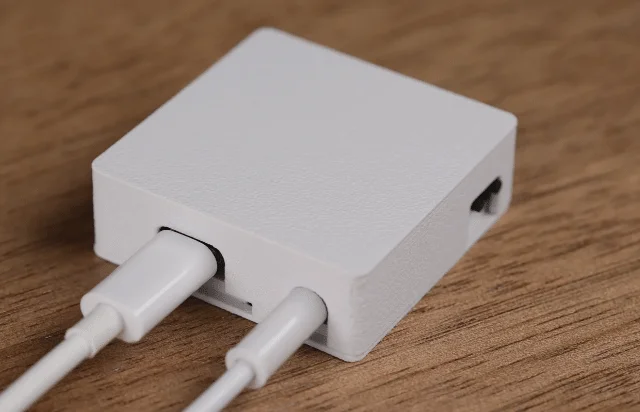
The unit itself is a compact, 3D-printed box with a USB-C power connector, a 3.5mm audio socket and a pair of 0.1-inch connectors. A four-core 3.5mm lead comes in the box. There’s little to the exterior, but the purpose is practical: connect the Cast-1 to a speaker, amplifier or AV receiver that already has an auxiliary input, then use it as a network audio endpoint.
Apollo describes the Cast-1 as a way to connect traditional audio equipment to ESPHome and Music Assistant through SendSpin. The intended uses include music streaming, announcements and alarms. That means it can add network playback to a system without replacing the speakers or receiver. The product page also points to Apollo’s wider range of ESPHome products: Apollo’s ESPHome collection.
Setup took a detour
The shipping box offers a short setup guide: power the unit, connect to its Wi-Fi hotspot, open a browser at 192.168.4.1, enter the home Wi-Fi details, then check whether Home Assistant has discovered the device. There was no printed manual in the package, just the Cast-1 and its audio cable.
Following those steps on a phone, the Cast-1 hotspot appeared in the available Wi-Fi networks. After connecting, opening 192.168.4.1 in Chrome produced a blank white page. Turning off Tailscale didn’t fix it, and trying again soon after powering up the device gave the same result. Apollo said that 192.168.4.1/setup should work while it investigates why the shorter address sometimes fails.
Bluetooth offered another route. With Bluetooth enabled on the phone, the Cast-1 was added to Home Assistant, and Music Assistant was installed there as part of the process. The setup experience could be clearer: a printed address that doesn’t reliably open leaves the user without an obvious next step. Still, Bluetooth provided a working way through in this case.
From discovery to radio playback
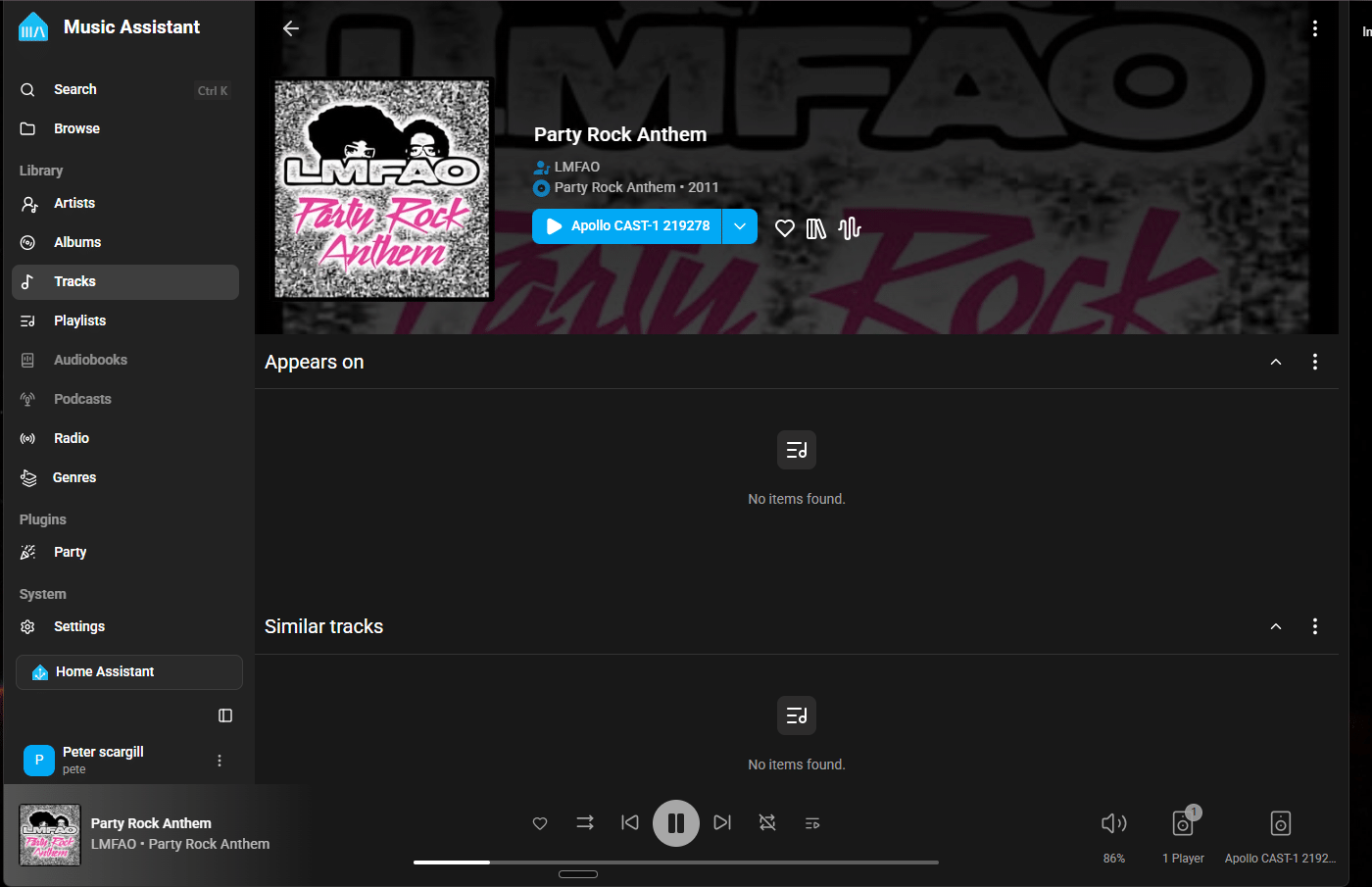
Installing Music Assistant didn’t automatically put it in Home Assistant’s sidebar. It had to be opened under Apps, where enabling the “show in sidebar” option made it accessible from the main navigation. From there, the service started without any media providers configured, so the next step was to choose one.
Radio Browser supplied a large directory of online stations in many languages. After selecting a station and choosing the Cast-1 as the playback target, audio came through a nearby speaker connected by the included 3.5mm cable. The Cast-1 was using Wi-Fi; no Ethernet connection was needed for this setup.
That’s the useful part of the device: Home Assistant handles discovery and Music Assistant provides the playback interface, while the Cast-1 bridges that setup to equipment with an auxiliary input. The initial configuration involves a few separate steps, but once the endpoint appeared as a destination, playing a station was straightforward.
A small bridge for a familiar setup
The Cast-1 makes the most sense for someone who already has a capable speaker or amplifier and wants to add network playback without changing the audio system. Its 3.5mm connection keeps the hardware side simple, while Wi-Fi avoids running an Ethernet cable to the speaker. The trade-off is that setup depends on Home Assistant and Music Assistant, and the first connection may require Bluetooth if the printed web address doesn’t respond.
After hearing radio play through the existing speaker, the reviewer wanted to add more music sources and find an equalizer. Those next steps point to the Cast-1’s role: it supplies the connection, while the available listening options and sound controls depend on the software and providers added to the Home Assistant setup. For an owner with compatible audio gear, that’s a compact way to bring a familiar speaker into a networked music system.