Guition ESP32-S3 and Tessera make a flexible Home Assistant touchscreen
A 4-inch Guition panel running Tessera turns Home Assistant entities into a configurable bedside control screen, with layouts you can change live.
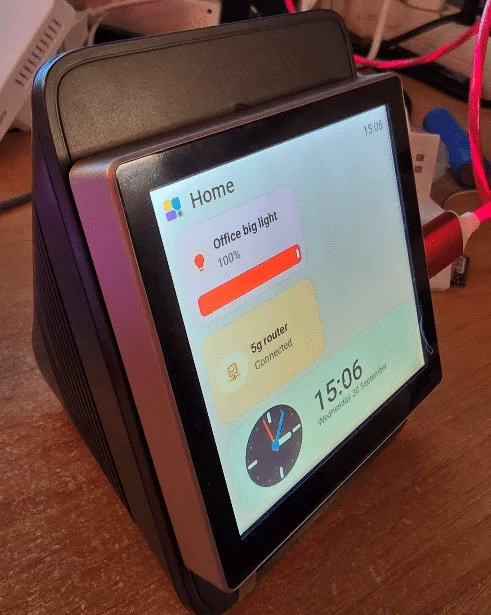
The Guition ESP32-S3-4848S040 makes a convincing small Home Assistant touchscreen when paired with Tessera. Its 4-inch, 480 × 480 capacitive display is compact enough to fit a bedside control spot, while the software makes it practical to arrange lights, switches, sensors and other Home Assistant entities without writing a screen configuration in YAML.
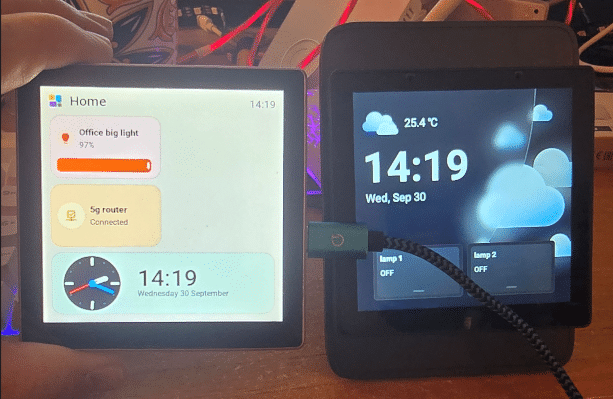
The board has 16 MB of flash and 8 MB of PSRAM. The author bought it from AliExpress and first tried EspControl, an ESPHome-based control panel that supports this Guition model. That setup worked for controlling Home Assistant devices, but the author wanted more room to shape the interface. Moving the same hardware to Tessera, formerly called ESP Screens, provided a drag-and-drop editor for building touchscreen pages. Tessera supports CYD and Guition ESP32 panels, along with other devices.
A screen that can replace a familiar control
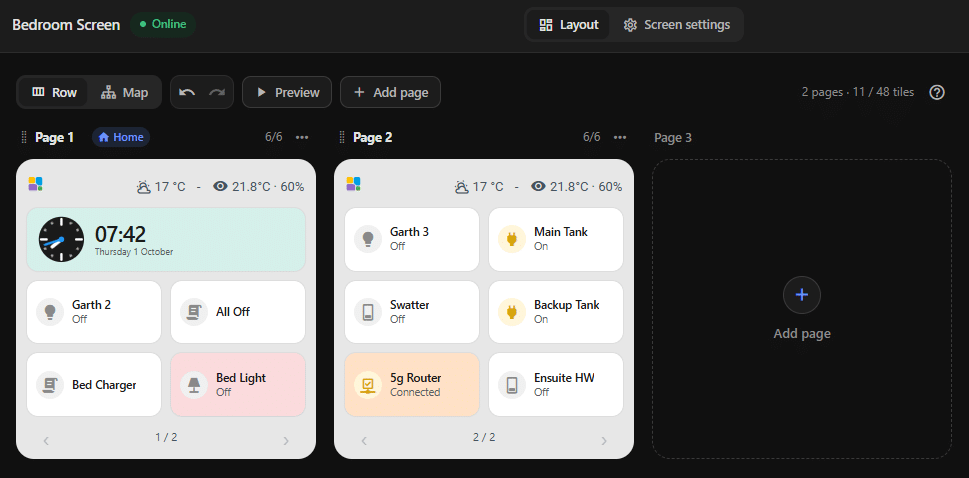
The author’s first Tessera setup came together in a single day: one page and a couple of working panels in the morning, followed by a bedroom installation by evening. The display now sits beside the bed, replacing a Sonoff NSPanel. The author says the 4-inch screen is a particularly good physical fit for that role and offers more flexibility than the original NSPanel with its Tasmota-modified setup.

A page can show tiles for Home Assistant lights, switches, sensors, weather and other entities. The first layout used a 3 × 3 grid, with a heading and footer when multiple pages were enabled. In that arrangement, the author had up to nine tiles per page to work with. Tessera’s later releases allow layouts with more tiles, and the page can include an icon at the upper left and optional time, date or forecast information at the upper right. Touch controls along the bottom switch between pages.
Tile space matters on a screen this size, so the author combined temperature and humidity into one Home Assistant template sensor. Instead of spending two tiles on separate readings, a single entity displays “21.4°C · 48%”. The same idea can make better use of the header area. A template entity with a state of “-” serves as a spacer between items, creating a little breathing room without requiring a dedicated layout control.
Layouts can change as the panel takes shape
The author’s October 9, 2026 update shows a 3-wide-by-4-high layout, changed on the fly. It keeps the text width the same while reducing unused vertical space. The author reports that the tiles remain large enough for touch, though the bedside unit may stay in a 3 × 3 layout because it needs to be easy to read without glasses.
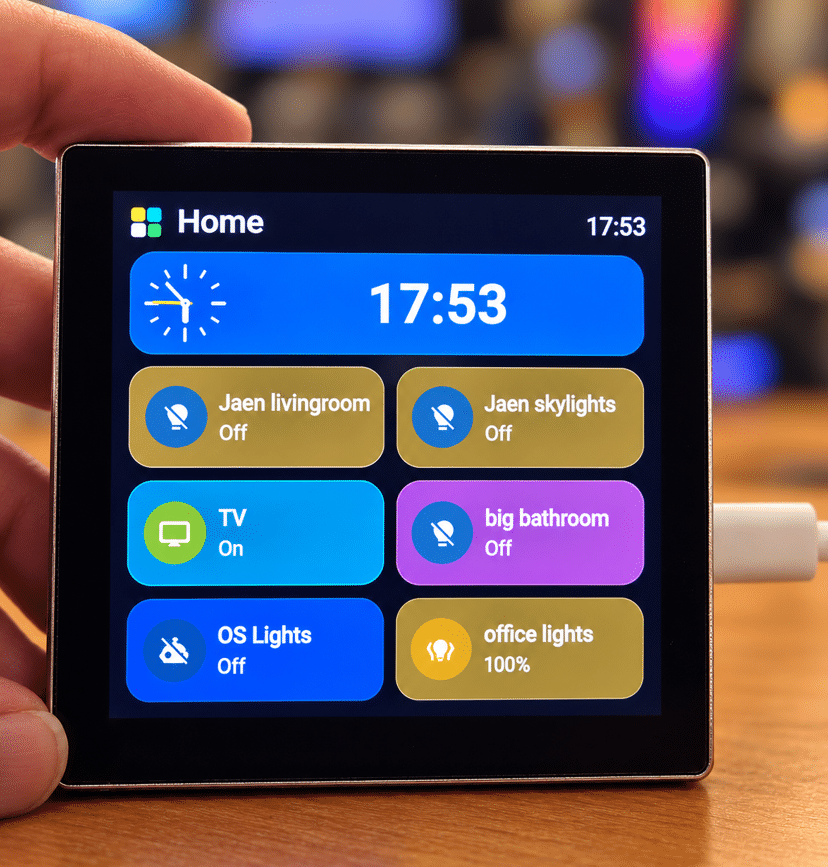
That live editing is part of the appeal: the interface can be adjusted as the owner learns what works in each room. The author has three Guition boards, with plans for one in the office and another on a white wall junction-box cover if there’s enough space inside for a small sealed 5 V supply. The bedside panel is already in regular use.
Power and Wi-Fi are the remaining setup details
The installed display currently runs on USB power. The author is considering powering it inside a Sonoff NSPanel Pro enclosure using a small isolated 230 V to 5 V supply connected to the Guition board’s eight-way power connector. That connector is distinct from the board’s 3.7 V battery connector. For now, the USB cable still comes out of the enclosure, so the internal power arrangement remains a planned next step.
Wi-Fi also needed attention because different parts of the house use different access points. The author says Tessera supports multiple Wi-Fi networks and firmware updates, and reports having since used multiple access points in a group. That matters for a panel intended to move between rooms or remain connected where a single access point may not provide the best coverage.
The setup described requires an existing Home Assistant installation, but the author says getting the display running involved no coding. That makes the Guition and Tessera pairing appealing for people who want a dedicated room control without building the interface from scratch. The experience so far is based on one author’s working setup; enclosure fit and internal power still depend on the specific installation.



