Five Mac and iPhone Apps for Research, Jazz, Sleep and Daily Puzzles
Eno PDF and Caddy organize research, while Sessionography, Wavelength and Geo Text offer new ways to explore jazz, light and places.
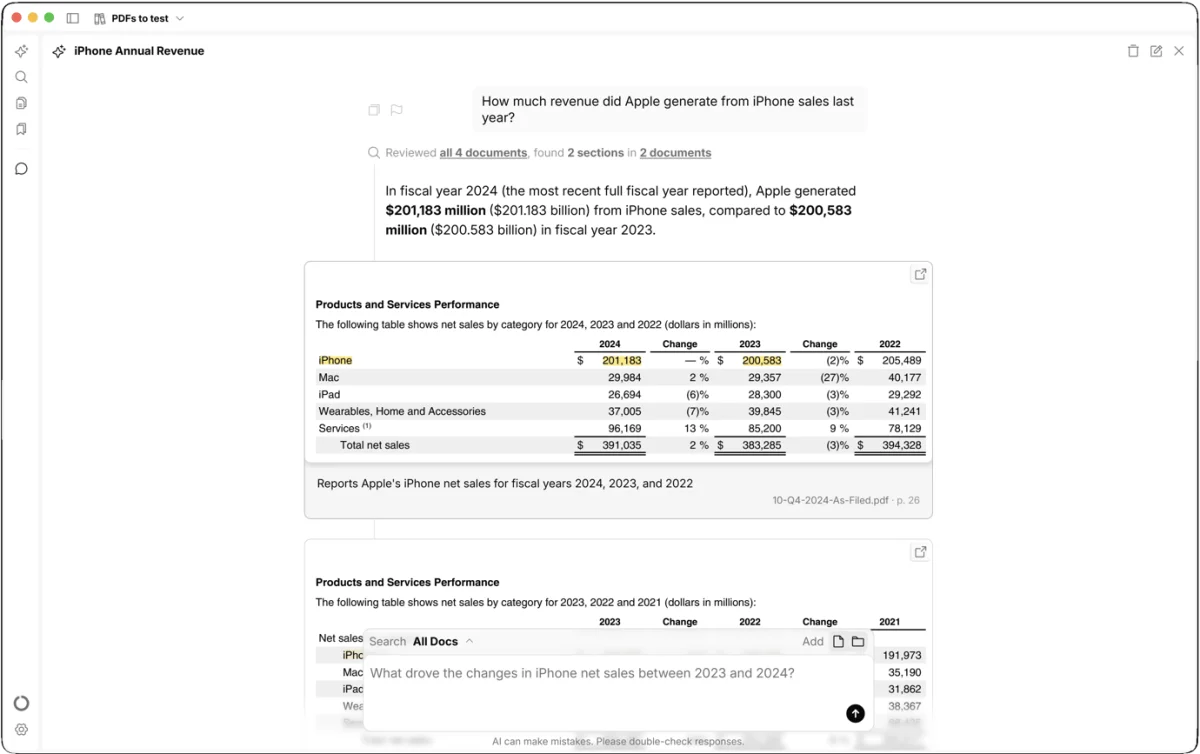
This week’s apps solve five different problems, from sorting through research documents to finding jazz recordings through their musicians. Two Mac tools focus on keeping work moving: Eno PDF searches long documents and shows the supporting text, while Caddy keeps project materials close at hand. On iPhone, Sessionography maps connections in jazz, Wavelength offers light timing guidance, and Geo Text turns location guessing into a daily Messages game.
Search documents with Eno PDF
Eno PDF uses AI to find information in documents, then points to the passage that supports its answer. That citation trail matters: it lets you check the result against the source instead of having to trust a response on its own.
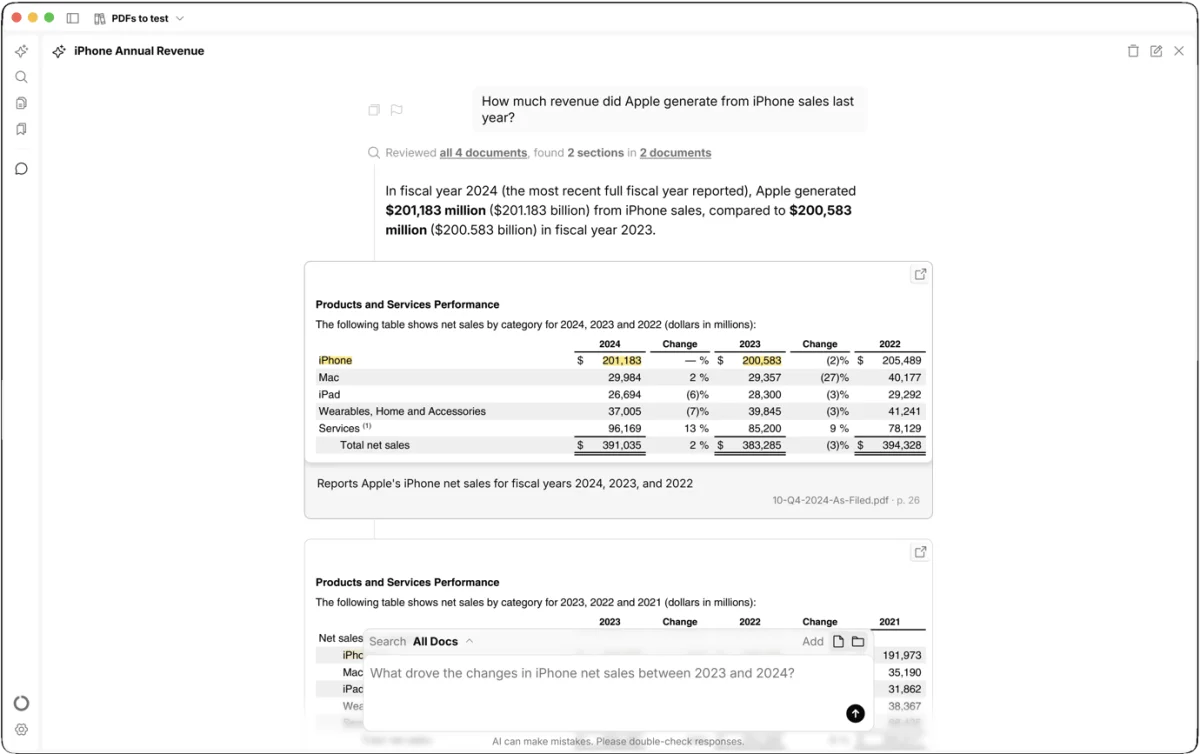
In a test, four years of Apple filings were loaded into the app to find the company’s iPhone revenue for its latest full fiscal year in the documents: fiscal 2024. Eno PDF returned the correct figure and highlighted the section of the report where it appears. It also showed which documents it was searching, giving a clearer view of how it reached the answer.
The searching happens on the Mac, so speed depends in part on how much material the app has to process. The article says documents aren’t stored on external servers, though snippets are sent out for AI analysis. That’s a detail worth weighing for work involving sensitive material.
Eno PDF is free to download and includes 1,000 credits. Once those are used, 5,000 more cost $15. It’s aimed at people such as lawyers and academics, but the same approach could help anyone facing a large collection of documents: ask a focused question, then check the highlighted evidence before using the answer.
Keep project materials close with Caddy
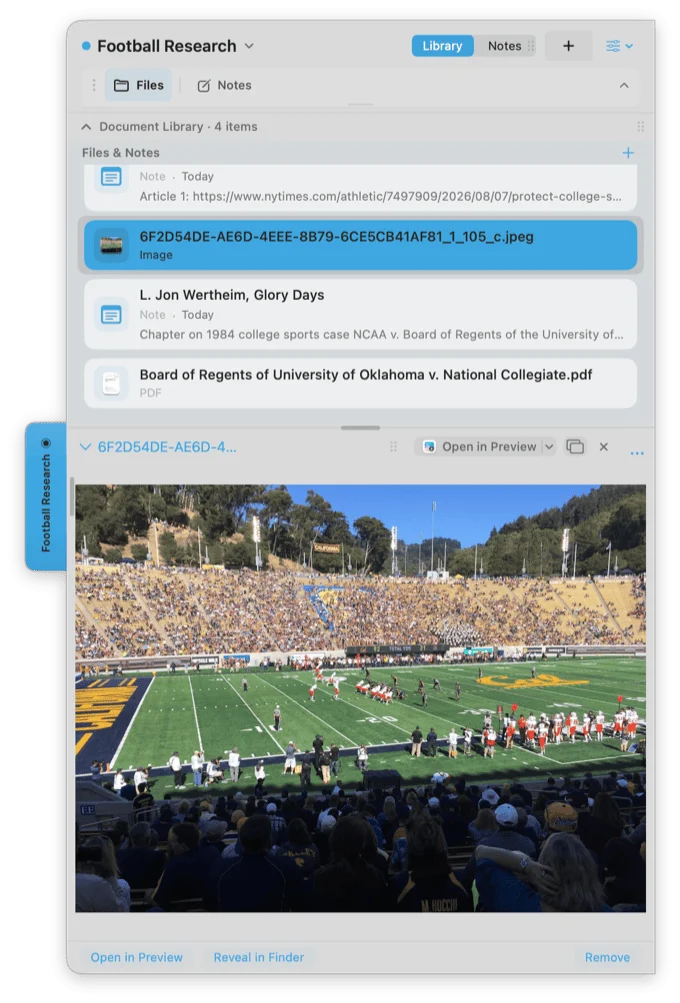
Caddy puts a project tab at the edge of the Mac screen. Each tab can hold notes, files, documents and images, so reference material stays grouped and can be opened without leaving the app you’re working in. Multiple tabs can use different colors to make projects easier to distinguish.
The free macOS app covers the core idea. Caddy Club costs $3.99 per month or $29.99 per year and adds more tab customization, collaboration, and the ability to send someone a copy of a Caddy. For research and other assignments that gather material across several formats, the appeal is having one compact place to return to rather than hunting through separate folders and windows.
Follow jazz connections in Sessionography
General music services can be awkward for listeners who want to trace a genre through its players and recordings. Sessionography is built for that kind of exploration: search by artist, album or song, then follow the links between jazz musicians and their work.
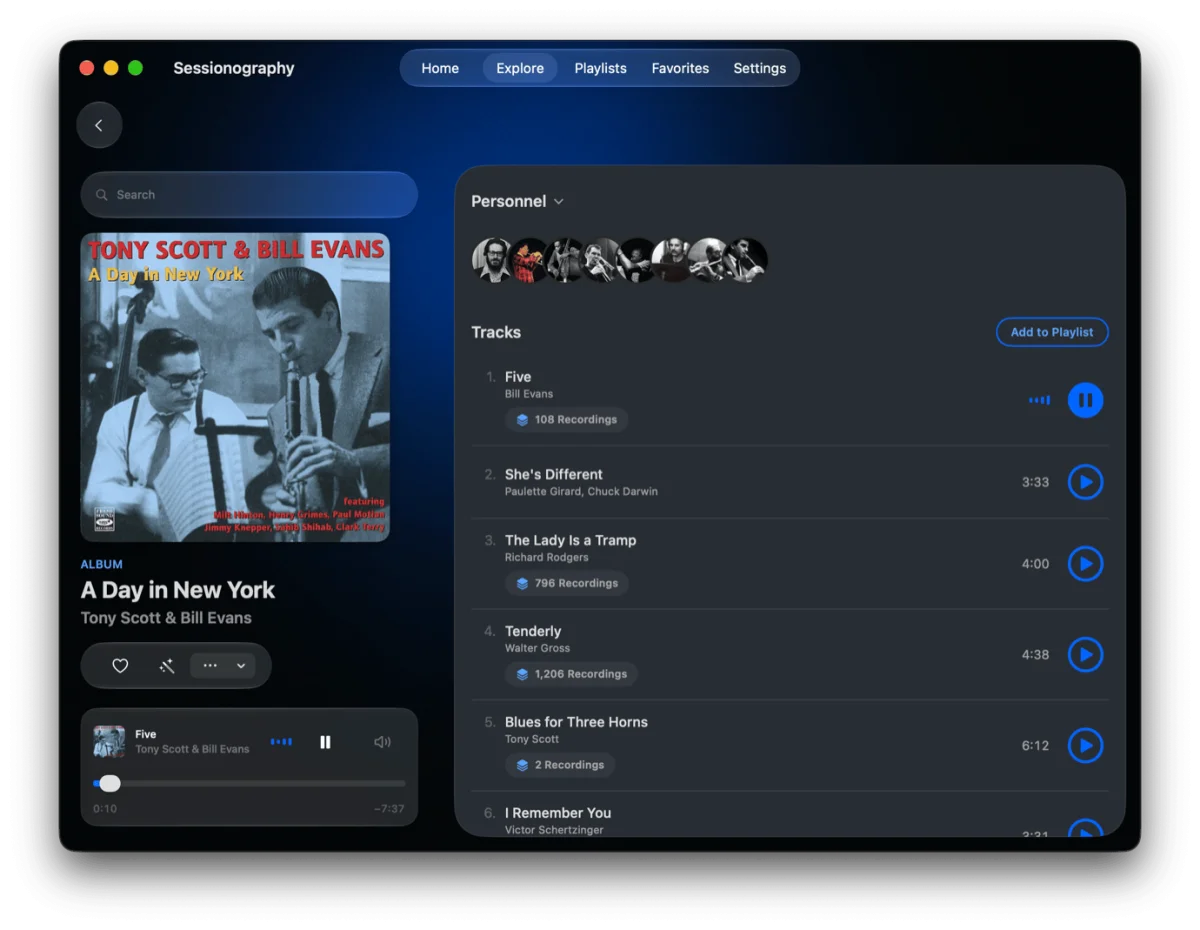
A search for Bill Evans, for example, brings up his albums, which can be sorted by whether he led the session or played as a sideman. From an album, listeners can see who performed on it and explore those musicians’ catalogs. The app can also create a smart playlist with a tap; playing the selections requires an Apple Music subscription.
The free version allows 10 daily actions exploring artists and music, plus three smart playlists. A subscription at 99 cents per week or $19.99 per year removes those limits. The app’s strength is discovery by musical connection, whether you already know the players or want to find out which sounds hold your attention.
Use Wavelength to plan light exposure
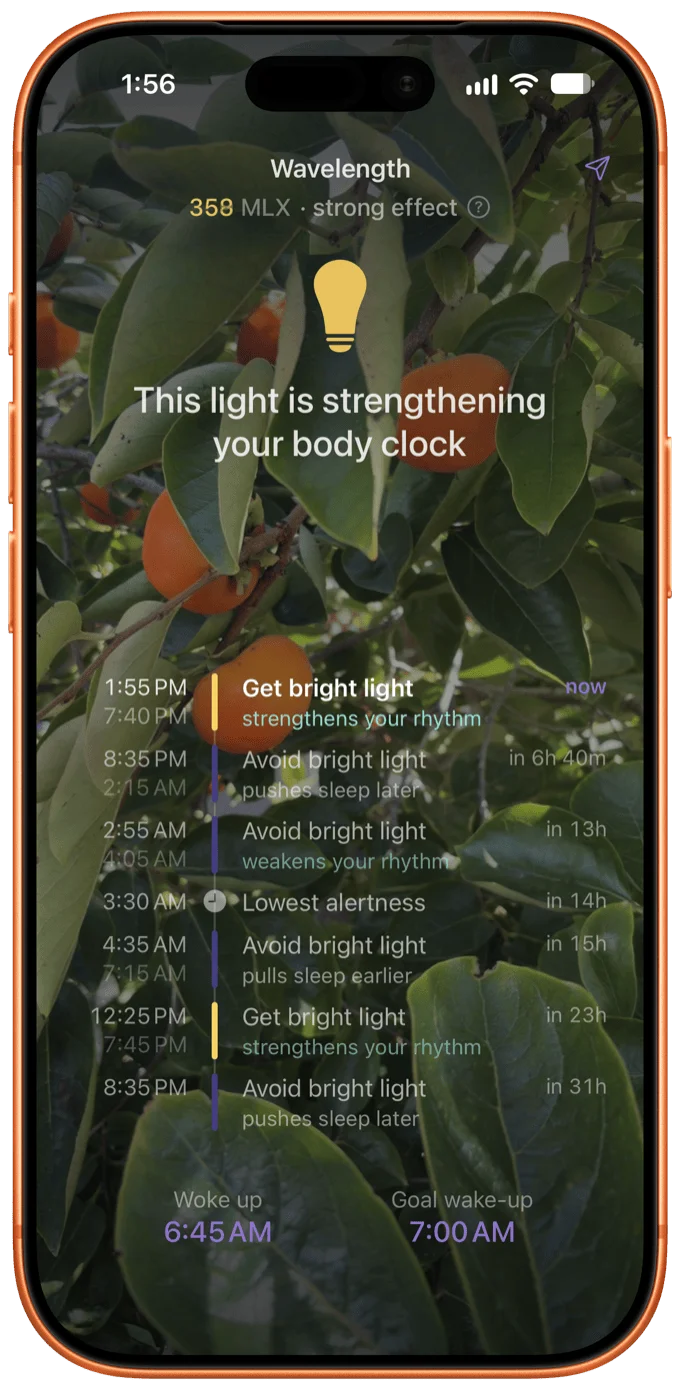
Wavelength uses the iPhone camera to measure surrounding light and offers a schedule intended to support the body clock. At setup, users enter when they woke up and their preferred wake time. The app then indicates when to seek daylight or bright light, and when dimmer conditions may be a better fit.
The developers also say the guidance can help with jet lag. The app’s release notes point to the research behind its recommendations, though the source doesn’t report independent testing of its advice. Wavelength’s App Store listing says the full app, normally a $29.99 download, is free to all users through September 2027.
Play Geo Text in Messages
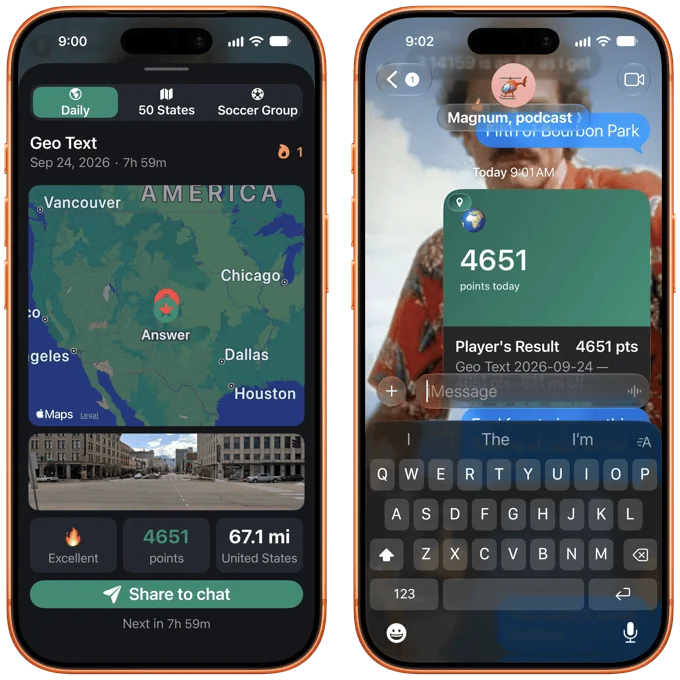
Geo Text brings a location guessing game into the iPhone Messages app. Each round presents a 360-degree photo of a place. Players look around the image, choose where they think it was taken, and earn more points when their marker lands closer to the correct location.
Results can be shared in individual or group chats, where other participants can join if they also download the app. The free version offers one game each day. In-app purchases costing $1.99 unlock separate games based on the 50 U.S. states and soccer stadiums around the world.
Together, these apps make a useful mix for people who want to spend less time sorting materials and more time using them: Caddy gathers project references, Eno PDF searches them, and the iPhone picks up the slack for music discovery, light planning and a quick group challenge.


