Secretive Stores SSH Keys in Mac’s Secure Enclave, With a Setup and Backup Trade-Off
Secretive keeps SSH private keys inside a Mac’s Secure Enclave, but users must configure it themselves and recreate keys when changing devices.
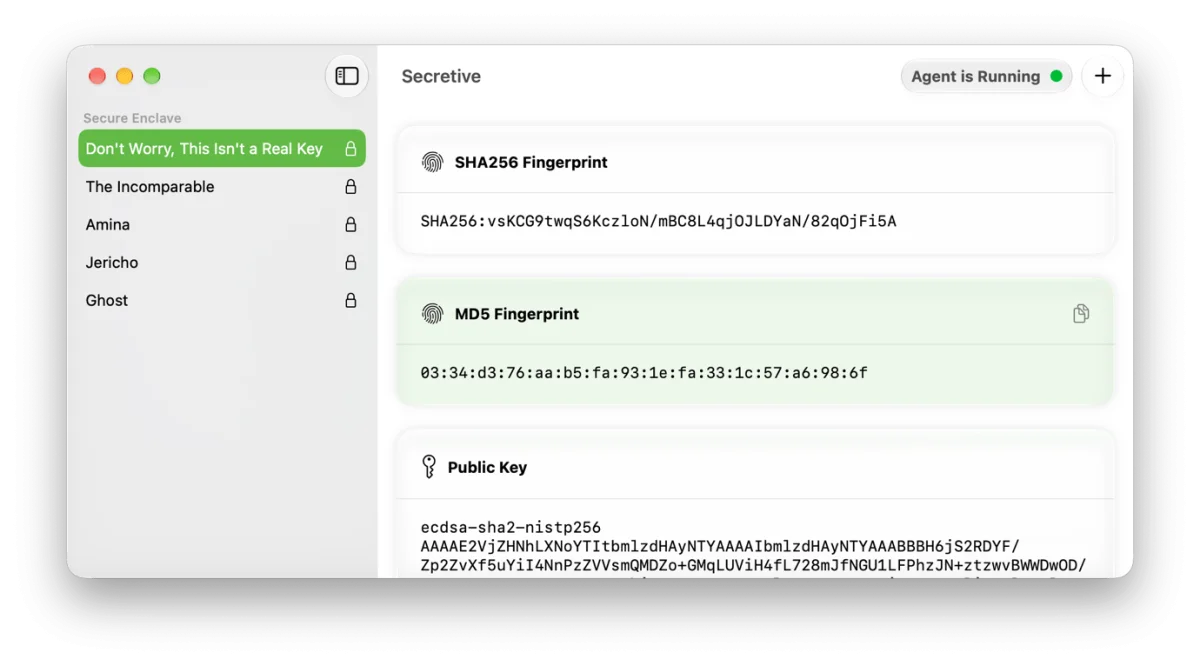
Secretive offers a focused answer to a gap in Apple’s Passwords app: it lets Mac users keep SSH private keys inside the computer’s Secure Enclave. The benefit is stronger protection for those keys; the cost is a more hands-on setup and no way to export or restore them. For people who use SSH with developer tools or file transfer apps, that trade-off may make sense.
That gap matters to users who want one password manager to handle more than website logins. The author had previously pointed to the lack of SSH key management in Passwords as a reason not to rely on Apple’s app alone. 1Password offered a model the author liked: macOS’s built-in authorization system could be used to unlock a key with Touch ID or the 1Password password, instead of requiring a separate key passphrase. Secretive addresses the storage and protection side of the problem, though it still asks users to do more setup themselves.
What Secretive protects
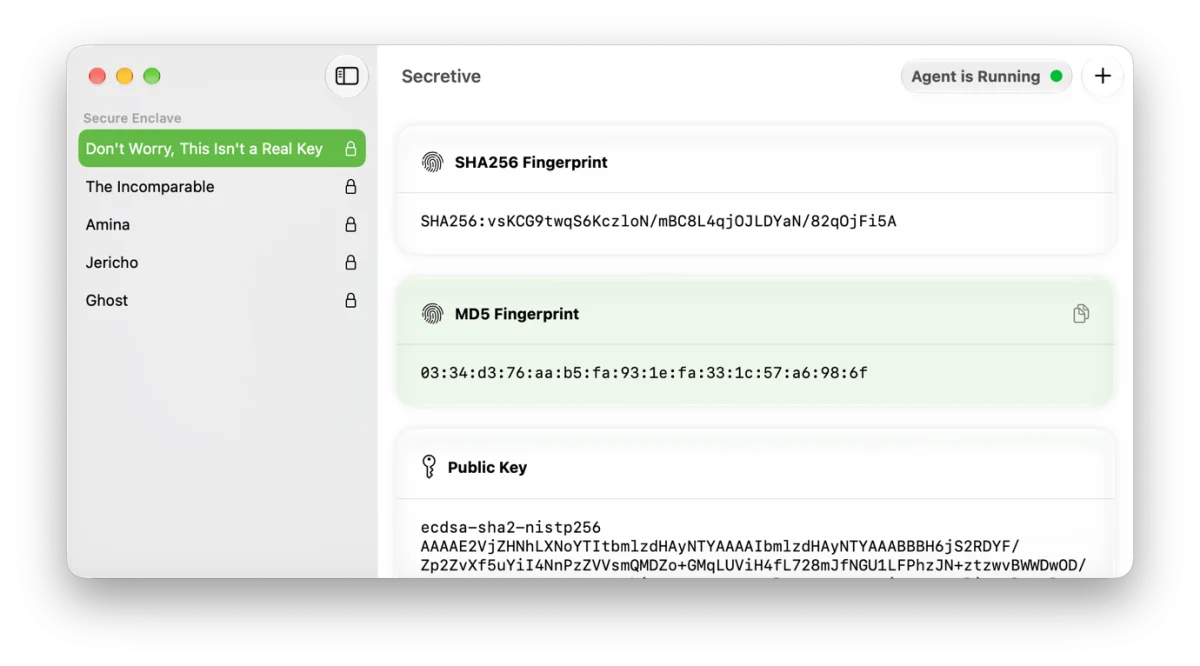
Secretive is an open-source tool created by Max Goedjen and others. It stores SSH keys in the Mac’s Secure Enclave, where the private keys can’t be exported. That means a copy of the private key isn’t available to move to another computer or keep as a backup. The security gain comes with a practical limit: the key stays tied to the device where it was created.
The app supports ECDSA-256 keys. On macOS Tahoe and later, it can also create post-quantum keys using the MLDSA-65 and MLDSA-87 algorithms. Those algorithm names may matter to people choosing a key type for a particular setup, but most users don’t need to work through their technical details to understand the central point: Secretive offers several ways to create keys, and the newer options require macOS Tahoe or later.
Secretive is most relevant when an app or workflow already uses SSH authentication. The source identifies developer tools such as git and GitHub, along with secure file transfer clients Transmit and Cyberduck, as likely places to use it. Support depends on each app’s developers having built in compatibility, so installing Secretive alone won’t automatically make every tool use its keys.
Setup takes some technical work
Secretive is not a one-tap replacement for a general password manager. Users need to edit configuration files, and anyone using the keys to log in to remote servers must install the keys themselves. The app provides instructions, as does the project’s online README, but users should expect to handle some setup and connect the key to the tools they use.
That work is part of the decision. Someone who already manages SSH connections and knows where their application settings live may find the steps familiar. For someone who wants a password manager to quietly handle key creation, access and device changes, Secretive’s current approach may feel like more maintenance than they want. Compatibility also deserves a check before switching: the apps in a person’s routine need to work with Secretive for its keys to be useful there.
The device lock-in is the main trade-off
Keeping the private key in the Secure Enclave means Secretive can’t back it up or transfer it elsewhere. If a Mac fails or the user moves to a new one, the keys have to be created again. A person using SSH from more than one Mac also needs to set up Secretive on each computer. That can mean updating the relevant server or service access to accept the newly created keys, depending on how the person uses SSH.
This is a meaningful difference from the convenience users may expect of a password manager: a key stored in Secretive isn’t simply waiting to be restored from a backup on another device. Users should consider how they would regain access if their Mac were unavailable, and whether recreating keys across their computers fits their routine. The protection is strongest when the private key stays inside the device, but that same design makes recovery less convenient.
The author still hopes Apple will bring SSH key management to Passwords in a way that preserves security and makes setup easier, potentially including iOS. For now, Secretive fills a narrower role for Mac users who want Secure Enclave storage and are comfortable managing configuration and device-specific keys. Its appeal comes down to a clear choice: keep private keys tightly bound to each Mac, and accept the extra work when setting up apps or moving to another device.
1 The author also notes that SSH key support could matter to people considering a move away from 1Password. Until Apple adds this kind of feature to Passwords, Secretive is the author’s current choice for managing SSH keys on a Mac.
- It also might help more people who would like to move away from 1Password for…reasons. ↩


