Craft Anything Uses AI to Rebuild Apps, Websites and Games in Rust
Craft Anything studies software and guides a coding agent through a rebuild, with Clean room and Deep modes and an early alpha toolset.
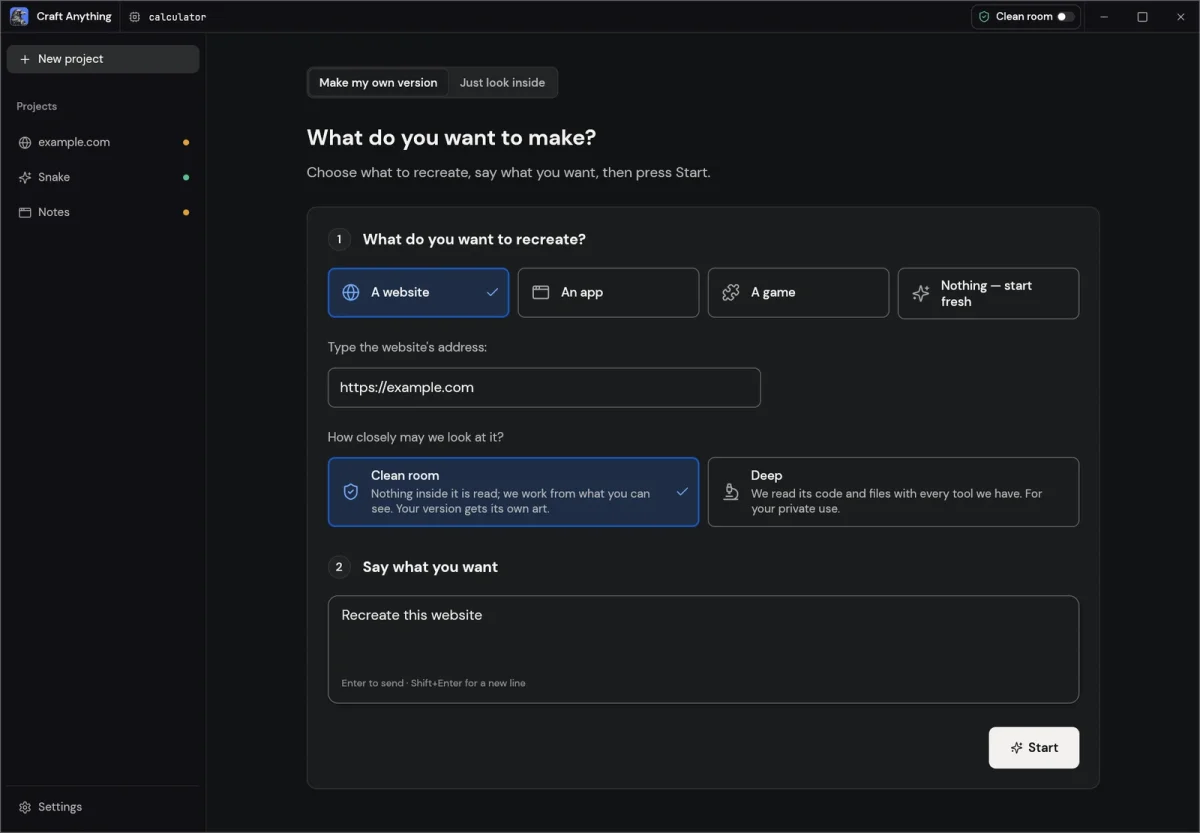
Craft Anything’s most interesting feature is the boundary it sets around how a rebuild begins. Its default Clean room mode studies software from the outside, using what a person can see on screen. A coding agent then uses those observations to make a new version. That approach gives the open-source project a practical way to recreate an interface while avoiding a direct read of the original’s code and files.
Written entirely in Rust, Craft Anything is in early alpha and dual-licensed under MIT or Apache-2.0. Its workflow is designed to move from inspection to a working result: choose a target, describe what you want, and start the process. Craft Anything studies the original, builds a new project in a chosen software stack, checks the result against the target, and presents something to open, play or preview. You can then request changes and have the agent refine its work.
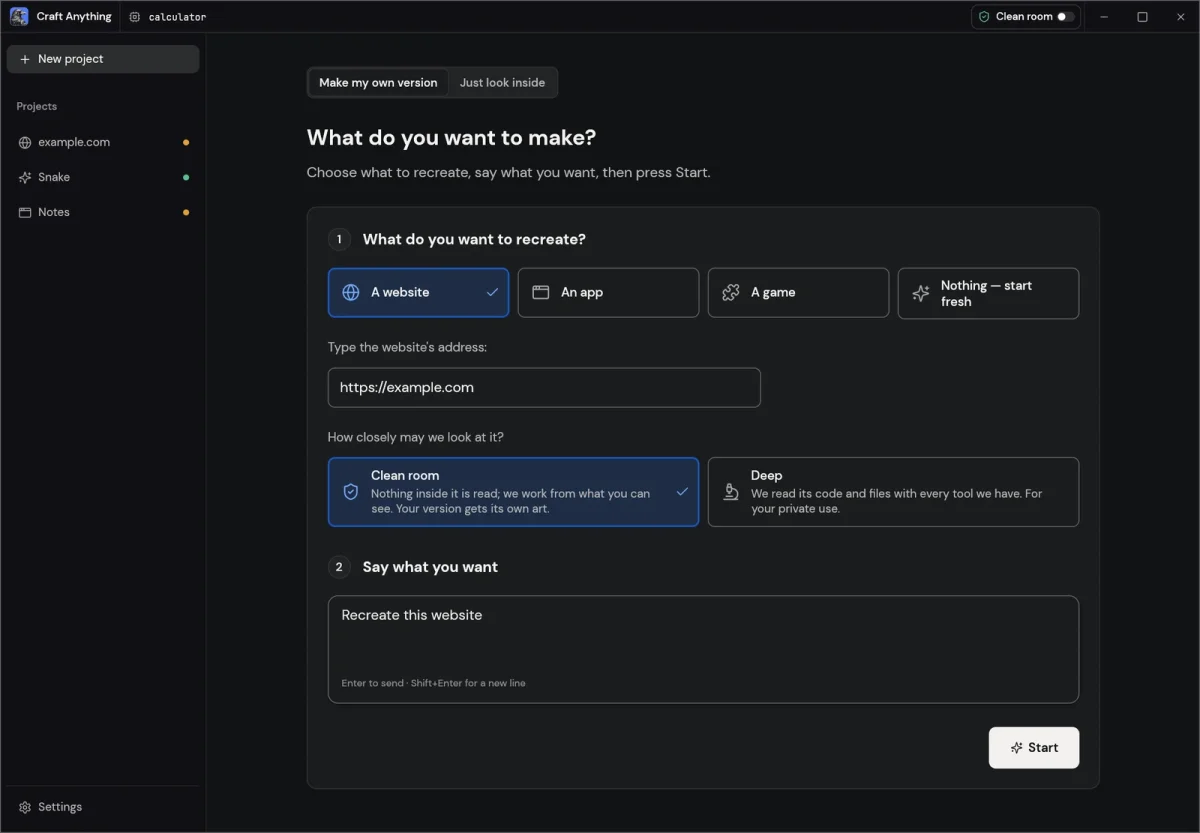
Two modes set different limits
Clean room mode gathers evidence from the target’s visible presentation: screenshots, text, layout measurements, colors, fonts, spacing and menus that a visitor can open. It does not read the original’s code, files or page source. Tools that would inspect those materials are blocked in this mode, and Craft Anything explains how to change modes.
That limitation shapes what Clean room can realistically reproduce. It can guide an agent toward a similar layout and visible behavior, but it doesn’t give the agent a map of the target’s internal structure. The rebuild depends on what can be observed and measured. That makes the mode easier to understand as a visual and interaction study than as a direct software translation.
Deep mode takes a different route. It can read a program’s code and files using Craft Anything’s engines and Ghidra, when Ghidra is installed. For websites, it watches JavaScript as the start page loads. The project describes this mode as intended for private use. The choice between modes therefore affects both the material available to the agent and the nature of the rebuild it can attempt.
A broad analysis engine behind the interface
The desktop app is only one way to use Craft Anything. Its underlying reverse-engineering engine has 284 tools, including 271 built into the engine. The supported material spans native programs, .NET and Java software, Android and Apple platforms, Electron apps, JavaScript and websites, as well as firmware, packet captures, databases and game files.
Craft Anything says its own decoders, disassembler and decompiler can work without another external program. Each tool is available as a command-line subcommand and as an MCP tool, which means an agent can run an inspection and rebuild workflow without the desktop interface. The same engine also supports the graphical app, command-line interface, MCP server and a browser viewer compiled to WebAssembly.
That shared foundation matters for users who want to fit the project into different workflows. The graphical interface offers a direct place to select a target and review a build; command-line and MCP access make the tools available to agents and other software. Builds are available for Windows, macOS, Linux and FreeBSD.
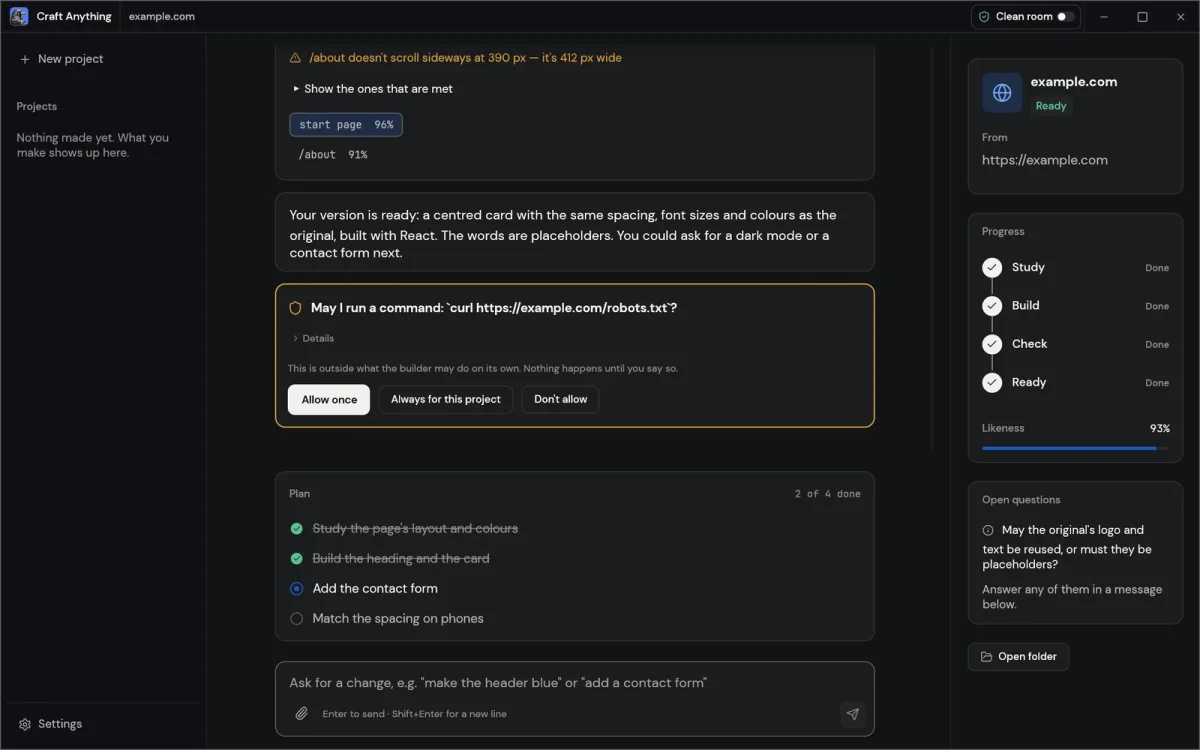
The build depends on a separate coding agent
Craft Anything handles analysis and coordination, but a coding agent does the implementation. Claude Code is the first supported option. The app runs the user’s existing, unmodified claude program and uses that person’s sign-in, so Craft Anything itself does not handle the account. A Codex adapter is also present, although the project says it has not been checked against a real installation.
This dependency is also where the project’s unfinished edges are clearest. Website comparisons currently check three screen widths, giving the agent a way to judge whether its pages resemble the target at different sizes. Game rebuilds work with Unity, Unreal or Godot. Checks for app and game behavior, however, are only partly implemented, so a visually convincing result may not yet mean every interaction works as intended.
Permissions shape what a rebuild should copy
The project says Craft Anything won’t bypass DRM, logins or anti-cheat systems, and asks users to work only with software they own or are permitted to examine. It also instructs the agent not to copy logos, photos or text unless the user confirms they own those materials or have permission to use them.
Those boundaries are relevant to the tool’s design: reproducing visible layout and behavior can still involve material that belongs to someone else. Craft Anything’s guidance puts the responsibility on the user to choose an appropriate target and confirm what may be reused. For someone studying their own software or prototyping from a reference, Clean room mode offers a clear starting point; Deep mode provides a much more detailed view when that access is appropriate.
The project has 379 stars, 46 forks and 28 open issues. It says a first public release and a managed tier are next. For now, the most useful measure of progress will be how reliably the agent turns observations into working software, especially beyond website appearance checks. The engine already covers a wide range of formats; stronger behavior checks would make it easier to judge whether a rebuild does more than look the part.